5
ENGLISH
Select the connection method that best matches how you
will use the printer.
•
To use the printer without connecting to any other
devices
Setup is now complete.
To set up a fax, see "Using Fax Function" on page 8.
•
To use the printer connecting to a computer or
smartphone
Proceed to the next page.
5
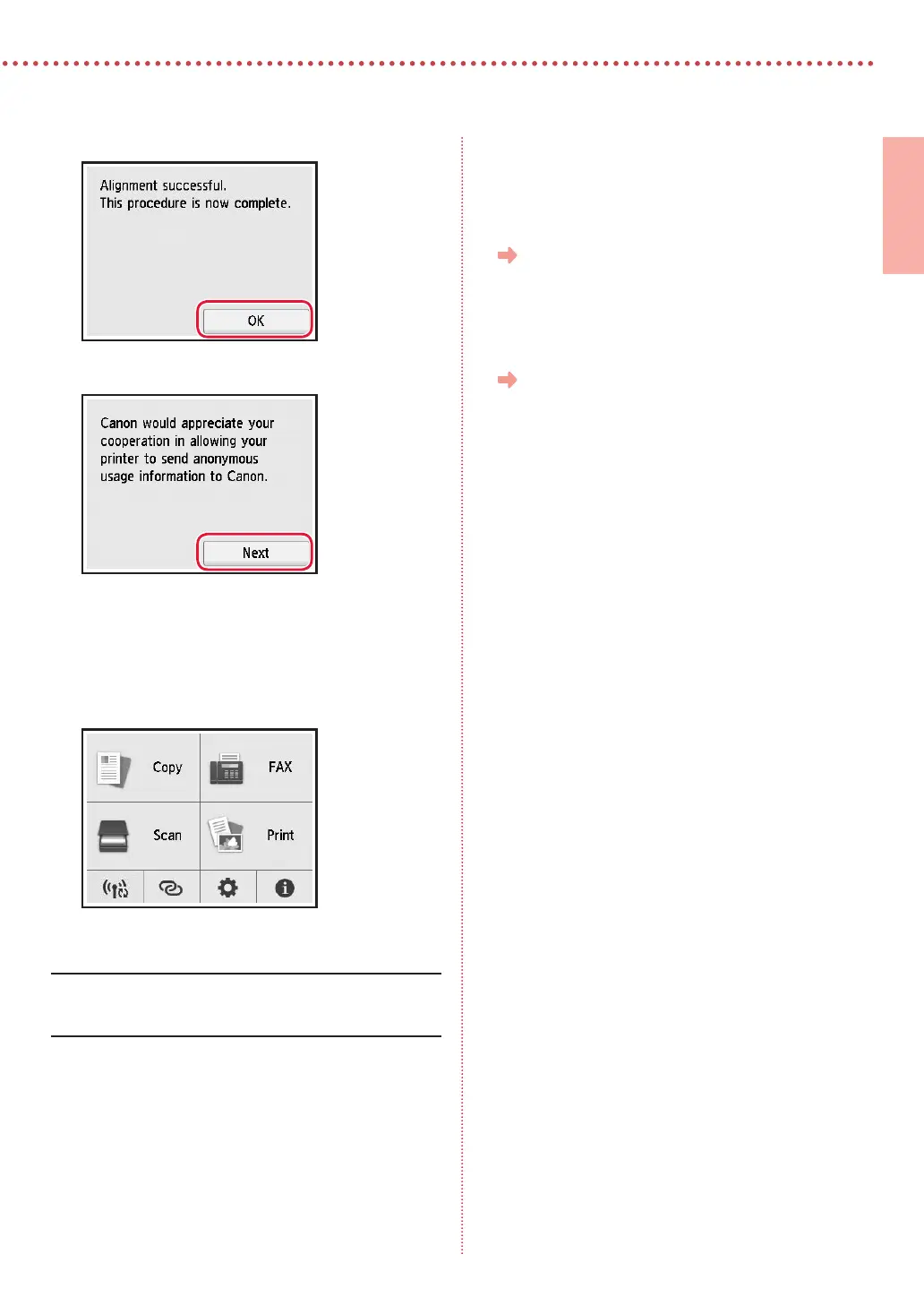
When the following screen appears, tap OK.
6
Tap Next.
•
Follow the on-screen instructions to continue setup.
This includes making selections related to sending
information.
Refer to "Sending Information To Canon" in Safety
and Important Information.
7
Check that the following screen appears.
If you will use the printer without connecting any other
devices, setup is now complete.




 To Next Page