Edit or Remove a Recipient from an Address Book (Fax Driver)
You can change the recipients' names, fax numbers and other information, or delete recipients registered in
the address book.
Editing Recipients in an address book
1.
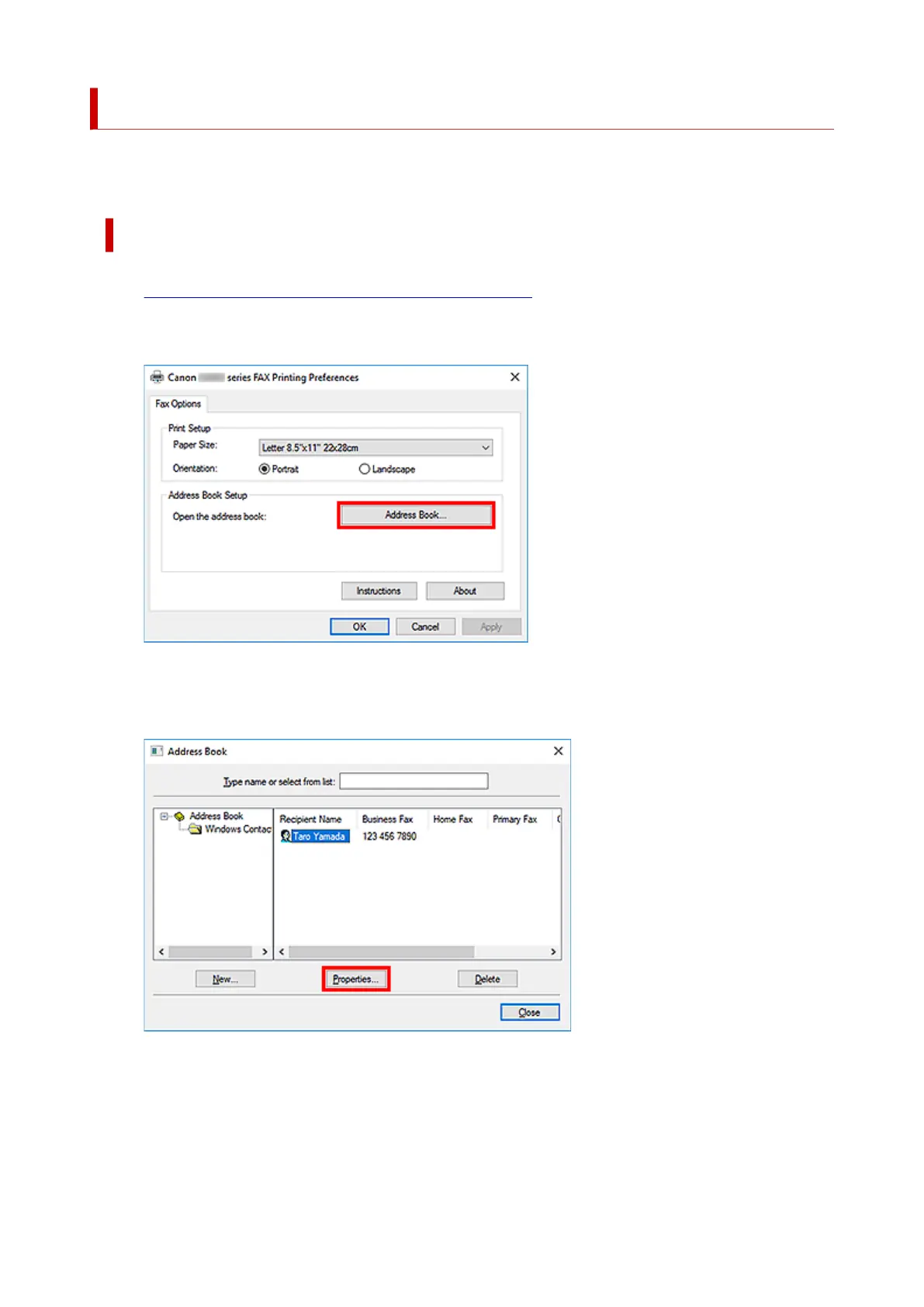
Open the print settings dialog box of the fax driver.
2.
Click Address Book... in the displayed dialog box.
3.
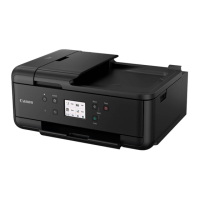
Select the recipient you want to edit from the Address Book dialog box, then click
Properties....
4. Change information as needed on the Properties dialog box, then click OK.
403




 To Next Page