1303
Cause
Paper is jammed when feeding paper from cassette.
What to Do
1.
Remove jammed paper.
•
If the paper is jammed at the paper output slot:
1300
•
If the paper is jammed inside the printer:
Paper Is Jammed inside Printer
•
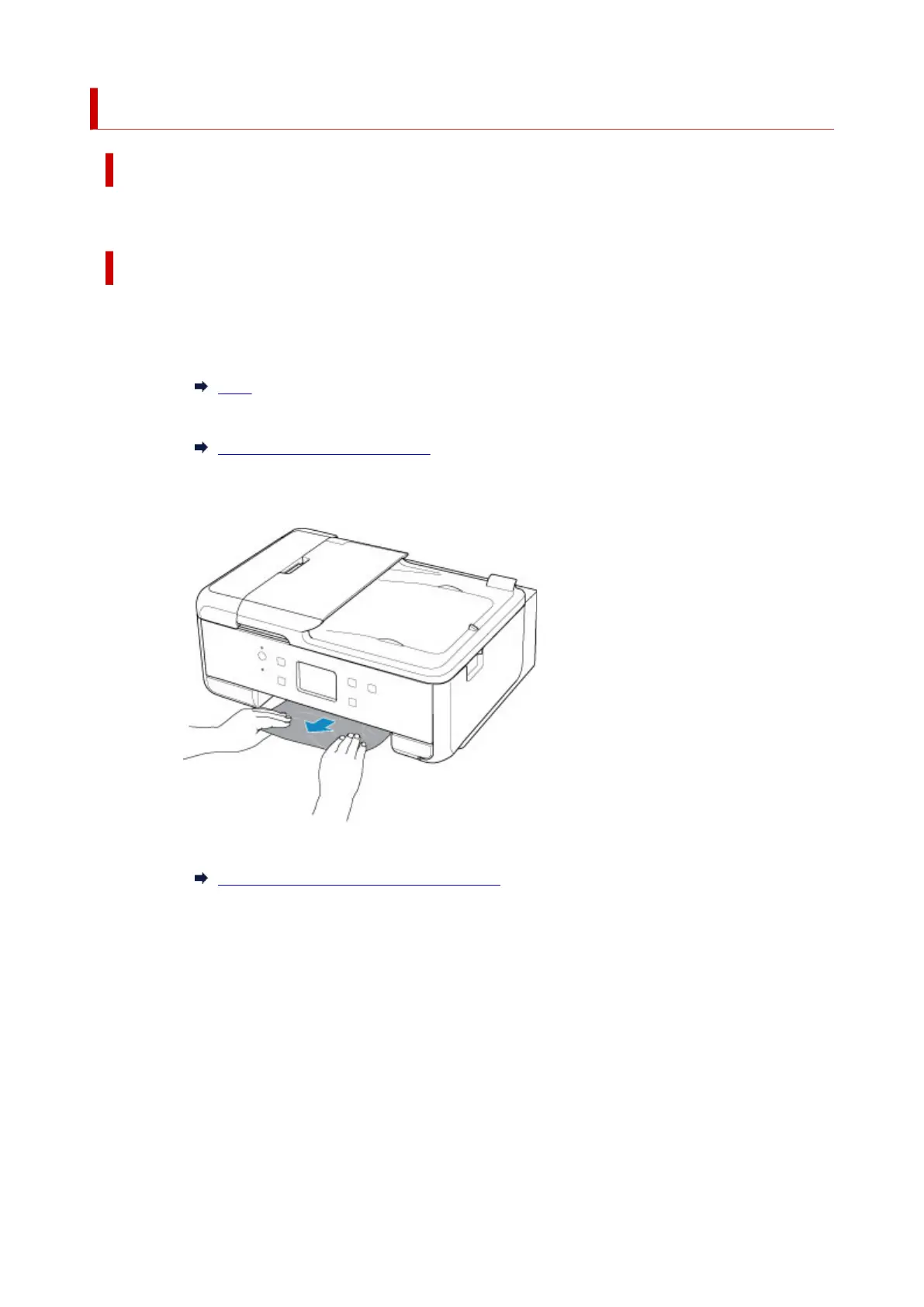
If the paper is jammed at the feed slot of the cassette:
Pull out the cassette, and then remove the jammed paper slowly with both hands.
• If the measures above do not solve the problem:
Removing Jammed Paper from Rear Side
2. Load paper in cassette properly.
When you load A4 sized paper in the cassette, make sure you have extended it.
1. Remove cassette cover (A).
520




 To Next Page