1000
Cause
Possible causes include the following.
• There is no paper in the rear tray.
• Paper is not loaded in the rear tray properly.
What to Do
Take the corresponding actions below.
• Load paper in the rear tray.
Loading Plain Paper / Photo Paper in Rear Tray
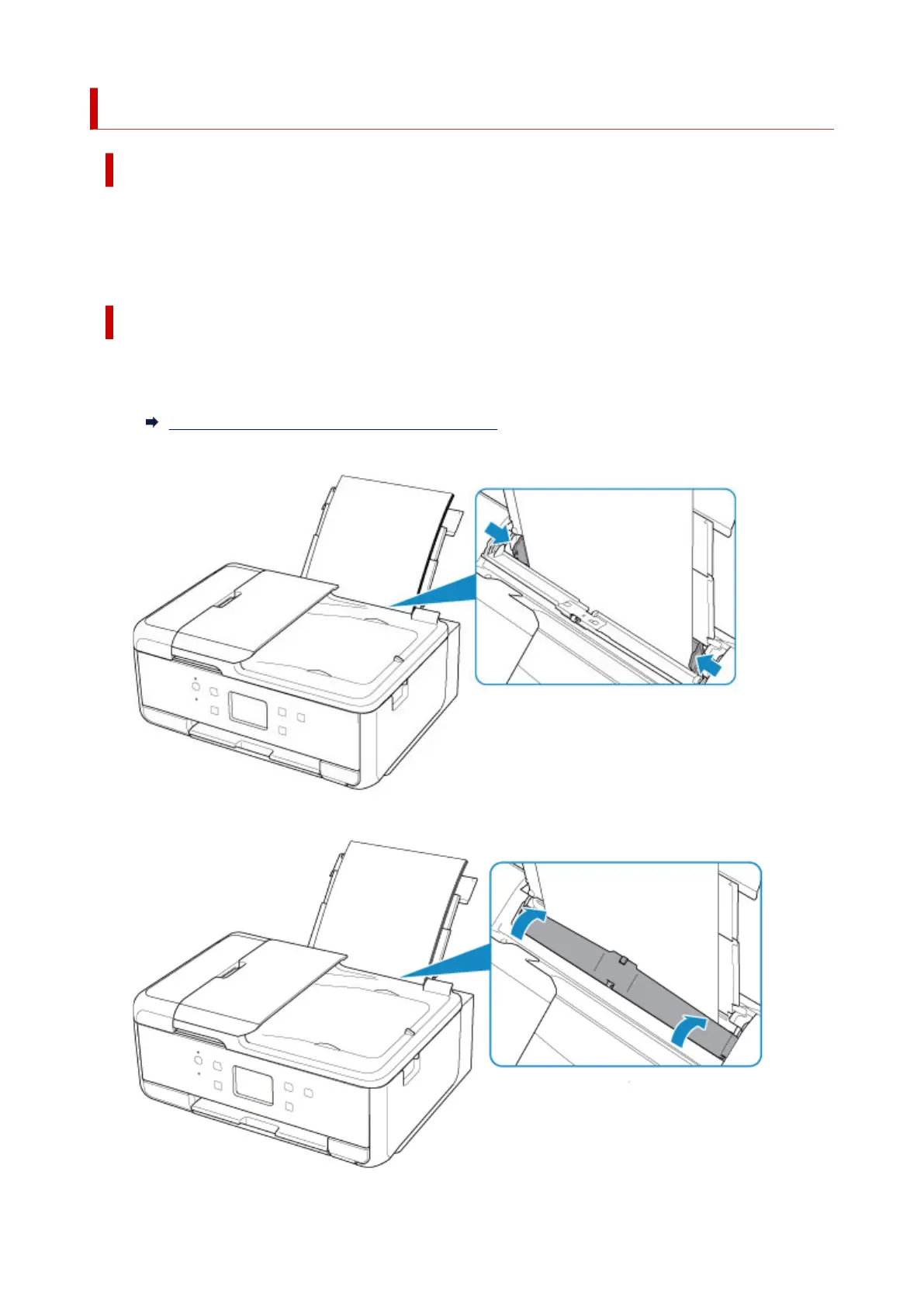
• Align the paper guides of the rear tray with both edges of the paper.
• Close the feed slot cover.
533




 To Next Page