
 Need help?
Do you have a question about the Canon TS8200 Series and is the answer not in the manual?
Explains the meaning of various symbols used in the manual for safe operation and guidance.
Lists trademarks and licenses relevant to the software and hardware covered in the manual.
Step-by-step guide on how to print photos from a computer using Easy-PhotoPrint Editor.
Instructions for printing photos directly from a smartphone or tablet using Canon PRINT Inkjet/SELPHY.
Details on how to load originals and perform standard copying operations on the printer.
Guide on printing photographs directly from a memory card inserted into the printer.
Instructions for printing photos onto printable discs using Easy-PhotoPrint Editor.
Procedure for copying an existing disc label and printing it onto a printable disc.
Information on connecting the printer and devices using a wireless router.
Details on connecting devices directly to the printer without a wireless router.
Provides tips for using the printer via a network connection.
Utility for diagnosing and repairing network status and performing printer settings.
Instructions on how to launch the IJ Network Device Setup Utility software.
Guide to diagnosing and repairing network issues using the utility.
Procedures for performing and changing network settings for the printer.
Covers loading paper into the rear tray and cassette.
Instructions and cautions for using the multi-purpose tray for printing.
Guidance on placing documents on the platen for scanning.
Step-by-step instructions for inserting memory cards into the printer.
Procedure for replacing ink tanks, including status checks and tips.
Procedure to clean the paper feed rollers to ensure proper paper feeding.
Instructions for cleaning the inside of the printer, particularly the bottom plate.
Covers safety precautions, regulatory information, and WEEE directives.
Guidelines for canceling jobs, legal restrictions, transport, repair, and disposal.
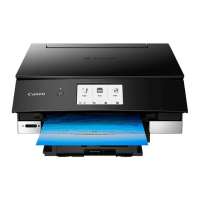
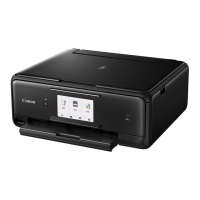
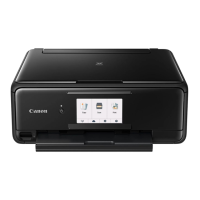
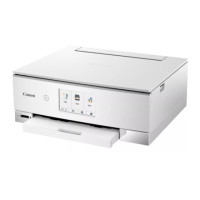
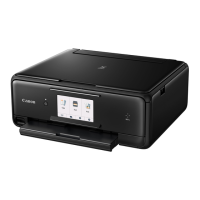
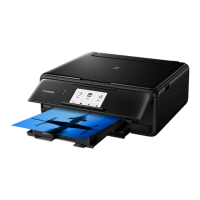
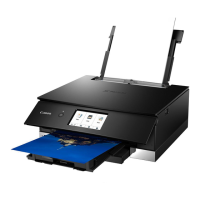
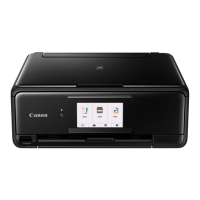
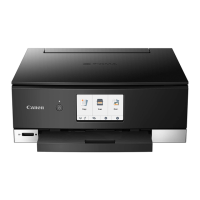
Details on the printer's main components and how to use them.
Information on changing printer settings from a computer or the operation panel.
Technical specifications of the printer, including resolution, interface, and dimensions.
Methods for printing documents from a computer.
Instructions for printing from various mobile devices.
Guidance on printing using Canon's application software like Easy-PhotoPrint Editor.
Information on printing via web services like PIXMA/MAXIFY Cloud Link.
Explains the Quick Setup tab for registering and selecting commonly used print settings.
Details on creating basic print setups based on media type and other settings.
Covers document arrangement on paper, copies, and printing order.
Describes how to start the Canon IJ Printer Assistant Tool and check printer status.
Explains the Canon IJ Status Monitor application for printer status and progress.
Details on troubleshooting messages and error codes displayed by the printer.
Explains messages and support codes appearing on the computer or touch screen.
Provides a comprehensive list of support codes for various error conditions.
Addresses common issues related to network connectivity and settings.
Troubleshooting steps for common printing issues like no print or poor quality.
Solutions for issues encountered during scanning on Windows.
Troubleshooting steps for mechanical issues like power or connection problems.
Guidance for resolving issues during driver installation or software download.
 General
| Print Technology | Inkjet |
|---|---|
| Max Print Resolution | 4800 x 1200 dpi |
| Scanner Type | Flatbed |
| Scanner Resolution | 1200 x 2400 dpi |
| Print Speed (Black) | 15 ipm |
| Print Speed (Color) | 10 ipm |
| Connectivity | Wi-Fi, USB |
| Supported Paper Sizes | 4x6, 5x7, 8x10, Letter, Legal, Envelopes (DL, COM10), Square |
| Display | 4.3-inch Touchscreen |
| Functions | Print, Copy, Scan |
| Paper Capacity | 100 sheets |
| Duplex Printing | Yes |




 To Next Page