EasyManua.ls Logo

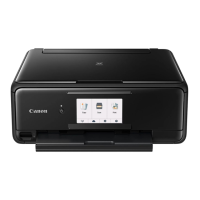
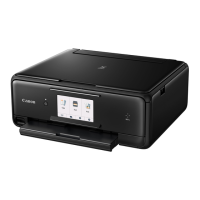
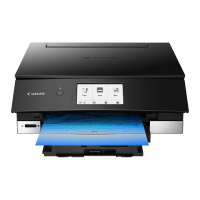
Canon TS8300 Series - User Manual

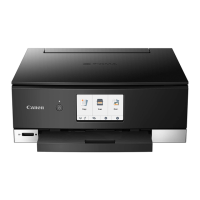
Canon TS8300 Series
534 pages
Print Icon
To Next Page IconTo Next Page
Loading...
TS8300 series
Online Manual
English

Table of Contents

Question and Answer IconNeed help?

Do you have a question about the Canon TS8300 Series and is the answer not in the manual?

Summary

Using Online Manual

Symbols Used in This Document

Explains symbols used in the manual for safe operation and understanding.

Trademarks and Licenses

Lists trademarks and licensing information for software and products.

Basic Operation

Printing Photos from a Computer

Step-by-step guide on printing photos from a computer using Easy-PhotoPrint Editor.

Printing Photos from a Smartphone;Tablet

Instructions for printing photos wirelessly from a smartphone or tablet.

Network

Available Connection Methods

Overview of connection methods like Wireless Connection and Wireless Direct.

Changing Network Settings

Procedures for changing network connection methods and settings.

If Printing Is Faint or Uneven

Maintenance Procedure

Steps to follow if print results are blurred, colors are incorrect, or printout is unsatisfactory.

Cleaning the Print Head

Procedure to clean the print head to resolve print quality issues.

Overview

Safety Precautions

Important notices and safety precautions for using the printer.

Main Components

Description of the printer's main parts and their functions.

Printing

Printing from Computer

Detailed instructions for printing from a computer using various methods.

Paper Settings

How to register and manage paper settings to prevent misprinting.

Scanning

Scanning from Computer (Windows)

Steps for scanning documents and photos from a Windows computer.

IJ Scan Utility Features

Overview of the IJ Scan Utility's capabilities for scanning and saving items.

Troubleshooting

Network Settings and Common Problems

Troubleshooting network connection issues and common problems.

Printing Problems

Solutions for common printing issues like printer not printing or ink problems.

Mechanical Problems

Troubleshooting steps for physical issues like printer not turning on.

Errors and Messages

Information on interpreting and resolving printer error messages and support codes.

Summary

Using Online Manual

Symbols Used in This Document

Explains symbols used in the manual for safe operation and understanding.

Trademarks and Licenses

Lists trademarks and licensing information for software and products.

Basic Operation

Printing Photos from a Computer

Step-by-step guide on printing photos from a computer using Easy-PhotoPrint Editor.

Printing Photos from a Smartphone;Tablet

Instructions for printing photos wirelessly from a smartphone or tablet.

Network

Available Connection Methods

Overview of connection methods like Wireless Connection and Wireless Direct.

Changing Network Settings

Procedures for changing network connection methods and settings.

If Printing Is Faint or Uneven

Maintenance Procedure

Steps to follow if print results are blurred, colors are incorrect, or printout is unsatisfactory.

Cleaning the Print Head

Procedure to clean the print head to resolve print quality issues.

Overview

Safety Precautions

Important notices and safety precautions for using the printer.

Main Components

Description of the printer's main parts and their functions.

Printing

Printing from Computer

Detailed instructions for printing from a computer using various methods.

Paper Settings

How to register and manage paper settings to prevent misprinting.

Scanning

Scanning from Computer (Windows)

Steps for scanning documents and photos from a Windows computer.

IJ Scan Utility Features

Overview of the IJ Scan Utility's capabilities for scanning and saving items.

Troubleshooting

Network Settings and Common Problems

Troubleshooting network connection issues and common problems.

Printing Problems

Solutions for common printing issues like printer not printing or ink problems.

Mechanical Problems

Troubleshooting steps for physical issues like printer not turning on.

Errors and Messages

Information on interpreting and resolving printer error messages and support codes.

Canon TS8300 Series Specifications

General IconGeneral
Print TechnologyInkjet
Max Print Resolution4800 x 1200 dpi
Number of Ink Cartridges6
Scanner TypeFlatbed
FunctionsPrint, Copy, Scan
Borderless PrintingYes
Scanner Resolution1200 x 2400 dpi
Print Speed (Black)15 ppm
Print Speed (Color)10 ppm
ConnectivityWi-Fi, USB, Bluetooth
Supported Paper Sizes4x6, 5x7, Letter, Legal, Envelopes
Display4.3-inch Touchscreen
Mobile PrintingCanon PRINT app, AirPrint
Ink Cartridge CompatibilityCLI-281, PGI-280
Dimensions (W x D x H)14.7 x 12.6 x 5.6 inches
Duplex PrintingAuto

Related product manuals