13
Shooting
1
Press the power button to turn on
the power.
2
Set the mode dial to the desired
mode.
3
Adjust settings as required.
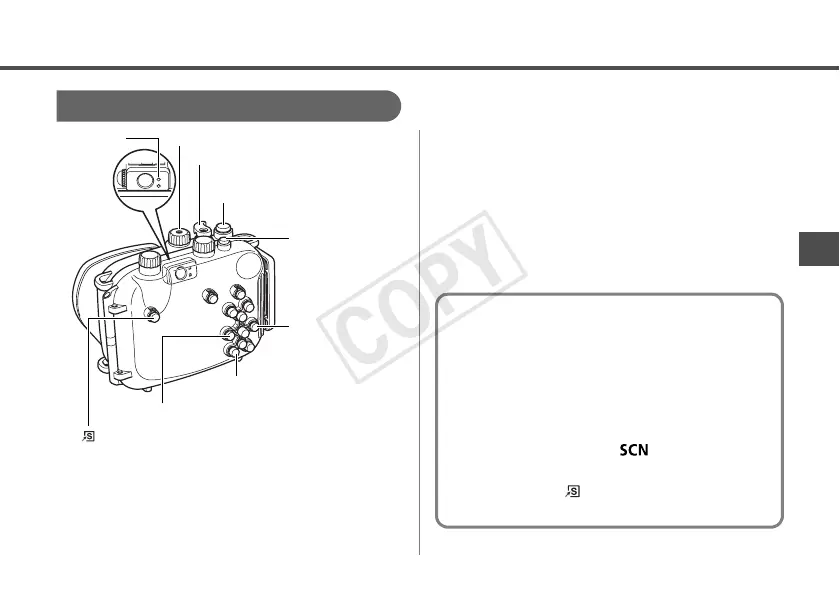
• Press the l button to turn on the LCD
monitor.
• You can adjust the zoom with the zoom
lever.
Power Button
(Shortcut) Button
r Button
q Button
l (Display) Button
Shutter Button
Zoom Lever
Indicator
Mode Dial
Setting the Special Scene mode to S
(Underwater)
You can obtain more natural appearing
coloration underwater if you set the Special
Scene mode to S (Underwater). This mode
selects the optimal white balance for marine
lighting and tones down the blue colors.
1.Set the mode dial to (Special Scene
mode).
2.Pressing the (Shortcut) button, use
the q or r button to select S.


 To Next Page