EasyManua.ls Logo

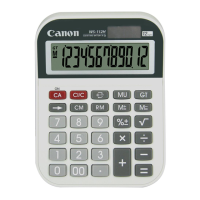
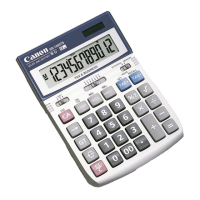
Canon WS-1200H - User Manual

Canon WS-1200H
2 pages
Print Icon
To Next Page IconTo Next Page
Loading...
混合運算/Mixed
( 0.)
140–35+22=127 140 35
22 ( 127.00)
2 x 2 =6 2 2
3 ( 6.00)
–7 x 9 9 = –63 7 99
( – 63.00)
常數運算/Constant
2+3=5 2 3 ( 5.00)
4+3=7 4 ( 7.00)
1–2=–1 1 2 ( –1.00)
2–2=0 2 ( 0.00)
2x3=6 2 3 ( 6.00)
2x4-8 4 ( 8.00)
3=2 6 3 ( 2.00)
3=3 9 ( 3.00)
附加模式運算/Add Mode
$14.90+$0.35 1490 35 ( 15.25)
= 15.25
浮動運算/Floating Calculation
8
÷
3x9 8 3 9
=23.9999999999
(23.9999999999)
向上圓正/Round-up
28
÷3 28 3 ( 9.34)
=
9.33333333333
電子計算器 /
Electronic Calculator
WS-1200H
使用說明書
Instruction
中文
EN
運算例子 / Calculation Examples
1
3
中國制造 / MADE IN CHINA
© CANON ELECTRONIC BUSINESS MACHINES (HK)
CO., LTD. 2014
計算舉例/
Calculation
按鍵操作
/
Operation
顯示
/
Display
計算舉例/
Calculation
按鍵操作
/
Operation
顯示
/
Display
向下圓正/Round-down
11
÷
3 11 3 ( 3.66)
=3.66666666666
四捨五入/Round-off
11
÷3
11 3 ( 3.67)
=3.66666666666
百分比運算/Percentage
1200+(1200x
20%)=1,440
1200 20
( 1'440.00)
1200–(1200x
20%)=960
1200 20
( 960.00)
記憶運算/Memory
( 0.)
3x4= 12 3 4 ( 12.00)
–) 6÷0.2= 30 6 2 ( 30.00)
–18 ( – 18.)
+) 200 200 ( 200.00)
182 ( 182.)
( 182.)
總計運算/Grand Total
( 0.)
4x30=120 4 30 ( 120.00)
+) 5x60=300 5 60 ( 300.00)
420 ( 420.)
+) 23x35= 805 23 35 ( 805.00)
1,225 ( 1'225.)
( 1'225.)
銷售價運算/Mark-up
成本/Cost$2,000
銷售價格的20%/Profit 20% of selling price
銷售價格/Selling
price=?($2,500)
2000 20
( 2'500.00)
利潤/Profit=?($500)
( 500.00)
成本價運算/Mark-down
銷售價格/Selling price$2,400
成本價格的20%/Profit 20% of cost
成本/Cost=?($2,000)
2400 20
( 2'000.00)
利潤/Profit=?($400)
( 400.00)
溢出運算/Overflow
1) 123456789 x
123456789
78900= 78900
( 9.74074065210)
9.740740652100
(
0.
)
2) 6
÷0= 0 6 0 ( 0.)
( 0.)
(清除記憶/
Clear Memory)
(溢出/ERROR)
(溢出/ERROR)
(重呼記憶/
Recall Memory)
(清除總計/Clear
Grand Total)
ERROR
ERROR
GRAND TOTAL
GRAND TOTAL
GRAND TOTAL
GRAND TOTAL
GRAND TOTAL
MEMORY
MEMORY
MEMORY
MEMORY
MEMORY
E-IM-2912
Question and Answer IconNeed help?

Do you have a question about the Canon WS-1200H and is the answer not in the manual?

Summary

Calculation Operation Display

Mixed Calculation

Demonstrates sequential calculations with mixed operations.

Constant Calculation

Explains how to perform calculations with a constant value.

Add Mode Operation

Shows how to use the Add Mode for specific calculations.

Floating Calculation

Illustrates calculations with floating decimal points.

Round-down Operation

Demonstrates rounding down results to a specified decimal place.

Round-off Operation

Explains how to round off results using standard rounding rules.

Percentage Operation

Shows how to calculate percentages of values.

Memory Operation

Details how to use memory functions (M+, M-, MR, MC).

Grand Total Operation

Illustrates how to accumulate and display a grand total.

Mark-up Operation

Demonstrates calculating selling prices with profit margins.

Mark-down Operation

Shows how to calculate cost prices after discounts.

Overflow Operation

Explains how to handle and clear overflow errors.

Safety Precautions

Environmental Hazards

Avoid direct sunlight, humidity, dust, and rapid temperature changes.

Cleaning Instructions

Clean the exterior with a soft, dry cloth; avoid water or solvents.

Physical Damage Prevention

Do not press keys with hard objects or attempt to bend the calculator.

Power Interruption Impact

Low battery may corrupt memory; reset calculator if issues occur.

Power and Operation

Power Supply

Calculator uses solar and alkaline batteries; battery life varies.

Interference Handling

Reset calculator if electromagnetic interference causes display errors.

Automatic Power-Off

Calculator turns off automatically after 10 minutes of inactivity.

Overflow Handling

Clears 'ERROR' from results exceeding 12 digits or division by zero.

Specifications

Technical Details

Lists power source, operating temperature, dimensions, and weight.

Summary

Calculation Operation Display

Mixed Calculation

Demonstrates sequential calculations with mixed operations.

Constant Calculation

Explains how to perform calculations with a constant value.

Add Mode Operation

Shows how to use the Add Mode for specific calculations.

Floating Calculation

Illustrates calculations with floating decimal points.

Round-down Operation

Demonstrates rounding down results to a specified decimal place.

Round-off Operation

Explains how to round off results using standard rounding rules.

Percentage Operation

Shows how to calculate percentages of values.

Memory Operation

Details how to use memory functions (M+, M-, MR, MC).

Grand Total Operation

Illustrates how to accumulate and display a grand total.

Mark-up Operation

Demonstrates calculating selling prices with profit margins.

Mark-down Operation

Shows how to calculate cost prices after discounts.

Overflow Operation

Explains how to handle and clear overflow errors.

Safety Precautions

Environmental Hazards

Avoid direct sunlight, humidity, dust, and rapid temperature changes.

Cleaning Instructions

Clean the exterior with a soft, dry cloth; avoid water or solvents.

Physical Damage Prevention

Do not press keys with hard objects or attempt to bend the calculator.

Power Interruption Impact

Low battery may corrupt memory; reset calculator if issues occur.

Power and Operation

Power Supply

Calculator uses solar and alkaline batteries; battery life varies.

Interference Handling

Reset calculator if electromagnetic interference causes display errors.

Automatic Power-Off

Calculator turns off automatically after 10 minutes of inactivity.

Overflow Handling

Clears 'ERROR' from results exceeding 12 digits or division by zero.

Specifications

Technical Details

Lists power source, operating temperature, dimensions, and weight.

Canon WS-1200H Specifications

General IconGeneral
Digit Display12 digits
DisplayLCD
TypeDesktop
Power SourceSolar and Battery
Key FunctionsTax calculation

Related product manuals