Need help?
Do you have a question about the Canon WS-1210T and is the answer not in the manual?
Details the power source and battery life of the calculator for optimal operation.
Explains the calculator's display screen, including its characters and symbols.
Guides on selecting the desired decimal point notation for calculations.
Describes the rounding functions available and how to use them for accurate results.
Explains the overwrite function for correcting or modifying entries during input.
Details how to perform tax calculations, including setting tax rates.
Explains calculations involving cost, selling price, and profit margin.
Guides on using the grand total function to sum multiple entries.
Explains the mark-up and mark-down functions for price adjustments.
Details various calculation modes like Mixed, Constant, and Power Fraction.
Explains how to perform calculations with floating decimal points.
Guides on performing reciprocal calculations (1/x).
Explains how to use the percentage function for calculations.
Provides the physical dimensions and weight of the calculator.
Details the power source requirements for the calculator.
Specifies the type and capacity of the calculator's display.
Details the memory capacity and functions of the calculator.
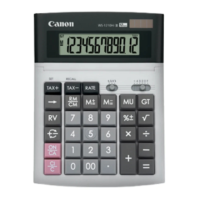
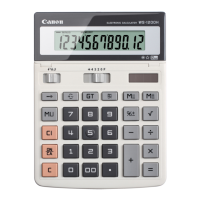
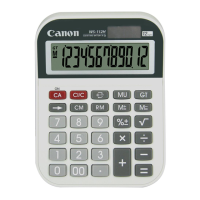
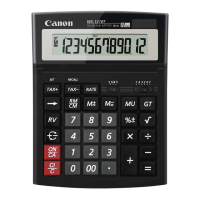
The Canon WS-1210T, WS-1410T, WS-1610T, and WS-1810T are a series of desktop calculators designed for various levels of complexity, from basic arithmetic to more advanced financial and statistical calculations. These devices are powered by a dual source system, utilizing both solar energy and a lithium battery, ensuring continuous operation even in low light conditions. The solar cell primarily functions as a light sensor, and the battery provides the necessary power. If the battery is low, the display may dim, but the calculator will continue to function. It is important to note that the battery is not user-replaceable, and attempting to replace it may damage the device.
The calculators offer a comprehensive set of functions to cater to different user needs. The core arithmetic operations include addition, subtraction, multiplication, and division. Beyond these basics, the devices incorporate several specialized functions that enhance their utility in various professional and academic settings.
Decimal Point Selector Switch: This feature allows users to select the number of decimal places for calculations, ranging from 4, 3, 2, 1, or 0. An "F" setting is also available for floating decimal point calculations. This flexibility is particularly useful in financial and scientific contexts where precision is paramount. The "A" setting automatically adjusts the decimal point to the optimal position.
Rounding Switch: The rounding switch provides control over how calculation results are rounded. Users can choose to round up, round down, or round off to the nearest value. This is crucial for maintaining accuracy in various applications, especially when dealing with currency or measurements.
Rate Tax Function: This function simplifies calculations involving sales tax or other percentage-based rates. Users can store a tax rate in the calculator's memory and then apply it to various amounts with ease. This feature is particularly useful for retail environments or for personal budgeting.
Over/Underflow Function: The calculators are equipped to handle over/underflow conditions, which occur when a calculation result exceeds the display's capacity or is too small to be represented. In such cases, the display will indicate an error, and the calculator will lock, requiring a reset. This ensures data integrity and prevents misinterpretation of results.
Memory Functions: The devices include multiple memory functions, allowing users to store and recall values. These include independent memory (M+, M-, MR, MC), grand total memory (GT), and a percentage memory. These features are invaluable for multi-step calculations, enabling users to accumulate results, store intermediate values, and perform complex operations without re-entering numbers.
Percentage Calculations: The calculators support direct percentage calculations, making it easy to compute discounts, markups, and other percentage-based values. This is particularly useful in business and retail settings.
Mixed Calculations: The devices can handle mixed calculations, allowing users to combine different arithmetic operations in a single expression. The order of operations is generally followed, ensuring correct results.
Add Mode: This mode is specifically designed for adding long columns of numbers, similar to an adding machine. It automatically places the decimal point at a fixed position, simplifying data entry for financial statements or ledgers.
Floating Decimal Point: The "F" setting on the decimal point selector allows for floating decimal point calculations, where the calculator automatically determines the appropriate number of decimal places based on the result.
Reciprocal Calculations: The calculators can compute the reciprocal of a number (1/x), which is useful in various mathematical and engineering applications.
The Canon WS-1210T, WS-1410T, WS-1610T, and WS-1810T are designed for user-friendliness and efficiency.
Power Supply: The calculators operate on a dual power source: a solar cell and a lithium battery. The solar cell primarily functions as a light sensor, and the battery provides the necessary power. This ensures continuous operation even in low light conditions. If the battery is low, the display may dim, but the calculator will continue to function. It is important to note that the battery is not user-replaceable, and attempting to replace it may damage the device.
Display: The devices feature a clear and easy-to-read display, typically an LCD (Liquid Crystal Display), which shows numbers and symbols clearly. The display is designed to be legible in various lighting conditions.
Keypad: The calculators are equipped with a comfortable and responsive keypad, with clearly labeled keys for all functions. The layout is intuitive, allowing for quick and accurate data entry.
Automatic Power Off: To conserve battery life, the calculators automatically power off after a period of inactivity. This feature helps extend the battery's lifespan.
Error Handling: The devices are designed to indicate errors clearly, such as over/underflow conditions, with specific error messages or symbols on the display. This allows users to identify and address issues promptly.
Memory Clear: The memory can be cleared easily using dedicated keys, ensuring that previous calculations do not interfere with new ones.
Grand Total Clear: The grand total memory can be cleared independently, allowing users to accumulate a new series of results without affecting other memory functions.
The Canon WS-1210T, WS-1410T, WS-1610T, and WS-1810T are designed for minimal maintenance, focusing on durability and long-term reliability.
Battery Life: The lithium battery is designed for extended use and is not user-replaceable. Attempting to replace the battery may damage the device and void any warranty. The dual power system (solar and battery) ensures that the calculator remains operational for a long time without needing frequent battery replacements.
Cleaning: The exterior of the calculator can be cleaned with a soft, dry cloth. Avoid using abrasive cleaners or solvents, as these can damage the casing or the display.
Environmental Considerations: The calculators are designed with environmental considerations in mind, as indicated by the "WEEE Mark" (Waste Electrical and Electronic Equipment) and the "Green Mark." These marks signify that the product complies with European Union directives regarding the proper disposal and recycling of electronic waste, and that it meets certain environmental standards. Users are encouraged to dispose of the device responsibly at designated collection points to minimize environmental impact.
Troubleshooting: The manual provides guidance on common issues, such as a dim display or incorrect calculations, and suggests basic troubleshooting steps. For example, if the display is dim, it may indicate a low battery, and the calculator should be used in a well-lit area or allowed to charge via its solar cell. If the calculator malfunctions, users are advised to reset it by pressing the "ON/C" key or by removing the battery (if accessible) and reinserting it. For more complex issues, users are directed to contact Canon service centers.
In summary, the Canon WS-1210T, WS-1410T, WS-1610T, and WS-1810T calculators are robust and versatile tools suitable for a wide range of users, from students to professionals, offering a blend of essential and advanced functions with a focus on ease of use and environmental responsibility.
 General
| Type | Display |
|---|---|
| Form factor | Desktop |
| Product color | Black |
| Housing material | Plastic |
| Battery type | CR2032 |
| Auto power off | Yes |
| Digits | 12 digits |
| Display size (HxV) | 102 x 23 mm |
| Display character size | 16.69 x 6.71 mm |
 Weight and Dimensions
| Weight | 238 g |
|---|---|
| Dimensions (WxDxH) | 198 x 150 x 38 mm |

 To Next Page