CINEMA Mode and Cinema-Look Filters
53
Options (
Default value)
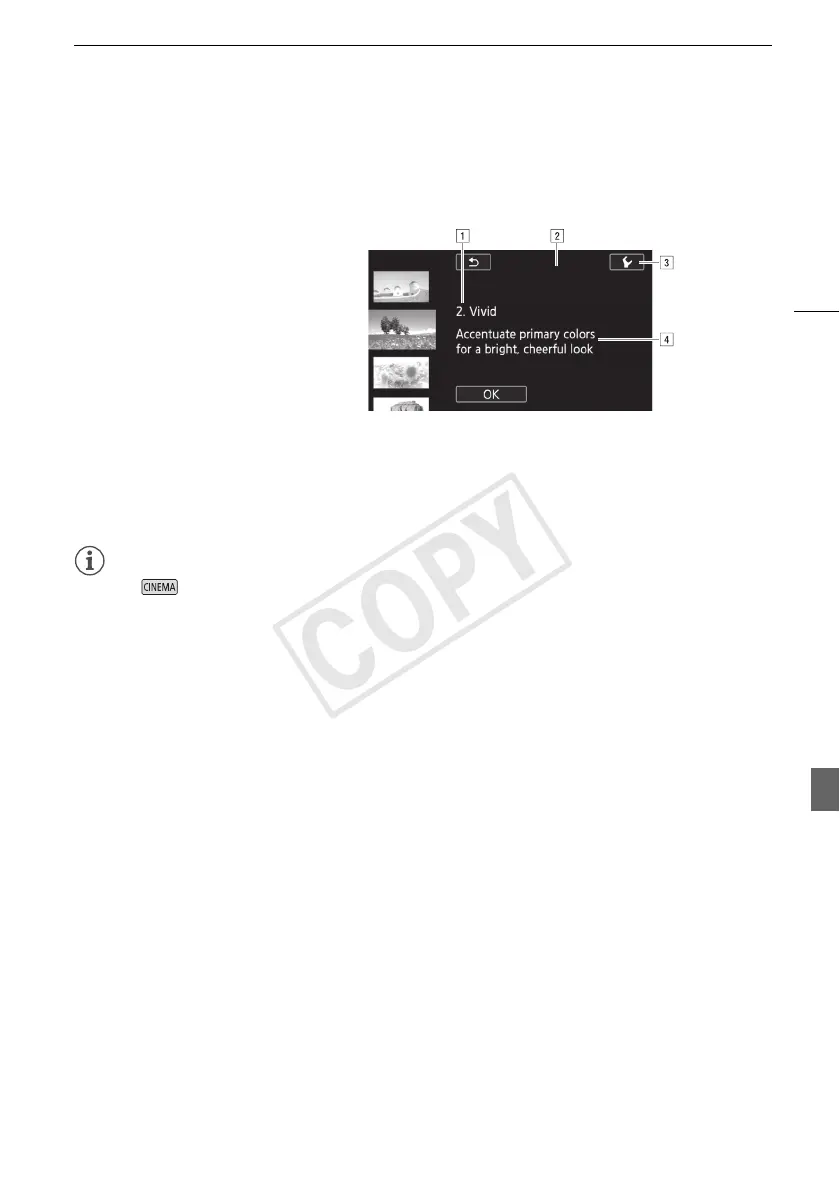
The camcorder offers 9 cinema-look filters. Select the desired filter while previewing the effect on the
screen.
NOTES
• During mode, the following functions are not available.
- Taking photos
- Dual recording
- Recording movies at 28 Mbps or 35 Mbps.
[1. Cinema Standard]
[2. Vivid]
[3. Dream]
[4. Cool]
[5. Nostalgic]
[6. Sepia]
[7. Old Movies]
[8. Memory]
[9. Dramatic B&W]
!Filter number (will appear on the control button) and name
"Preview the effect on the screen
#Select the effect level
$Brief description (onscreen guidance)



 To Next Page