EasyManua.ls Logo

Canon zr10. - User Manual

Canon zr10.
113 pages
Print Icon
To Next Page IconTo Next Page
Loading...
rmation
ormation
frais au
g Kong
D IN JAPAN
AU JAPON
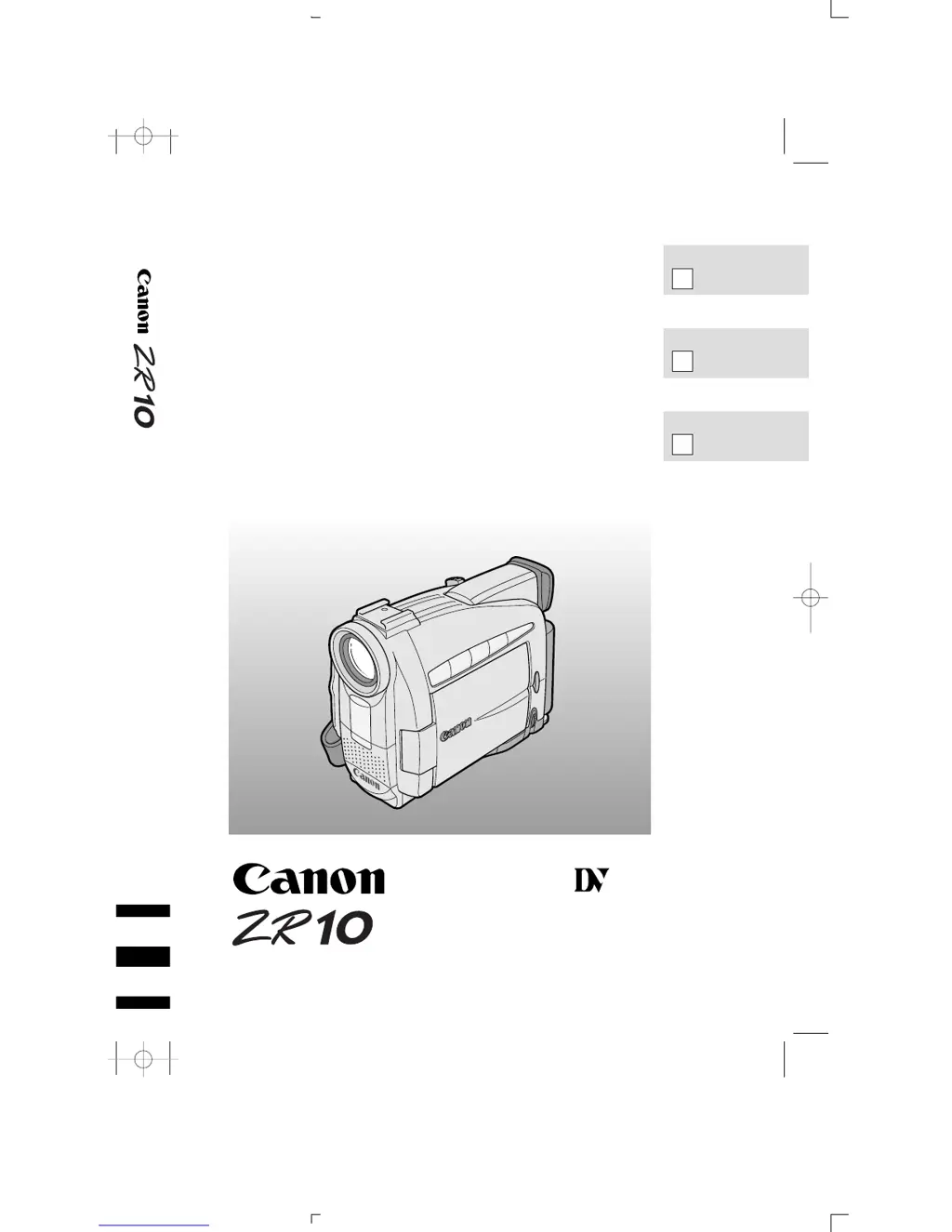
DIGITAL VIDEO CAMCORDER
Instruction Manual
CAMESCOPE ET LECTEUR VIDEO NUMERIQUES
Mode d’emploi
VIDEOCAMARA Y GRABADORA DIGITAL
Manual de Instrucciones
ENGLISH
FRANÇAIS
ESPAÑOL
Mini
Digital
Video
Cassette
NTSC
E
F
Es
0_ZR10_cover 00/3/10 17:31 Page 1 (2,1)

Table of Contents

Questions and Answers

  • C
    Christian HarrisAug 20, 2025
    What to do if my Canon zr10. Camcorder won't turn on?
    • N
      Nicholas AdamsAug 20, 2025
      If nothing happens when you press the buttons on your Canon Camcorder, it could be due to several reasons. The camera may not be switched on, the cassette might not be loaded or is set for erasure prevention, the tape might have reached the end, the power source may not be properly connected or the battery pack is exhausted or not properly attached, or the function cannot be used in that recording program. Make sure that the camera is properly connected if you are using it with a TV or VCR.
  • M
    mirandajohnsonAug 22, 2025
    How to fix a Canon zr10. Camcorder that won’t focus?
    • J
      justin39Aug 22, 2025
      If your Canon Camcorder won’t focus, it could be because the camera is on manual focus, the viewfinder lens needs adjusting, or the lens is dirty. Make sure that the camera is properly connected if you are using it with a TV or VCR.
  • J
    Jeremy JonesAug 25, 2025
    Why does my Canon Camcorder turn off by itself?
    • D
      Danielle ChapmanAug 25, 2025
      Your Canon Camcorder might be turning off by itself because it has been in record pause mode for more than five minutes, or the battery pack is exhausted. Make sure that the camera is properly connected if you are using it with a TV or VCR.
  • C
    Christopher AlexanderAug 26, 2025
    What to do if the start/stop button doesn’t work on Canon zr10. Camcorder?
    • D
      Danielle HoganAug 26, 2025
      If the start/stop button on your Canon Camcorder isn’t working, it could be because the cassette is not loaded or is set for erasure prevention, or the tape has reached the end. Make sure that the camera is properly connected if you are using it with a TV or VCR.
  • G
    guy03Aug 27, 2025
    What does it mean if there’s no picture in the display of my Canon Camcorder?
    • N
      Nicole HowardAug 28, 2025
      If there’s no picture in the display of your Canon Camcorder, ensure that the POWER switch is set to CAMERA. Make sure that the camera is properly connected if you are using it with a TV or VCR.
  • L
    Lisa HuffAug 29, 2025
    What to do if the e (play) button doesn’t work on Canon Camcorder?
    • A
      Amanda NguyenAug 29, 2025
      If the e (play) button doesn’t work on your Canon Camcorder, the POWER switch may not be set to VCR, the cassette might not be loaded, or the tape has reached the end. Make sure that the camera is properly connected if you are using it with a TV or VCR.
  • V
    Vincent MossAug 31, 2025
    Why is there a blank blue screen in the display of my Canon zr10. Camcorder?
    • G
      Gerald RogersAug 31, 2025
      A blank blue screen in the display of your Canon Camcorder can appear if you are attempting to play back or record from a copyright protected cassette, or if the video heads are badly contaminated. Make sure that the camera is properly connected if you are using it with a TV or VCR.
  • T
    Tyler TuckerSep 2, 2025
    Why is the playback picture rough with mosaic-like noise on my Canon zr10.?
    • V
      Veronica ChoiSep 2, 2025
      If the playback picture on your Canon Camcorder is rough with mosaic-like noise, the video heads may need cleaning. Make sure that the camera is properly connected if you are using it with a TV or VCR.
  • D
    David Brown MDSep 4, 2025
    Why is there no sound coming from the speaker during playback on my Canon zr10.?
    • E
      Edwin RobbinsSep 4, 2025
      If there’s no sound coming from the speaker during playback on your Canon Camcorder, the speaker may have been turned off with the selector dial, or headphones are being used. Make sure that the camera is properly connected if you are using it with a TV or VCR.
  • M
    michelelopezSep 6, 2025
    Why is there no picture on the TV screen from my Canon zr10. Camcorder, even though the tape is moving?
    • U
      ubrownSep 6, 2025
      If there’s no picture on the TV screen from your Canon Camcorder even though the tape is moving, the video heads may need cleaning, or the TV/VIDEO selector on the TV isn’t set to VIDEO. Make sure that the camera is properly connected if you are using it with a TV or VCR.

Summary

Important Usage Instructions

General Safety Warnings

Safety precautions regarding fire, shock, interference, and service.

Safety and Operating Instructions

Safety Precautions and Procedures

Further safety guidelines covering lightning, power lines, servicing, and damage.

Powering the Camcorder

AC Power Connection Steps

Step-by-step guide to connecting the camera to an AC power source.

Attaching and charging the battery packs

Battery Pack Attachment and Charging Procedure

Steps for attaching and charging the battery pack.

Battery Charging Completion and Removal

Steps for disconnecting and removing the battery pack after charging.

Loading a Cassette

Cassette Loading and Unloading Procedure

Step-by-step guide to inserting and removing a videocassette.

Tape Protection and Cassette Handling

Basic Recording Operations

Recording Preparation Steps

Actions required before starting a recording session.

Recording Execution

Steps to start, pause, and stop the recording process.

Using the Zoom Function

Operating the LCD Screen

Audio Playback Options

Basic Cassette Playback

Advanced Playback Modes

Connecting for TV Playback

S-Video Connection

Connecting via S-video input terminals for higher picture quality.

A;V Input Terminal Connection

Connecting via standard audio/video input terminals.

Navigating Camera Menus

Camera Menu Options

List of available settings and functions within the camera menu.

VCR Menu Options and Usage

Overview of VCR menu items and the process for selecting settings.

Wireless Controller Operation

Troubleshooting the Wireless Controller

Date, Time, and Time Zone Setup

Clock and Display Settings

Capturing Still Pictures

Tape Searching and Review

Recording Program Selection

Program AE Mode Setup

Applying Digital Effects

Using Fader Effects

Applying Image Effects

Fader Operation Procedure

Effect Operation Procedure

Audio Recording Options

Using the Self-Timer

Manual Exposure Control

Exposure Lock and Adjustment

Procedures for locking exposure and manually adjusting brightness.

Shutter Speed Adjustment

Manual Focus Control

Focus Lock and Manual Adjustment

Procedures for locking focus and manually adjusting sharpness.

White Balance Settings

Data Code Display and Settings

Tape Search Functions

Video Editing Operations

Digital Dubbing Procedures

Analog Line-in Recording

A;V Insert Editing

Performing A;V Insert Editing

Step-by-step process for executing A/V insert editing using the wireless controller.

Adding Audio Dubbing

Audio Dubbing Procedure

Steps for performing audio dubbing using the camera's controls or remote.

Audio Mix Settings

Camera Preparation Steps

Battery Usage Information

Battery Care and Storage

General Camera Maintenance and Cautions

Camera Storage and Cleaning

Condensation Prevention and Handling

Troubleshooting Common Issues

Recording and Playback Troubleshooting

Further solutions for recording, playback, digital effects, and button issues.

Understanding Screen Displays

Technical Specifications

Canon zr10. Specifications

General IconGeneral
BrandCanon
Modelzr10.
CategoryCamcorder
LanguageEnglish

Related product manuals