EasyManua.ls Logo

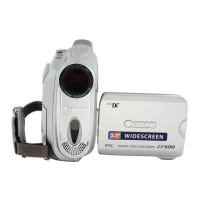
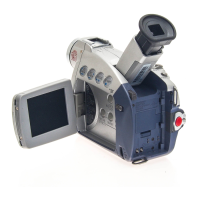
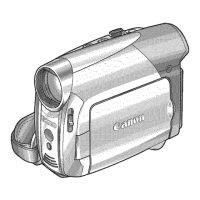
Canon ZR600 - User Manual

Canon ZR600
140 pages
Print Icon
To Next Page IconTo Next Page
Loading...
PUB.OIM-734A
Canon
Digital Video Camcorder
lEn
9Iish I
Instruction Manual
Camescope numerique
Manuel d'instruction I
Fran~aisl
Videocamara digital
Manual de Instrucciones I I
Espano~
Z-~700
/
Z-~
600
MiniD;
.......
Oigita'
Video
Cassette
t(
PictBridge
Please read also the following instruction manual (electronic
version on PDF file). For further details refer to the
installation guide.
Veuillez lire aussi
Ie
manuel d'instruction suivant (version
electronique sur fichier PDF). Pour d'autres details referez-
vous
au
guide d'installation.
Lea tambien el siguiente manual de instrucciones (version
electronica en archivo PDF). Para mayores detalles,
refierase a
la
guia de instalacion.
-Digital
Vid&o
Software
I

Table of Contents

Questions and Answers

  • S
    sheilamontgomeryAug 20, 2025
    Why Canon ZR600 will not focus?
    • J
      Jose DanielsAug 20, 2025
      If your Canon Camcorder will not focus, it might be due to the following reasons: * The autofocus may not work on that particular subject. In this case, focus manually. * The viewfinder may not be adjusted properly. Adjust the viewfinder with the dioptric adjustment lever. * The lens may be dirty. Clean the lens.
  • C
    Carla GillespieAug 22, 2025
    Why my Canon ZR600 Camcorder memory card cannot be recorded?
    • T
      thomas02Aug 22, 2025
      Your Canon Camcorder might not be recording to the memory card for several reasons: * The memory card may be full. If so, replace the memory card or erase images. * The memory card may need to be initialized. Try initializing the memory card. * There might not be a memory card inserted. Ensure a memory card is inserted. * The file number may have reached its maximum value. If so, set [FILE NOS.] to [RESET] and insert a new memory card. * The SD Memory Card may be protected. Change the position of the protect switch.
  • H
    Hannah CookAug 25, 2025
    What to do if the Canon Camcorder battery pack is exhausted?
    • L
      Luis ButlerAug 25, 2025
      If the battery pack of your Canon Camcorder is exhausted, replace or charge it.
  • J
    Joshua BrewerAug 26, 2025
    How to fix viewfinder picture being blurred on my Canon ZR600?
    • B
      Benjamin ChavezAug 26, 2025
      If the viewfinder picture is blurred on your Canon Camcorder, adjust the viewfinder with the dioptric adjustment lever.
  • T
    Thomas DavisAug 27, 2025
    What to do if pressing the start/stop button will not start recording on my Canon ZR600?
    • R
      robert02Aug 27, 2025
      If pressing the start/stop button on your Canon Camcorder does not initiate recording, consider the following: * Ensure the camcorder is powered on. * Verify a cassette is properly loaded. * Check if the tape has reached its end; rewind or replace the cassette if necessary. * Confirm the cassette is not write-protected by checking the protect switch. * Make sure the camcorder is set to the correct recording mode.
  • J
    Jerry MurrayAug 29, 2025
    How to fix “SET THE TIME ZONE, DATE AND TIME” appearing on my Canon ZR600?
    • M
      matthew86Aug 29, 2025
      If “SET THE TIME ZONE, DATE AND TIME” appears on the screen of your Canon Camcorder, it means that: * Time zone, date and time are not set, you should set them. * Backup battery is exhausted, you should replace the backup battery and reset the time zone, date and time. * Backup battery is inserted the wrong way, you should insert the backup battery with the + side facing outward and set the time zone, date and time.
  • D
    Daniel LopezAug 31, 2025
    Why the buttons will not work on my Canon ZR600?
    • P
      phillipriggsAug 31, 2025
      If the buttons on your Canon Camcorder are not working, it could be due to the following reasons: * The camcorder may not be turned on. Ensure the camcorder is powered on. * A cassette may not be loaded. Load a cassette into the camcorder.
  • D
    Donald ArmstrongSep 2, 2025
    What to do if the Canon ZR600 wireless controller will not work?
    • J
      janet93Sep 2, 2025
      If the wireless controller of your Canon Camcorder is not working: * Ensure that [WL.REMOTE] is set to [ON]. * Replace the battery of the wireless controller if it is exhausted.
  • A
    Antonio HuffmanSep 4, 2025
    What does it mean when “ ” flashes on the Canon Camcorder screen?
    • J
      Julie HuntSep 4, 2025
      If “ ” flashes on the screen of your Canon Camcorder, it might be caused by: * Cassette is not loaded, you should load a cassette. * Battery pack is exhausted, you should replace or charge the battery pack. * Condensation is detected, see reference page.
  • Q
    qparksSep 6, 2025
    What to do if the memory card cannot be inserted into my Canon ZR600?
    • C
      Charles JonesSep 6, 2025
      If the memory card cannot be inserted into your Canon Camcorder, turn the memory card over and reinsert it.

Summary

Important Usage Instructions

Safety Warnings and Compliance

Crucial safety warnings, copyright, and FCC compliance notices.

Important Safety Instructions

General Safety Guidelines

Detailed instructions for safe operation, cleaning, and placement.

Using This Manual

Manual Navigation and Symbols

Explains manual structure, icons, and button references.

Checking Supplied Accessories

List of Included Items

Identifies all items supplied with the camcorder.

Components Guide

Device Layout Overview

Identifies external parts of the camcorder from different views.

Preparing the Power Supply

Battery Pack Attachment and Charging

Instructions for attaching and charging the camcorder battery pack.

Loading and Unloading Cassettes

Cassette Compartment Operation

Step-by-step guide for inserting and removing video cassettes.

Setting Time Zone, Date, and Time

Initial Time Setup Procedure

Guide to setting the camcorder's time zone, date, and time.

Recording Movies onto Tape

Recording Process Steps

Instructions for recording video footage onto a tape.

Zooming Functionality

Using the Zoom Lever and Buttons

Explains how to use optical and digital zoom for framing shots.

Playing Back a Tape

Tape Playback Operations

Guide to rewinding, playing, and stopping tape playback.

Playing Back on a TV Screen

Connecting to TV;VCR for Playback

Instructions for connecting the camcorder to a TV or VCR.

Navigating Menus and Settings

Menu System Overview

Explains how to access and use the camcorder's menu system.

Using Recording Programs

Scene Modes Overview

Details various recording programs like Portrait, Sports, and Night.

Manual Exposure Adjustment

Adjusting Exposure Lock

How to manually set exposure for backlit or bright scenes.

Manual Focus Adjustment

Infinity Focus Mode

Guide to manual focus and infinity focus for sharp images.

Setting the White Balance

Custom White Balance Setup

Instructions for setting auto or custom white balance for accurate colors.

Setting the Shutter Speed

Manual Shutter Speed Control

How to adjust shutter speed for capturing fast-moving subjects.

Changing Recording Mode (SP;LP)

SP vs. LP Recording Modes

Explains standard play (SP) and long play (LP) recording modes.

Using Digital Effects

Faders and Effects

How to apply digital effects like fades, wipes, and flips.

Widescreen TV Recording (16:9)

Enabling Widescreen Mode

Instructions for recording in 16:9 widescreen format.

Magnifying Playback Images

Zooming During Playback

How to magnify images during playback for closer inspection.

Displaying Data Code and Auto Date

Data Code and Six-Second Auto Date

Options for displaying recording date and time information.

Changing Display Language and Date Format

Language and Date Format Settings

How to change the display language and date format.

Other Camcorder Settings

Beep and Brightness Settings

Adjusting beep sound, LCD brightness, and remote sensor.

Recording to External Devices

Connecting Devices for Recording

Instructions for recording from VCRs or Digital Video Devices.

Recording from Digital Video Devices (DV Dubbing)

DV Dubbing Process and Copyright

How to dub from digital devices and notes on copyright protection.

Converting Analog to Digital Signals

Analog-Digital Converter Function

Explains converting analog signals to digital via the DV terminal.

Transferring Video to Computer via DV Cable

DV Cable Connection for Data Transfer

How to connect and transfer video via IEEE1394 (DV) cable.

Memory Card Operations

Inserting and Removing Memory Card

Procedures for handling memory cards, including insertion/removal.

Selecting Image Quality and Size

Memory Card Image Settings

How to choose image quality and size for still images.

File Number Management

Continuous vs. Reset File Numbers

Explains file numbering options for organizing images.

Recording Still Images on Memory Card

Still Image Capture Process

Instructions for taking still photos and saving them to a memory card.

Recording Movies on Memory Card

Movie Recording to Memory Card

How to record movies directly onto a memory card.

Playing Back Memory Card Images

Memory Card Playback Operations

Guide to viewing still images and movies from a memory card.

Protecting Memory Card Images

Image Protection Procedures

How to protect images from accidental erasure.

Erasing Memory Card Images

Erasing Single or All Images

Instructions for deleting single or all images from memory card.

Initializing a Memory Card

Memory Card Formatting Process

How to initialize (format) a memory card for use.

Printing Still Images

Connecting Printer and Initial Setup

Steps for connecting a printer and preparing for direct printing.

Printing Process and Settings

Print Settings, Cancellation, and Errors

Guide to selecting print settings, managing errors, and cancelling.

Transferring Memory Card Images to Computer

USB Transfer Setup and Procedure

Instructions for transferring images via USB cable.

Direct Transfer of Images

Software Installation and Transfer Setup

Steps for installing software and setting up direct image transfer.

Screen Display Settings

Hiding LCD and TV Displays

How to hide or show camcorder information on screens.

List of Messages and Explanations

Error and Information Messages

A comprehensive list of camcorder messages and their meanings.

Maintenance and Handling Precautions

General Handling, Storage, and Cleaning

Guidelines for proper care, storage, and cleaning of the camcorder.

Maintenance (Continued)

Video Heads and Condensation

Information on cleaning video heads and preventing condensation.

Maintenance (Continued)

Battery Pack Handling Precautions

Safety guidelines and precautions for handling battery packs.

Tape and Memory Card Precautions

Protecting Tapes and Memory Card Handling

Advice on protecting tapes and handling memory cards safely.

Troubleshooting

Power Source Issues

Solutions for problems related to power supply and battery.

Troubleshooting (Continued)

Recording Issues

Solutions for common problems encountered during recording.

Troubleshooting (Continued)

Playback and Memory Card Issues

Solutions for playback and memory card related problems.

System Diagram

Component Connections Overview

Illustrates how various accessories connect to the camcorder.

Optional Accessories

List of Available Accessories

Details various optional accessories for the camcorder.

Specifications

Technical Specifications

Provides detailed technical data about the camcorder.

U.S.A. Limited Warranty Information

Warranty Terms and Conditions

Outlines the warranty coverage and limitations for the US market.

Canon ZR600 Specifications

General IconGeneral
BrandCanon
ModelZR600
CategoryCamcorder
LanguageEnglish

Related product manuals