Capacity of Texas, Inc.
16
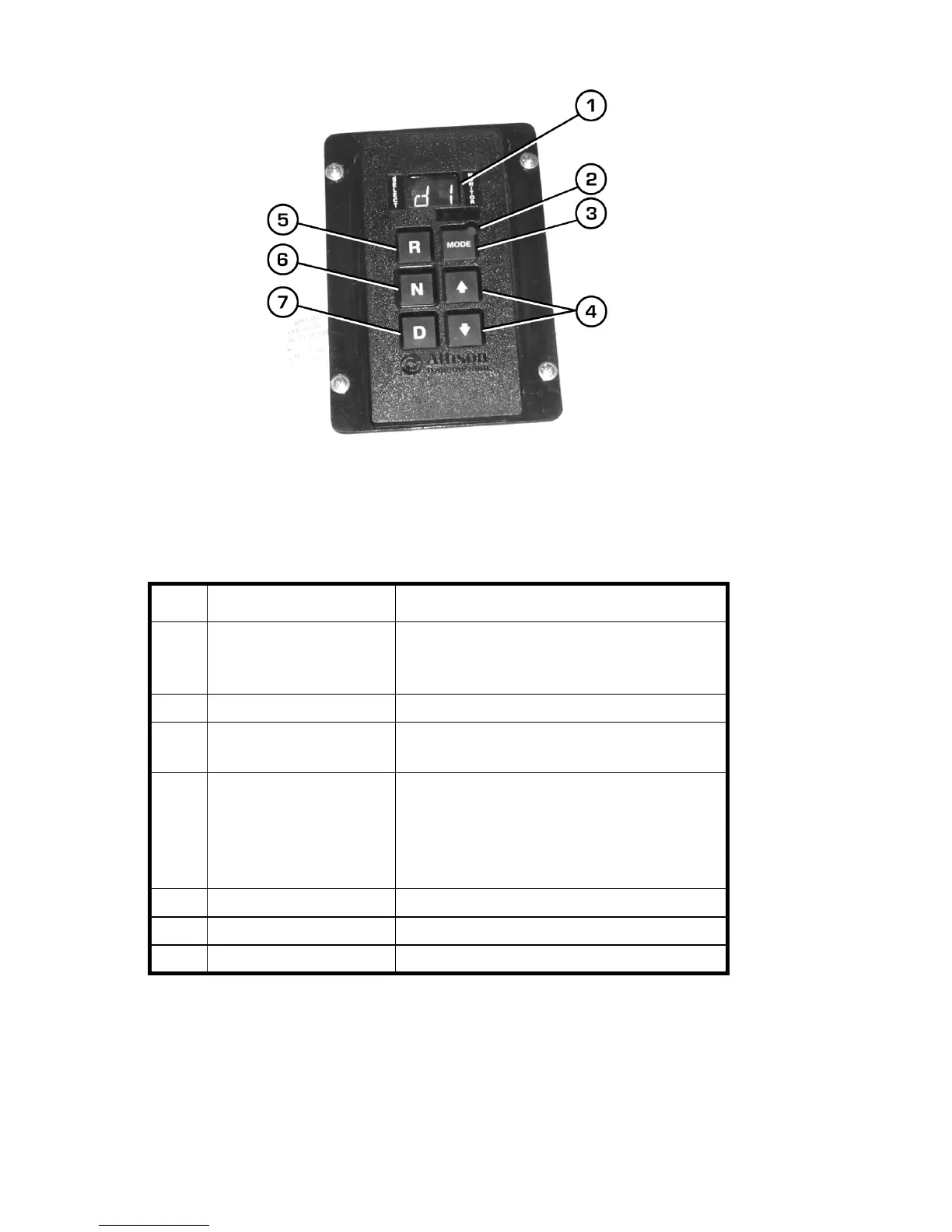
Figure 2-3 Transmission Control
Table 2-3 Transmission Control
Item Name Function
1 Digital Display Displays currently selected gear, status, and
diagnostic information. See XREF for more
information.
2 Mode Indicator LED Indicates special operation mode
3 Mode Select Button Activates special operation modes for the
transmission
4 Shifter Buttons When transmission is in D (drive), pressing
these buttons shifts the transmssion into
higher ( ⇑ ) or lower ( ⇓ ) gears. Also used
to enter transmission’s diagnostic mode.
See XREF for more information.
5 Reverse Select Button Shifts the transmission into reverse.
6 Neutral Select Button Shifts the transmission into neutral.
7 Drive Select Button Shifts the transmission into drive.



 To Next Page