Capacity of Texas, Inc.
34
3-16 D
ASH
G
AUGE
O
PERATION
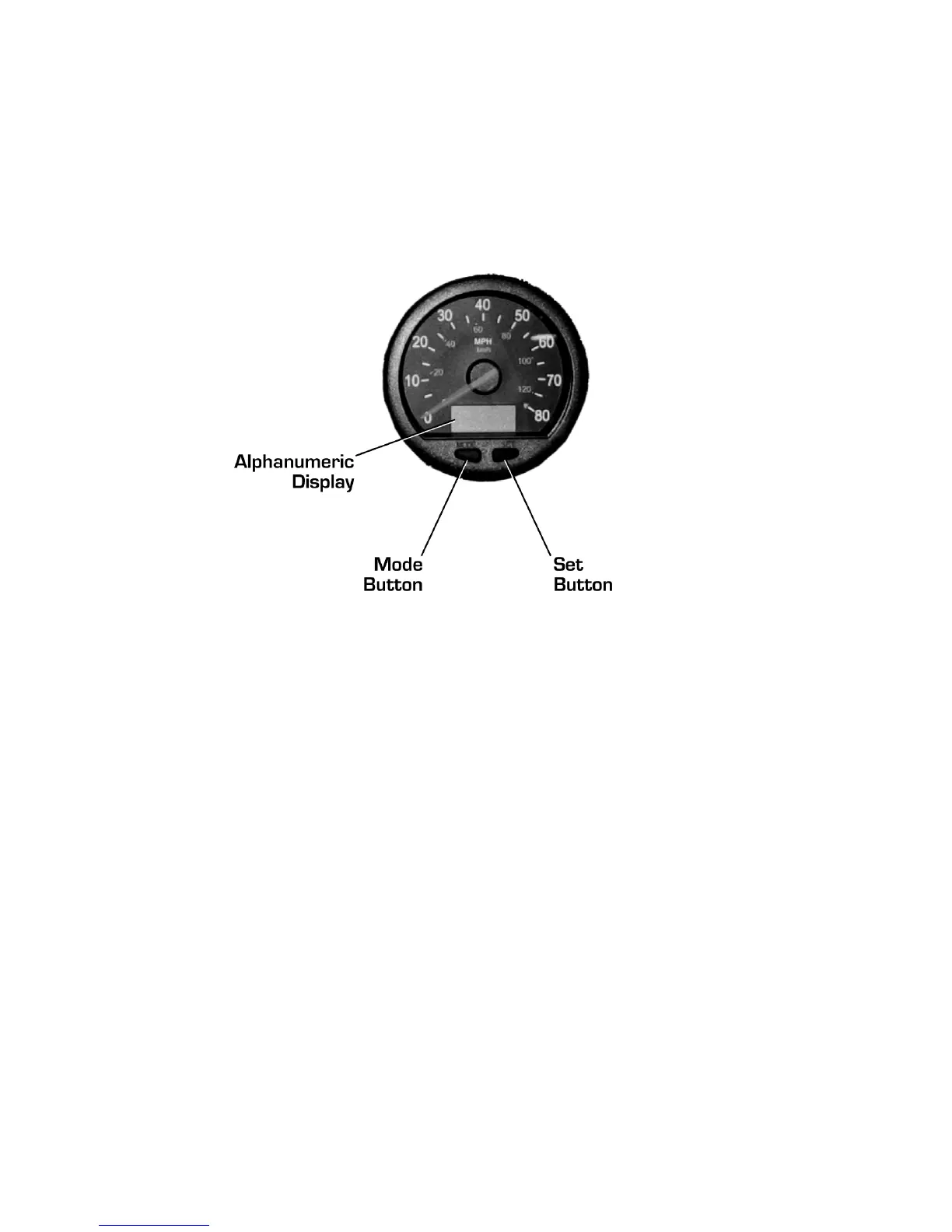
The Trailer Jockey is equipped with a multifunction digital
speedometer/odometer. The alphanumeric display is activated
when the vehicle ignition switch is turned on. Successively
pressing the Mode button will toggle the display through its
various operating modes. The display will revert back to
odometer mode 15 seconds after other modes are chosen..
Figure 3-2 Dash Gauge
3-16.1 O
DOMETER
M
ODE
By default, the display starts in odometer mode, showing the
vehicle’s cumulative mileage. To switch between miles and
kilometers, press the Set button.
3-16.2 T
RIP
O
DOMETER
M
ODE
The display incorporates two independent trip odometers,
identified as TRIP1 and TRIP2. To reset a trip odometer, press
the Set button while in trip odometer mode. To switch between
miles and kilometers, press the Set button.
3-16.3 H
OURMETER
M
ODE
The display will show the cumulative number of hours the
engine has been running.
3-16.4 D
IAGNOSTIC
M
ODE
The display can be used to read system diagnostic codes from
the electronics control unit. Refer to “System Diagnostics” on
page 44 for more information.



 To Next Page