Capacity of Texas, Inc.
28
3-10.1 P
USHBUTTON
S
HIFT
S
ELECTOR
O
PERATION
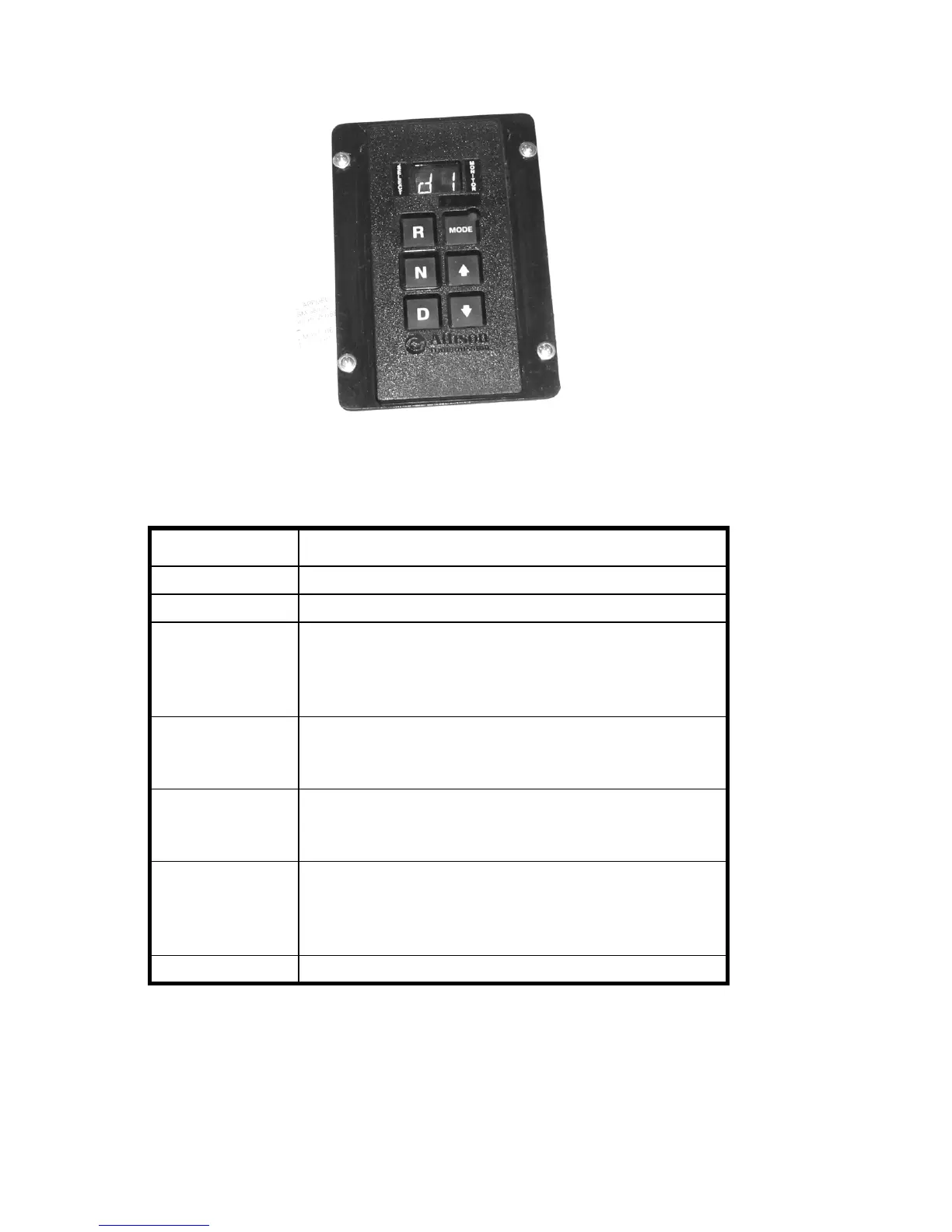
Figure 3-1 Pushbutton Shift Selector
Table 3-1 Shift Selector Controls
Item Description
R (Reverse) Press this button to select Reverse gear
N (Neutral) Press this button to select Neutral, disengaging the gears
D (Drive) Press this button to select Drive. The forward range
available will appear in the digital display. The
transmission will start out in the lowest available forward
range and advance automatically to the highest range.
⇑(Up arrow)
Press this button when in Drive to request the next higher
range. Continuously pressing the up arrow will request
the highest range possible
⇓(Down arrow)
Press this button when in Drive to request the next lower
range. Continuously pressing this button will request the
lowest range possible.
MODE This button accesses special functions of the
transmission, and is used in diagnostic mode to scroll and
toggle through diagnostic codes. See XREF for more
information.
Digital Display Two-digit display shows the range selected.



 To Next Page