12
Starting-up
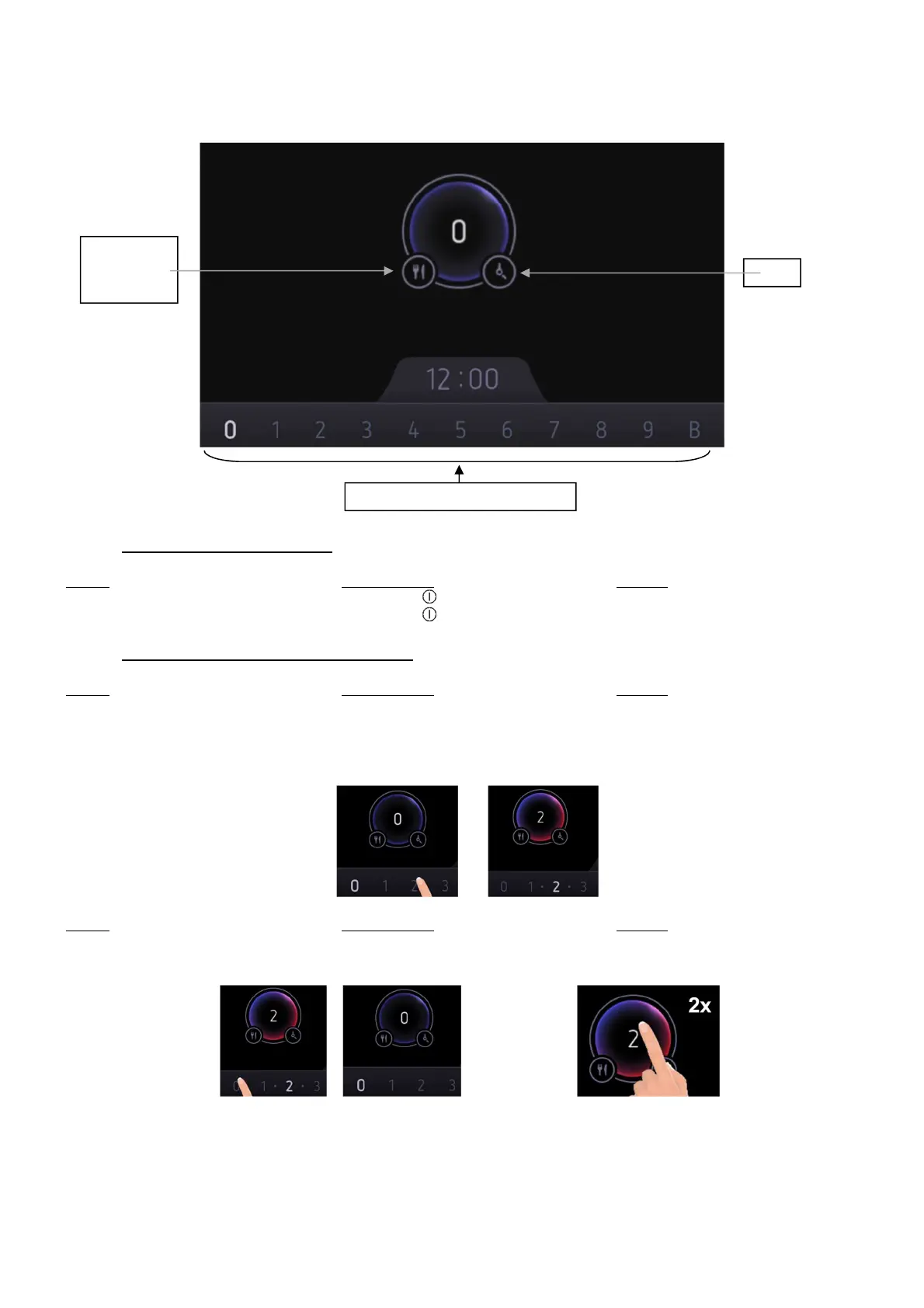
Place a pan and select the desired power level by using the slider at the bottom of the display.
• Start-up / switch off the hob:
Action Control panel Display
To start Press key [ ] Main screen
To stop Press key [ ] Clock or [ H ]
• Start-up / switch off a cooking process:
Action Control panel Display
Pan selection Place a pan on the hob [ 0 ]
To set Select a zone and
(adjust the power) slide on the “SLIDER”
to the right or to the left [ 0 ] to [ B ]
Action Control panel Display
To stop Slide to [ 0 ] on “SLIDER”
or double tap on the zone [ 0 ] or [ H ]
If no action is made within 20 seconds the electronics returns to waiting position.
Keep warm
Melting
Simmering
Timer
Power selection zone “SLIDER”



 To Next Page