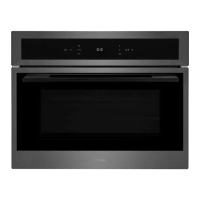
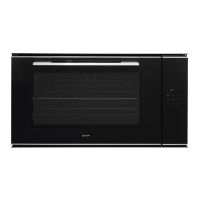
Instruction manual CM108SS / CM108BK
Please keep this instruction manual for future reference
17
Alarm setting
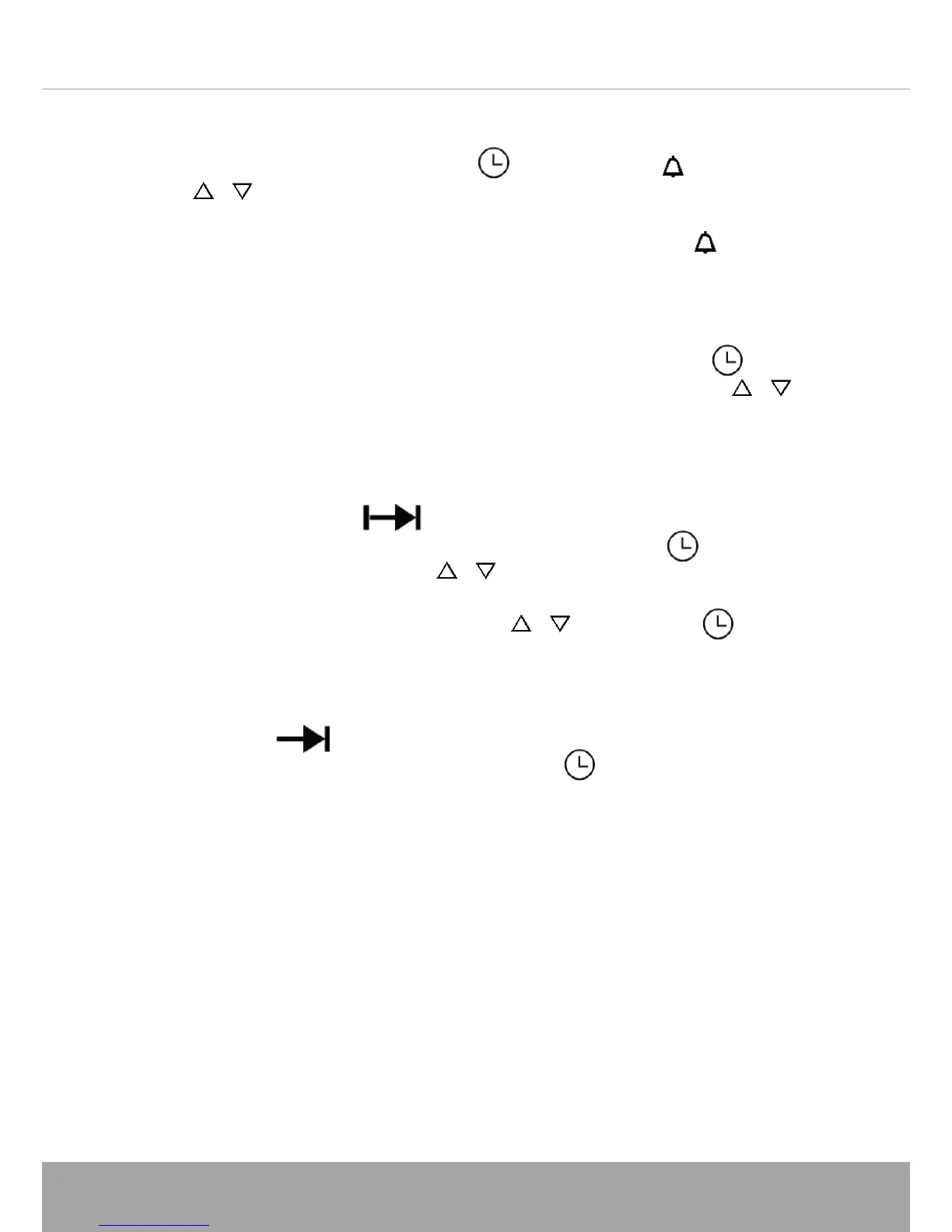
To set the Alarm/minute minder, press the button until the symbol starts to
flash. Use to adjust the time, and then press SELECT to confirm. If you want
to cancel the alarm, set the alarm time back to ‘0.00’ and press SELECT to confirm.
When the time is up, the alarm will sound for 90 seconds, and the symbol will
begin to flash. To stop the alarm, press any button.
Setting the time
To set the time, turn the microwave on, and then press and hold the button
for 3 seconds until the time begins to flash. Adjust the time using the and
then press SELECT to confirm.
When the microwabve is first turned on or restarts, the time must be set before
using the oven.
Duration cooking(0-10hrs)
Once a function and temperature have been selected, press the button and the
Duration time will start to flash. Press to adjust the time, and then SELECT to
confirm. Once the time is up, the alarm will sound and the microwave will switch off.
Press any of the buttons to turn off the alarm , SELECT, and
To cancel Duration cooking set the cooking time to ‘0:00’ and confirm.
End cooking time
Once the Duration cooking time has been set, press twice and the End cooking
time should start to flash. Adjust the time to the time you wish cooking to stop and
press SELECT to confirm.
Your microwave will then work out when to turn on, so that it cooks for the
required duration time, and finishes at the required end time. E.g. Duration time set
at 30 minutes, and the end time set to 18.15, the oven will automatically turn on
at 17.45 and cook for 30 minutes on the set function and temperature (start time =
End time - duration time).
Time setting
Time zone can show “Time, Duration time, End of cooking time and Alarm” in this sequence:
All time settings can be operated by pressing
, SELECT, and
Alarm setting
To set the Alarm/minute minder, press the button until the symbol starts to flash. Use /
to adjust the time, and then press SELECT to confirm. If you want to cancel the alarm, set the alarm
time back to '0.00' and press SELECT to confirm.
When the time is up, the alarm will sound for 90 seconds, and the symbol will begin to flash. To
stop the alarm, press either , , or SELECT.
Setting the time
To set the time, turn the oven on, and then press and hold the button for 3 seconds until the
time begins to flash. Adjust the time using the / and then press SELECT to confirm.
when the oven is first turned on or restarts, the time must be set before using the oven.
Duration cooking(0-10hrs)
Once a function and temperature have been selected, press the button and the Duration time
will start to flash. press / to adjust the time, and then SELECT to confirm. Once the time is
up, the alarm will sound and the oven will switch off.
Press any of the buttons to turn off the alarm
To cancel Duration cooking set the cooking time to '0:00' and confirm.
/
, SELECT, and
End cooking time
Once the Duration cooking time has been set, press twice and the End cooking time should
start to flash. Adjust the time to the time you wish cooking to stop and press SELECT to confirm.
Your oven will then work out when to turn on, so that it cooks for the required duration time, and
finishes at the required end time. E.g. Duration time set at 30 minutes, and the end time set to
18.15, the oven will automatically turn on at 17.45 and cook for 30 minutes on the set function and
temperature (start time = End time - duration time).
Child lock
Press and hold SELECT for 5 seconds to set the child lock. The symbol will appear in the display
once activated.
To cancel the Child lock, press and hold SELECT again for 5 seconds. The symbol will disappear
from the display once deactivated.
Time setting
Time zone can show “Time, Duration time, End of cooking time and Alarm” in this sequence:
All time settings can be operated by pressing
, SELECT, and
Alarm setting
To set the Alarm/minute minder, press the button until the symbol starts to flash. Use /
to adjust the time, and then press SELECT to confirm. If you want to cancel the alarm, set the alarm
time back to '0.00' and press SELECT to confirm.
When the time is up, the alarm will sound for 90 seconds, and the symbol will begin to flash. To
stop the alarm, press either , , or SELECT.
Setting the time
To set the time, turn the oven on, and then press and hold the button for 3 seconds until the
time begins to flash. Adjust the time using the / and then press SELECT to confirm.
when the oven is first turned on or restarts, the time must be set before using the oven.
Duration cooking(0-10hrs)
Once a function and temperature have been selected, press the button and the Duration time
will start to flash. press / to adjust the time, and then SELECT to confirm. Once the time is
up, the alarm will sound and the oven will switch off.
Press any of the buttons to turn off the alarm
To cancel Duration cooking set the cooking time to '0:00' and confirm.
/
, SELECT, and
End cooking time
Once the Duration cooking time has been set, press twice and the End cooking time should
start to flash. Adjust the time to the time you wish cooking to stop and press SELECT to confirm.
Your oven will then work out when to turn on, so that it cooks for the required duration time, and
finishes at the required end time. E.g. Duration time set at 30 minutes, and the end time set to
18.15, the oven will automatically turn on at 17.45 and cook for 30 minutes on the set function and
temperature (start time = End time - duration time).
Child lock
Press and hold SELECT for 5 seconds to set the child lock. The symbol will appear in the display
once activated.
To cancel the Child lock, press and hold SELECT again for 5 seconds. The symbol will disappear
from the display once deactivated.
Time setting
Time zone can show “Time, Duration time, End of cooking time and Alarm” in this sequence:
All time settings can be operated by pressing
, SELECT, and
Alarm setting
To set the Alarm/minute minder, press the button until the symbol starts to flash. Use /
to adjust the time, and then press SELECT to confirm. If you want to cancel the alarm, set the alarm
time back to '0.00' and press SELECT to confirm.
When the time is up, the alarm will sound for 90 seconds, and the symbol will begin to flash. To
stop the alarm, press either , , or SELECT.
Setting the time
To set the time, turn the oven on, and then press and hold the button for 3 seconds until the
time begins to flash. Adjust the time using the / and then press SELECT to confirm.
when the oven is first turned on or restarts, the time must be set before using the oven.
Duration cooking(0-10hrs)
Once a function and temperature have been selected, press the button and the Duration time
will start to flash. press / to adjust the time, and then SELECT to confirm. Once the time is
up, the alarm will sound and the oven will switch off.
Press any of the buttons to turn off the alarm
To cancel Duration cooking set the cooking time to '0:00' and confirm.
/
, SELECT, and
End cooking time
Once the Duration cooking time has been set, press twice and the End cooking time should
start to flash. Adjust the time to the time you wish cooking to stop and press SELECT to confirm.
Your oven will then work out when to turn on, so that it cooks for the required duration time, and
finishes at the required end time. E.g. Duration time set at 30 minutes, and the end time set to
18.15, the oven will automatically turn on at 17.45 and cook for 30 minutes on the set function and
temperature (start time = End time - duration time).
Child lock
Press and hold SELECT for 5 seconds to set the child lock. The symbol will appear in the display
once activated.
To cancel the Child lock, press and hold SELECT again for 5 seconds. The symbol will disappear
from the display once deactivated.
Time setting
Time zone can show “Time, Duration time, End of cooking time and Alarm” in this sequence:
All time settings can be operated by pressing
, SELECT, and
Alarm setting
To set the Alarm/minute minder, press the button until the symbol starts to flash. Use /
to adjust the time, and then press SELECT to confirm. If you want to cancel the alarm, set the alarm
time back to '0.00' and press SELECT to confirm.
When the time is up, the alarm will sound for 90 seconds, and the symbol will begin to flash. To
stop the alarm, press either , , or SELECT.
Setting the time
To set the time, turn the oven on, and then press and hold the button for 3 seconds until the
time begins to flash. Adjust the time using the / and then press SELECT to confirm.
when the oven is first turned on or restarts, the time must be set before using the oven.
Duration cooking(0-10hrs)
Once a function and temperature have been selected, press the button and the Duration time
will start to flash. press / to adjust the time, and then SELECT to confirm. Once the time is
up, the alarm will sound and the oven will switch off.
Press any of the buttons to turn off the alarm
To cancel Duration cooking set the cooking time to '0:00' and confirm.
/
, SELECT, and
End cooking time
Once the Duration cooking time has been set, press twice and the End cooking time should
start to flash. Adjust the time to the time you wish cooking to stop and press SELECT to confirm.
Your oven will then work out when to turn on, so that it cooks for the required duration time, and
finishes at the required end time. E.g. Duration time set at 30 minutes, and the end time set to
18.15, the oven will automatically turn on at 17.45 and cook for 30 minutes on the set function and
temperature (start time = End time - duration time).
Child lock
Press and hold SELECT for 5 seconds to set the child lock. The symbol will appear in the display
once activated.
To cancel the Child lock, press and hold SELECT again for 5 seconds. The symbol will disappear
from the display once deactivated.
Alarm setting
To set the Alarm/minute minder, press the button until the symbol starts to flash. Use /
to adjust the time, and then press SELECT to confirm. If you want to cancel the alarm, set the alarm
time back to '0.00' and press SELECT to confirm.
When the time is up, the alarm will sound for 90 seconds, and the symbol will begin to flash. To
stop the alarm, press any button.
Setting the time
To set the time, turn the oven on, and then press and hold the button for 3 seconds until the
time begins to flash. Adjust the time using the / and then press SELECT to confirm.
when the oven is first turned on or restarts, the time must be set before using the oven.
Duration cooking(0-10hrs)
Once a function and temperature have been selected, press the button and the Duration time
will start to flash. press / to adjust the time, and then SELECT to confirm. Once the time is
up, the alarm will sound and the oven will switch off.
Press any of the buttons to turn off the alarm
/
, SELECT, and
To cancel Duration cooking set the cooking time to '0:00' and confirm.
End cooking time
Once the Duration cooking time has been set, press twice and the End cooking time should
start to flash. Adjust the time to the time you wish cooking to stop and press SELECT to confirm.
Your oven will then work out when to turn on, so that it cooks for the required duration time, and
finishes at the required end time. E.g. Duration time set at 30 minutes, and the end time set to
18.15, the oven will automatically turn on at 17.45 and cook for 30 minutes on the set function and
temperature (start time = End time - duration time).
Alarm setting
To set the Alarm/minute minder, press the button until the symbol starts to flash. Use /
to adjust the time, and then press SELECT to confirm. If you want to cancel the alarm, set the alarm
time back to '0.00' and press SELECT to confirm.
When the time is up, the alarm will sound for 90 seconds, and the symbol will begin to flash. To
stop the alarm, press any button.
Setting the time
To set the time, turn the oven on, and then press and hold the button for 3 seconds until the
time begins to flash. Adjust the time using the / and then press SELECT to confirm.
when the oven is first turned on or restarts, the time must be set before using the oven.
Duration cooking(0-10hrs)
Once a function and temperature have been selected, press the button and the Duration time
will start to flash. press / to adjust the time, and then SELECT to confirm. Once the time is
up, the alarm will sound and the oven will switch off.
Press any of the buttons to turn off the alarm
/
, SELECT, and
To cancel Duration cooking set the cooking time to '0:00' and confirm.
End cooking time
Once the Duration cooking time has been set, press twice and the End cooking time should
start to flash. Adjust the time to the time you wish cooking to stop and press SELECT to confirm.
Your oven will then work out when to turn on, so that it cooks for the required duration time, and
finishes at the required end time. E.g. Duration time set at 30 minutes, and the end time set to
18.15, the oven will automatically turn on at 17.45 and cook for 30 minutes on the set function and
temperature (start time = End time - duration time).
Alarm setting
To set the Alarm/minute minder, press the button until the symbol starts to flash. Use /
to adjust the time, and then press SELECT to confirm. If you want to cancel the alarm, set the alarm
time back to '0.00' and press SELECT to confirm.
When the time is up, the alarm will sound for 90 seconds, and the symbol will begin to flash. To
stop the alarm, press any button.
Setting the time
To set the time, turn the oven on, and then press and hold the button for 3 seconds until the
time begins to flash. Adjust the time using the / and then press SELECT to confirm.
when the oven is first turned on or restarts, the time must be set before using the oven.
Duration cooking(0-10hrs)
Once a function and temperature have been selected, press the button and the Duration time
will start to flash. press / to adjust the time, and then SELECT to confirm. Once the time is
up, the alarm will sound and the oven will switch off.
Press any of the buttons to turn off the alarm
/
, SELECT, and
To cancel Duration cooking set the cooking time to '0:00' and confirm.
End cooking time
Once the Duration cooking time has been set, press twice and the End cooking time should
start to flash. Adjust the time to the time you wish cooking to stop and press SELECT to confirm.
Your oven will then work out when to turn on, so that it cooks for the required duration time, and
finishes at the required end time. E.g. Duration time set at 30 minutes, and the end time set to
18.15, the oven will automatically turn on at 17.45 and cook for 30 minutes on the set function and
temperature (start time = End time - duration time).
Alarm setting
To set the Alarm/minute minder, press the button until the symbol starts to flash. Use /
to adjust the time, and then press SELECT to confirm. If you want to cancel the alarm, set the alarm
time back to '0.00' and press SELECT to confirm.
When the time is up, the alarm will sound for 90 seconds, and the symbol will begin to flash. To
stop the alarm, press any button.
Setting the time
To set the time, turn the oven on, and then press and hold the button for 3 seconds until the
time begins to flash. Adjust the time using the / and then press SELECT to confirm.
when the oven is first turned on or restarts, the time must be set before using the oven.
Duration cooking(0-10hrs)
Once a function and temperature have been selected, press the button and the Duration time
will start to flash. press / to adjust the time, and then SELECT to confirm. Once the time is
up, the alarm will sound and the oven will switch off.
Press any of the buttons to turn off the alarm
/
, SELECT, and
To cancel Duration cooking set the cooking time to '0:00' and confirm.
End cooking time
Once the Duration cooking time has been set, press twice and the End cooking time should
start to flash. Adjust the time to the time you wish cooking to stop and press SELECT to confirm.
Your oven will then work out when to turn on, so that it cooks for the required duration time, and
finishes at the required end time. E.g. Duration time set at 30 minutes, and the end time set to
18.15, the oven will automatically turn on at 17.45 and cook for 30 minutes on the set function and
temperature (start time = End time - duration time).
Alarm setting
To set the Alarm/minute minder, press the button until the symbol starts to flash. Use /
to adjust the time, and then press SELECT to confirm. If you want to cancel the alarm, set the alarm
time back to '0.00' and press SELECT to confirm.
When the time is up, the alarm will sound for 90 seconds, and the symbol will begin to flash. To
stop the alarm, press any button.
Setting the time
To set the time, turn the oven on, and then press and hold the button for 3 seconds until the
time begins to flash. Adjust the time using the / and then press SELECT to confirm.
when the oven is first turned on or restarts, the time must be set before using the oven.
Duration cooking(0-10hrs)
Once a function and temperature have been selected, press the button and the Duration time
will start to flash. press / to adjust the time, and then SELECT to confirm. Once the time is
up, the alarm will sound and the oven will switch off.
Press any of the buttons to turn off the alarm
/
, SELECT, and
To cancel Duration cooking set the cooking time to '0:00' and confirm.
End cooking time
Once the Duration cooking time has been set, press twice and the End cooking time should
start to flash. Adjust the time to the time you wish cooking to stop and press SELECT to confirm.
Your oven will then work out when to turn on, so that it cooks for the required duration time, and
finishes at the required end time. E.g. Duration time set at 30 minutes, and the end time set to
18.15, the oven will automatically turn on at 17.45 and cook for 30 minutes on the set function and
temperature (start time = End time - duration time).
Alarm setting
To set the Alarm/minute minder, press the button until the symbol starts to flash. Use /
to adjust the time, and then press SELECT to confirm. If you want to cancel the alarm, set the alarm
time back to '0.00' and press SELECT to confirm.
When the time is up, the alarm will sound for 90 seconds, and the symbol will begin to flash. To
stop the alarm, press any button.
Setting the time
To set the time, turn the oven on, and then press and hold the button for 3 seconds until the
time begins to flash. Adjust the time using the / and then press SELECT to confirm.
when the oven is first turned on or restarts, the time must be set before using the oven.
Duration cooking(0-10hrs)
Once a function and temperature have been selected, press the button and the Duration time
will start to flash. press / to adjust the time, and then SELECT to confirm. Once the time is
up, the alarm will sound and the oven will switch off.
Press any of the buttons to turn off the alarm
/
, SELECT, and
To cancel Duration cooking set the cooking time to '0:00' and confirm.
End cooking time
Once the Duration cooking time has been set, press twice and the End cooking time should
start to flash. Adjust the time to the time you wish cooking to stop and press SELECT to confirm.
Your oven will then work out when to turn on, so that it cooks for the required duration time, and
finishes at the required end time. E.g. Duration time set at 30 minutes, and the end time set to
18.15, the oven will automatically turn on at 17.45 and cook for 30 minutes on the set function and
temperature (start time = End time - duration time).
Alarm setting
To set the Alarm/minute minder, press the button until the symbol starts to flash. Use /
to adjust the time, and then press SELECT to confirm. If you want to cancel the alarm, set the alarm
time back to '0.00' and press SELECT to confirm.
When the time is up, the alarm will sound for 90 seconds, and the symbol will begin to flash. To
stop the alarm, press any button.
Setting the time
To set the time, turn the oven on, and then press and hold the button for 3 seconds until the
time begins to flash. Adjust the time using the / and then press SELECT to confirm.
when the oven is first turned on or restarts, the time must be set before using the oven.
Duration cooking(0-10hrs)
Once a function and temperature have been selected, press the button and the Duration time
will start to flash. press / to adjust the time, and then SELECT to confirm. Once the time is
up, the alarm will sound and the oven will switch off.
Press any of the buttons to turn off the alarm
/
, SELECT, and
To cancel Duration cooking set the cooking time to '0:00' and confirm.
End cooking time
Once the Duration cooking time has been set, press twice and the End cooking time should
start to flash. Adjust the time to the time you wish cooking to stop and press SELECT to confirm.
Your oven will then work out when to turn on, so that it cooks for the required duration time, and
finishes at the required end time. E.g. Duration time set at 30 minutes, and the end time set to
18.15, the oven will automatically turn on at 17.45 and cook for 30 minutes on the set function and
temperature (start time = End time - duration time).
Alarm setting
To set the Alarm/minute minder, press the button until the symbol starts to flash. Use /
to adjust the time, and then press SELECT to confirm. If you want to cancel the alarm, set the alarm
time back to '0.00' and press SELECT to confirm.
When the time is up, the alarm will sound for 90 seconds, and the symbol will begin to flash. To
stop the alarm, press any button.
Setting the time
To set the time, turn the oven on, and then press and hold the button for 3 seconds until the
time begins to flash. Adjust the time using the / and then press SELECT to confirm.
when the oven is first turned on or restarts, the time must be set before using the oven.
Duration cooking(0-10hrs)
Once a function and temperature have been selected, press the button and the Duration time
will start to flash. press / to adjust the time, and then SELECT to confirm. Once the time is
up, the alarm will sound and the oven will switch off.
Press any of the buttons to turn off the alarm
/
, SELECT, and
To cancel Duration cooking set the cooking time to '0:00' and confirm.
End cooking time
Once the Duration cooking time has been set, press twice and the End cooking time should
start to flash. Adjust the time to the time you wish cooking to stop and press SELECT to confirm.
Your oven will then work out when to turn on, so that it cooks for the required duration time, and
finishes at the required end time. E.g. Duration time set at 30 minutes, and the end time set to
18.15, the oven will automatically turn on at 17.45 and cook for 30 minutes on the set function and
temperature (start time = End time - duration time).
Alarm setting
To set the Alarm/minute minder, press the button until the symbol starts to flash. Use /
to adjust the time, and then press SELECT to confirm. If you want to cancel the alarm, set the alarm
time back to '0.00' and press SELECT to confirm.
When the time is up, the alarm will sound for 90 seconds, and the symbol will begin to flash. To
stop the alarm, press any button.
Setting the time
To set the time, turn the oven on, and then press and hold the button for 3 seconds until the
time begins to flash. Adjust the time using the / and then press SELECT to confirm.
when the oven is first turned on or restarts, the time must be set before using the oven.
Duration cooking(0-10hrs)
Once a function and temperature have been selected, press the button and the Duration time
will start to flash. press / to adjust the time, and then SELECT to confirm. Once the time is
up, the alarm will sound and the oven will switch off.
Press any of the buttons to turn off the alarm
/
, SELECT, and
To cancel Duration cooking set the cooking time to '0:00' and confirm.
End cooking time
Once the Duration cooking time has been set, press twice and the End cooking time should
start to flash. Adjust the time to the time you wish cooking to stop and press SELECT to confirm.
Your oven will then work out when to turn on, so that it cooks for the required duration time, and
finishes at the required end time. E.g. Duration time set at 30 minutes, and the end time set to
18.15, the oven will automatically turn on at 17.45 and cook for 30 minutes on the set function and
temperature (start time = End time - duration time).


 To Next Page
 Loading...