16
Control Panel
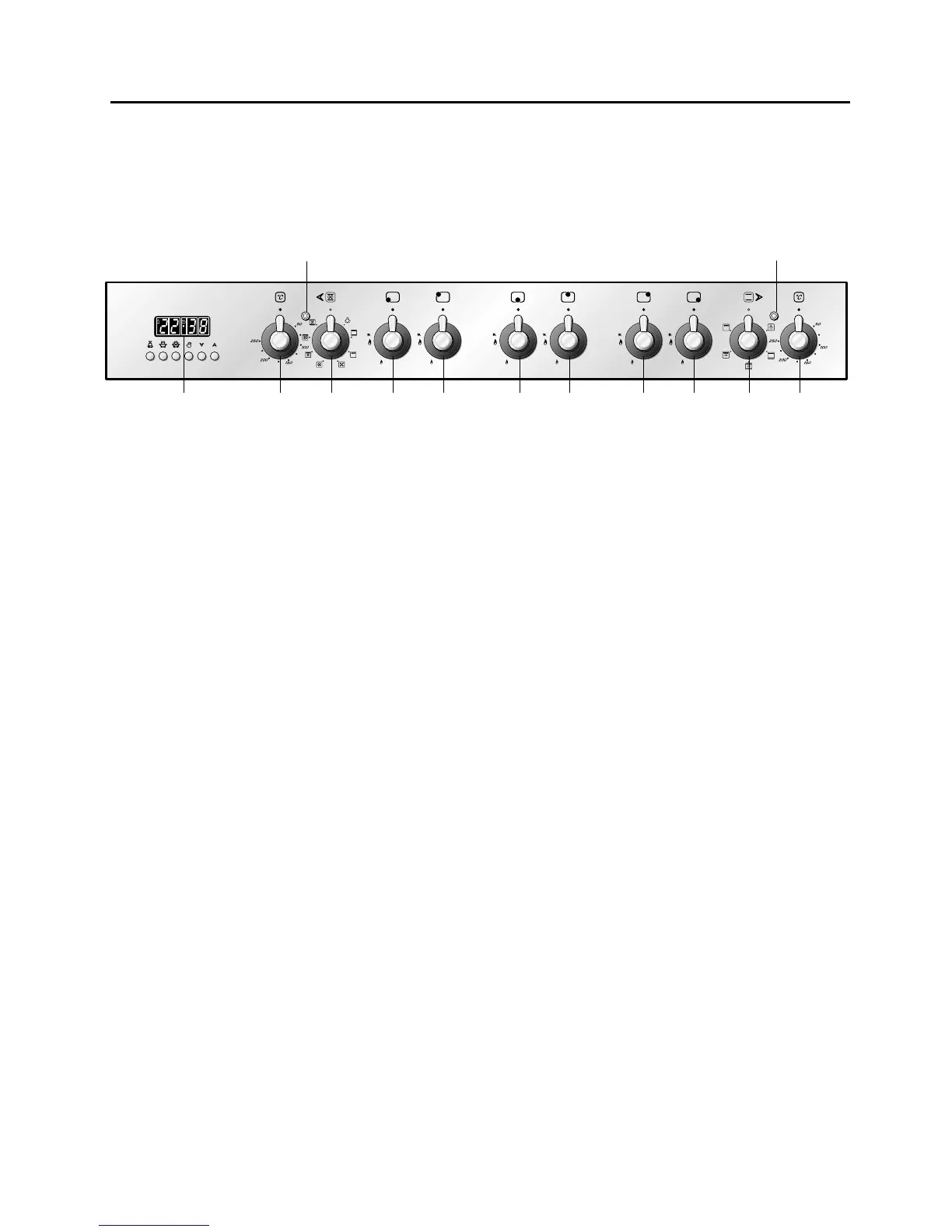
Control panel - (Fig. 4.2)
1. Front right burner control knob
2. Rear right burner control knob
3. Rear central burner control knob
4. Front central burner control knob
5. Rear left burner control knob
6. Front left burner control knob
7. Multifunction main oven switch knob
8. Multifunction main oven thermostat knob
9. Electronic programmer (main oven only)
10.Conventional oven thermostat knob
11. Conventional oven switch knob
Pilot lamps:
12. Main oven thermostat indicator light
13. Conventional oven thermostat indicator light
Fig. 4.2
98 65 32111
10
13
7
12
4
Please note: This appliance incorporates a safety cooling fan which you will hear oper-
ating whenever the oven or grill are in use.
This fan is to reduce the external temperature of the appliance and cool the internal
components.



 To Next Page