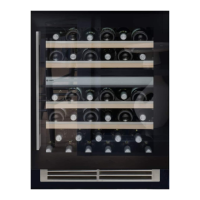
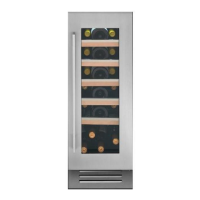
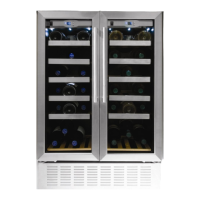
Instruction manual WC1792 & WC1796
11
Please keep this instruction manual for future reference
INTERNAL LIGHT
In order to reduce energy consumption, the LED light within this wine cabinet will automatically
switch off after 10 minutes. If you would prefer the LED light to remain on continuously, this is
possible. Please press and hold
4
Controls
Touch control keys
This button controls the upper compartment temperature zone.
Each press of the button will decrease the temperature in increments of 1ºC. When
the temperature reaches the minimum 5ºC it jumps up to the maximum of 10ºC.
This button controls the lower compartment temperature zone.
Each press of the button will decrease the temperature in increments of 1ºC. When the
temperature reaches the minimum 10ºC it jumps up to the maximum of 18ºC.
To turn the internal light on/off
Press and hold this key to turn the appliance on/off (hold for approx 3 seconds).
INTERNAL LIGHT
In order to reduce energy consumption, the LED light within this wine cabinet will automatically
switch off when the door is closed. If you would prefer the LED light to remain on continuously,
this is possible. Please press and hold the key for 5 seconds, the display will show “LP”.
After 4 seconds the display will revert back to normal and the light will remain on until manually
switched off. If you would like to revert back and conserve energy (recommended), press and
hold the key for 5 seconds, the display will show “LF” . After 4 seconds the display will
revert back to normal, and the light will automatically switch off when the door is closed.
for 5 seconds, the display will show “LP”. After 4 seconds the
display will revert back to normal and the light will remain on until manually switched off.
If you would like to revert back and conserve energy (recommended), press and hold for 5
seconds, the display will show “LF”. After 4 seconds the display will revert back to normal, and the
light will automatically switch off after 10 minutes.
SETTING THE TEMPERATURE
The temperature setting range for each zone is as below:
Upper compartment: 5 - 18ºC
Middle compartment: 5 - 10ºC
Lower compartment: 10 - 18ºC
When the system enters the temperature set up. With each press on the or key, the
temperature setting of the relevant zone will adjust accordingly.
If you wish to view the actual temperature inside the wine cabinet, please press the or key
and hold for 3-5 seconds. The actual temperature of the zone will be displayed on the control
board. After 5 seconds the temperature will return to display the set temperature.
Flashing LED = Cabinet Temperature
Steady LED = Set Temperature
NOTE
If the unit is unplugged, power lost, or turned off, you must wait 3 to 5 minutes before restarting
the unit. If you attempt to restart before this time delay, the Wine cabinet will not start.
When you use the Wine cabinet for the first time or restart the Wine cabinet after having been
shut off for a long period of time, there could be a few degrees variance between the temperature
you select and the one indicated on the LED readout. This is normal and it is due to the length of
the activation time. Once the Wine cabinet is running for a few hours everything will be back
to normal.
4
Controls
Touch control keys
This button controls the upper compartment temperature zone.
Each press of the button will decrease the temperature in increments of 1ºC. When
the temperature reaches the minimum 5ºC it jumps up to the maximum of 10ºC.
This button controls the lower compartment temperature zone.
Each press of the button will decrease the temperature in increments of 1ºC. When the
temperature reaches the minimum 10ºC it jumps up to the maximum of 18ºC.
To turn the internal light on/off
Press and hold this key to turn the appliance on/off (hold for approx 3 seconds).
INTERNAL LIGHT
In order to reduce energy consumption, the LED light within this wine cabinet will automatically
switch off when the door is closed. If you would prefer the LED light to remain on continuously,
this is possible. Please press and hold the key for 5 seconds, the display will show “LP”.
After 4 seconds the display will revert back to normal and the light will remain on until manually
switched off. If you would like to revert back and conserve energy (recommended), press and
hold the key for 5 seconds, the display will show “LF” . After 4 seconds the display will
revert back to normal, and the light will automatically switch off when the door is closed.
4
Controls
Touch control keys
This button controls the upper compartment temperature zone.
Each press of the button will decrease the temperature in increments of 1ºC. When
the temperature reaches the minimum 5ºC it jumps up to the maximum of 10ºC.
This button controls the lower compartment temperature zone.
Each press of the button will decrease the temperature in increments of 1ºC. When the
temperature reaches the minimum 10ºC it jumps up to the maximum of 18ºC.
To turn the internal light on/off
Press and hold this key to turn the appliance on/off (hold for approx 3 seconds).
INTERNAL LIGHT
In order to reduce energy consumption, the LED light within this wine cabinet will automatically
switch off when the door is closed. If you would prefer the LED light to remain on continuously,
this is possible. Please press and hold the key for 5 seconds, the display will show “LP”.
After 4 seconds the display will revert back to normal and the light will remain on until manually
switched off. If you would like to revert back and conserve energy (recommended), press and
hold the key for 5 seconds, the display will show “LF” . After 4 seconds the display will
revert back to normal, and the light will automatically switch off when the door is closed.
4
Controls
Touch control keys
This button controls the upper compartment temperature zone.
Each press of the button will decrease the temperature in increments of 1ºC. When
the temperature reaches the minimum 5ºC it jumps up to the maximum of 10ºC.
This button controls the lower compartment temperature zone.
Each press of the button will decrease the temperature in increments of 1ºC. When the
temperature reaches the minimum 10ºC it jumps up to the maximum of 18ºC.
To turn the internal light on/off
Press and hold this key to turn the appliance on/off (hold for approx 3 seconds).
INTERNAL LIGHT
In order to reduce energy consumption, the LED light within this wine cabinet will automatically
switch off when the door is closed. If you would prefer the LED light to remain on continuously,
this is possible. Please press and hold the key for 5 seconds, the display will show “LP”.
After 4 seconds the display will revert back to normal and the light will remain on until manually
switched off. If you would like to revert back and conserve energy (recommended), press and
hold the key for 5 seconds, the display will show “LF” . After 4 seconds the display will
revert back to normal, and the light will automatically switch off when the door is closed.
4
Controls
Touch control keys
This button controls the upper compartment temperature zone.
Each press of the button will decrease the temperature in increments of 1ºC. When
the temperature reaches the minimum 5ºC it jumps up to the maximum of 10ºC.
This button controls the lower compartment temperature zone.
Each press of the button will decrease the temperature in increments of 1ºC. When the
temperature reaches the minimum 10ºC it jumps up to the maximum of 18ºC.
To turn the internal light on/off
Press and hold this key to turn the appliance on/off (hold for approx 3 seconds).
INTERNAL LIGHT
In order to reduce energy consumption, the LED light within this wine cabinet will automatically
switch off when the door is closed. If you would prefer the LED light to remain on continuously,
this is possible. Please press and hold the key for 5 seconds, the display will show “LP”.
After 4 seconds the display will revert back to normal and the light will remain on until manually
switched off. If you would like to revert back and conserve energy (recommended), press and
hold the key for 5 seconds, the display will show “LF” . After 4 seconds the display will
revert back to normal, and the light will automatically switch off when the door is closed.
4
Controls
Touch control keys
This button controls the upper compartment temperature zone.
Each press of the button will decrease the temperature in increments of 1ºC. When
the temperature reaches the minimum 5ºC it jumps up to the maximum of 10ºC.
This button controls the lower compartment temperature zone.
Each press of the button will decrease the temperature in increments of 1ºC. When the
temperature reaches the minimum 10ºC it jumps up to the maximum of 18ºC.
To turn the internal light on/off
Press and hold this key to turn the appliance on/off (hold for approx 3 seconds).
INTERNAL LIGHT
In order to reduce energy consumption, the LED light within this wine cabinet will automatically
switch off when the door is closed. If you would prefer the LED light to remain on continuously,
this is possible. Please press and hold the key for 5 seconds, the display will show “LP”.
After 4 seconds the display will revert back to normal and the light will remain on until manually
switched off. If you would like to revert back and conserve energy (recommended), press and
hold the key for 5 seconds, the display will show “LF” . After 4 seconds the display will
revert back to normal, and the light will automatically switch off when the door is closed.


 To Next Page
 Loading...