4
OPERATING YOUR WINE CABINET
AND SETTING THE TEMPERATURE CONTROL
The wine cabinet should be placed where the ambient temperature is between 16-32 deg
centigrade. If the ambient temperature is above or below this range, the performance of the unit
may be affected. For example, placing your unit in extreme cold or hot conditions may cause
interior temperatures to fluctuate and maybe cannot reach the setting temperature.
¾ T
he controls
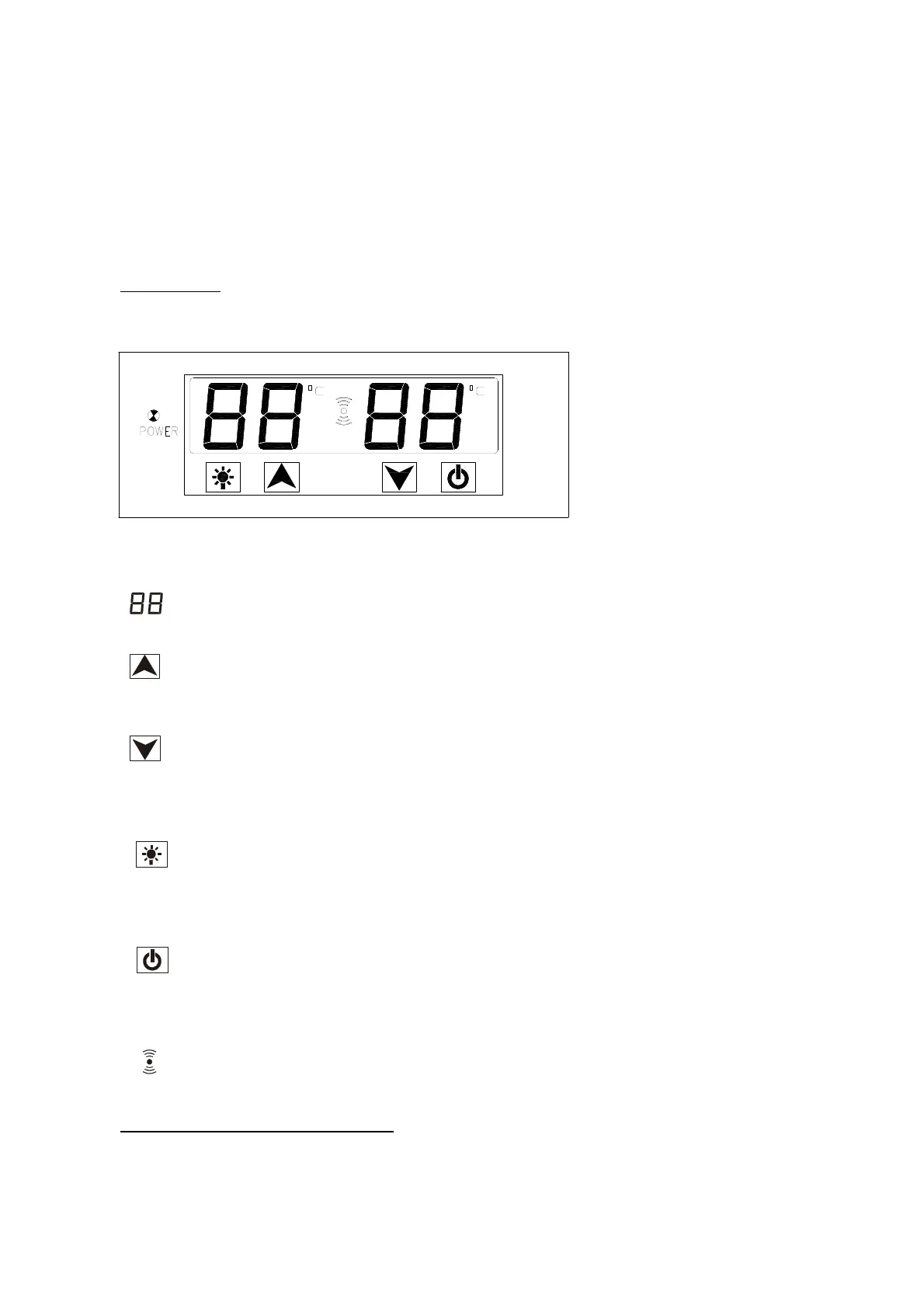
LCD touch control panel.
• “POWER”
When the indicator light is on, the power for the machine is on.
• “ ”
Displays the temperature of the internal cabinet.
•
“ ”
This button controls
the upper compartment temperature setting. When you press this
button, the set temperature will decrease by 1 ºC.
• “ ”
This button
controls the lower compartment temperature setting. When you press this
button, the set temperature will decrease by 1 ºC.
• “ ”
To control the inner light by tu
rnin
g on/off.
(Press thi
s button, the light is on, and the light is not controlled by door. Press this
button again, the light is off, and the light is controlled by door.)
• “ ”
This button will turn the appliance on/off.
(Press this button, the power is on. Press this button for 3 seconds again, the power is
off.)
• “ ”
Alarm Indicator light
¾ Setting The
Temperature Controls
• The temperature setting range as below:
Upper comp
artment: 5~10ºC
Lower compartment: 10~18ºC


 To Next Page