Instruction manual WDU060, WDU080 & WDU12518 Please keep this instruction manual for future reference
TROUBLESHOOTING
Before seeking repair or replacement, we recommend that you review the following:
LOUD NOISES:
(Other than those during grinding of small bones and fruit pits): These are usually caused by
accidental entry of a spoon, bottle cap or other foreign object. To correct this, turn off electrical
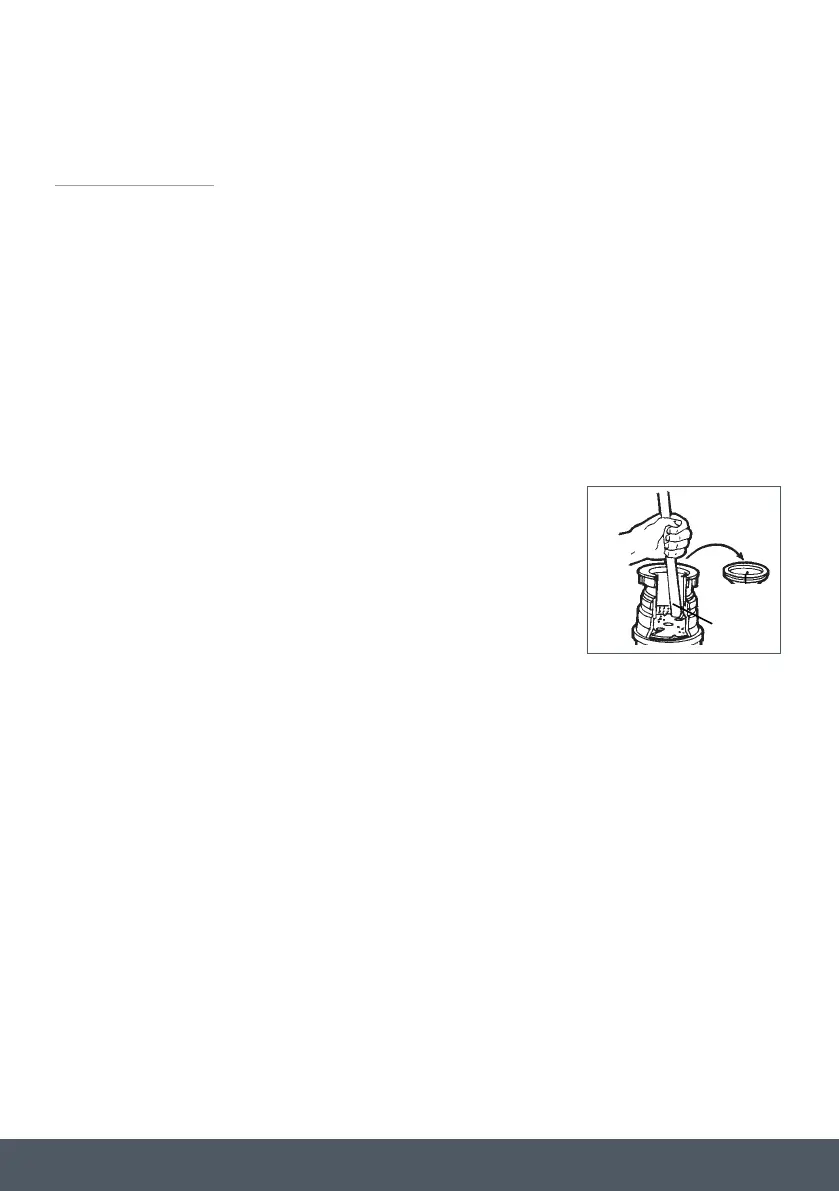
switch and water. After disposer has stopped, remove splash guard, remove object with long
handled tongs, and replace splash guard.
TURNTABLE
REMOVE
SPLASH
GUARD
9A
UNIT DOES NOT START:
Unplug power cord or turn either the wall switch or breaker box
switch to “OFF” position, depending on your model and wiring
configuration. Remove stopper and/or splash guard. Check to see if
turntable will rotate freely using a wooden spoon handle. If turntable
rotates freely, replace splash guard and check reset button to see if it
has been tripped. Reset button is red and located on the front of the
disposer. Push button in until it clicks and remains depressed.
Reset Button should be pressed only once. If reset button has not been tripped, check for shorted
or broken wire connecting to disposer. Check electrical power switch, fuse box or circuit breaker.
If wiring and electrical components are intact, the unit may have internal problems that require
service or replacement.
IF TURNTABLE DOES NOT ROTATE FREELY:
Turn off disposer, then check for any foreign object lodged between the turntable and grind ring.
Dislodge object by rotating table with a wooden spoon handle (see 9A) and remove object. If no
foreign object is present, there may be internal problems.



 To Next Page