14 Instruction manual WF1552 & WF1553 Please keep this instruction manual for future reference
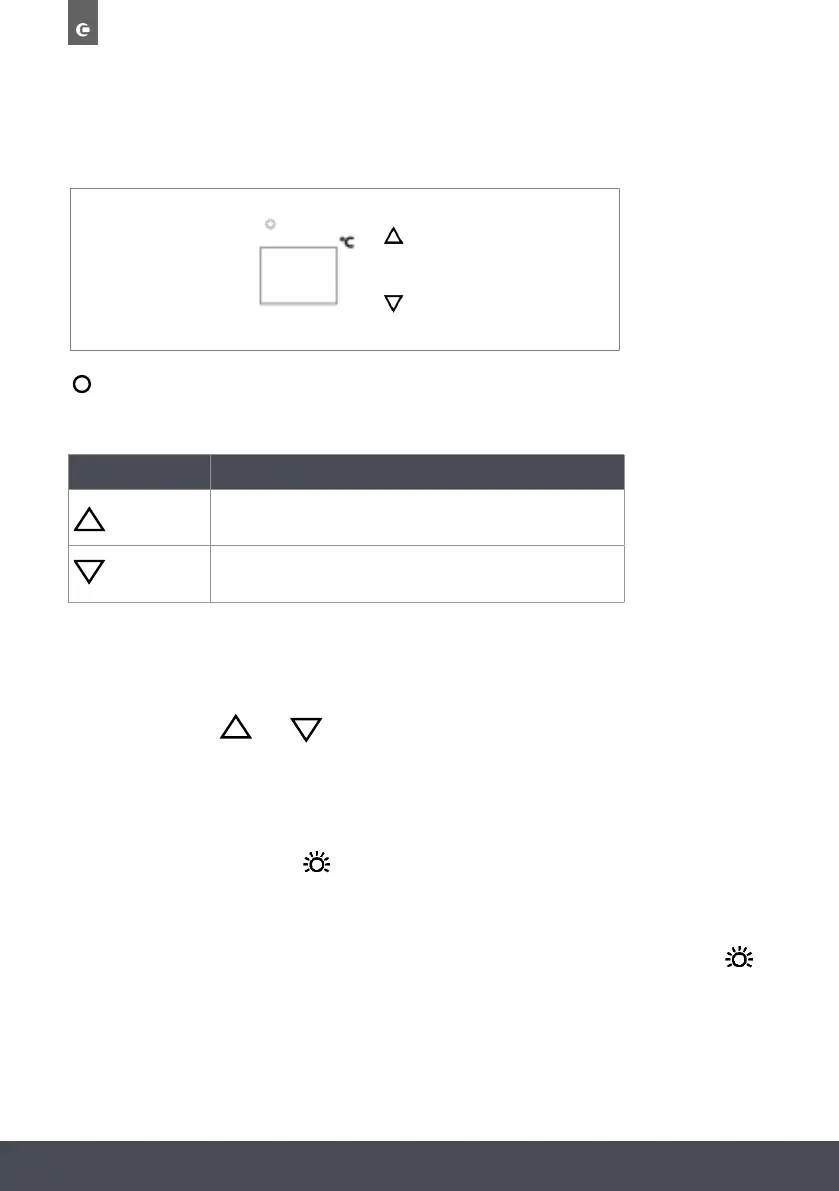
LOWER ZONE
Indicator light illuminates to signify the cooling mode is currently in operation.
TOUCH CONTROL KEYS
SYMBOL SETTING
To increase the temperature by 1°C
To decrease the temperature by 1°C
WINDOW
Displays the temperature in the lower compartment
NOTE
Press and hold both
and
for 3 seconds to change the display from °C to °F.
INTERNAL LIGHT
In order to reduce energy consumption, the LED light within this wine cabinet will automatically
switch off after 10 minutes. If you would prefer the LED light to remain on continuously, this is
possible. Please press and hold
key for 5 seconds and the display will show “LP”. After 4
seconds the display will revert back to normal and the light will remain on until manually
switched off.
If you would like to revert back and conserve energy (recommended), press and hold the
key for 5 seconds and the display will show “LF”. After 4 seconds the display will revert back to
normal, and the light will automatically switch off after 10 minutes.
LIGHT SOURCE ENERGY CLASS
This product contains a light source of energy efficiency class G


 To Next Page