13Instruction manual WF1552 & WF1553Please keep this instruction manual for future reference
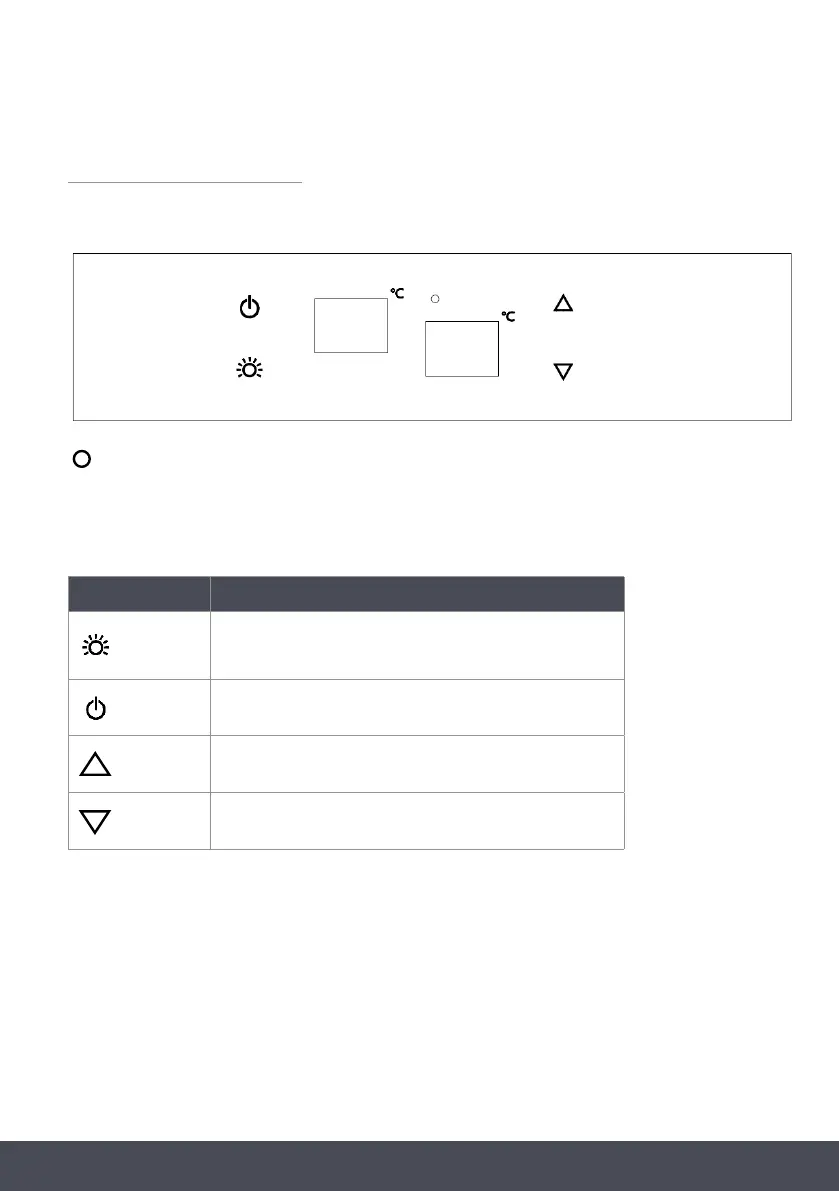
CONTROL PANEL
UPPER AND MIDDLE ZONE
Indicator light illuminates to signify the cooling mode is currently in operation.
TOUCH CONTROL KEYS
SYMBOL SETTING
Used to switch the internal light on/off
To switch the appliance on/off
(press and hold this button for approximately 3 seconds)
To set the temperature of the upper compartment
To set the temperature of the middle compartment
UPPER WINDOW
Displays the temperature in the upper compartment
LOWER WINDOW
Displays the temperature in the middle compartment


 To Next Page