VOL
2H
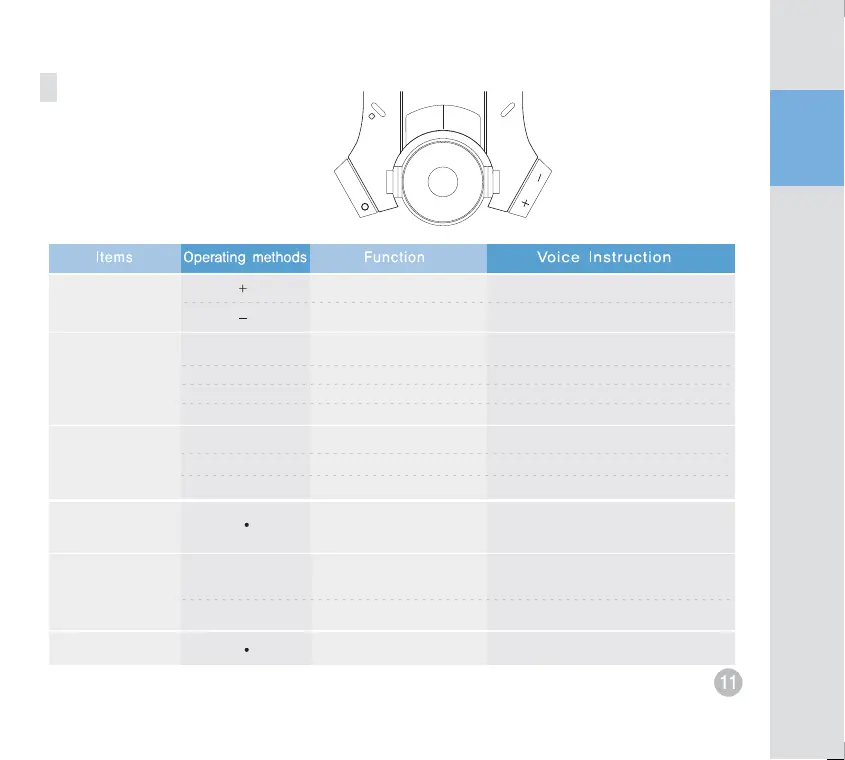
Button operation
Volume control
Sensitivity
control mode
Indoor recording
mode
Button recording
Installation mode
Formatting
-
+
2CH
Power ON
Power On at the
‘+’ position.
high
low
low
high
mode release
Indoor recording (Default)
Button recording mode (toggle)
TV-out
SD card format
Entering to the sensitivity control mode.
Mute,one,two,three,for,five
Mute,one,two,three,for,five
Indoor recording is selected.
Recording begins.
Entering to the Installation mode.
TV-out is selected.
Deleting previous data.
Power connection
at the ‘-‘position
The current sensitivity is X
Mute,one,two,three,for,five
Exiting from the sensitivity control mode.
2CH
2CH
Deselect indoor recording.
Select indoor recording (toggle).
Indoor recording is deselected.
Indoor recording is selected.
Power OFF
TV-out deselected Exiting from the Installation mode


 To Next Page