26
Firm ware update
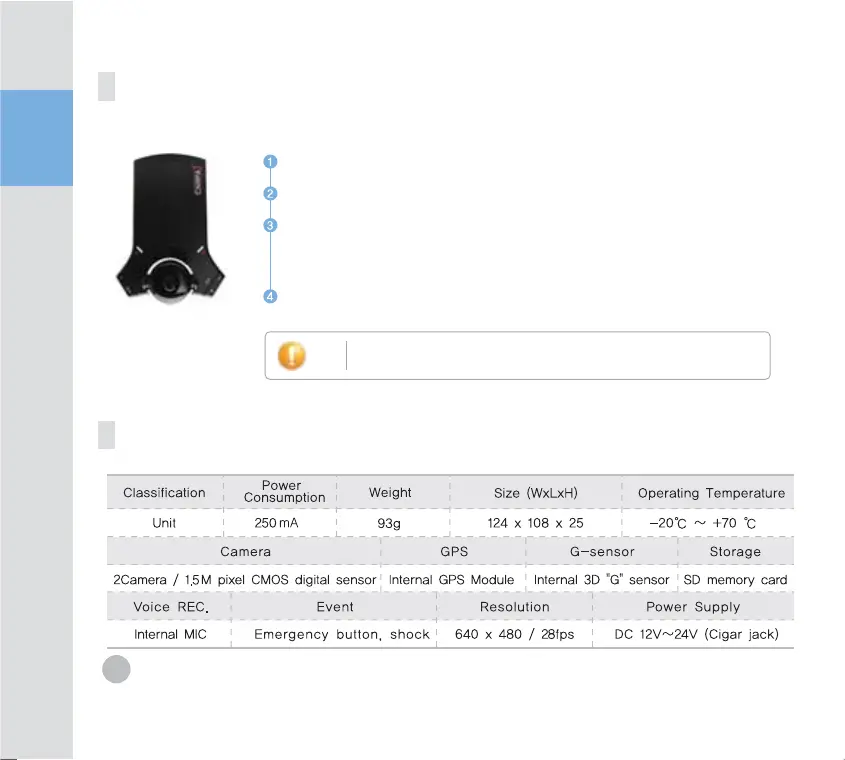
Product specification
Note
Make sure to format in FAT32 before firmware upgrade.
Remove SD card from main body and insert to memory card reader.
Remove memory card reader, insert into card reader and then connect to PX USB port.
Down load update file from DS Telecomm web site.
(Download file is compressed. Please decompress.
Copy file and paste to SD memory card.
Insert SC Card into product and connect power, then it is updated automatically.
During update, do not cigar jack power or turn off engine. Also
do not remove SD card during update.


 To Next Page