25
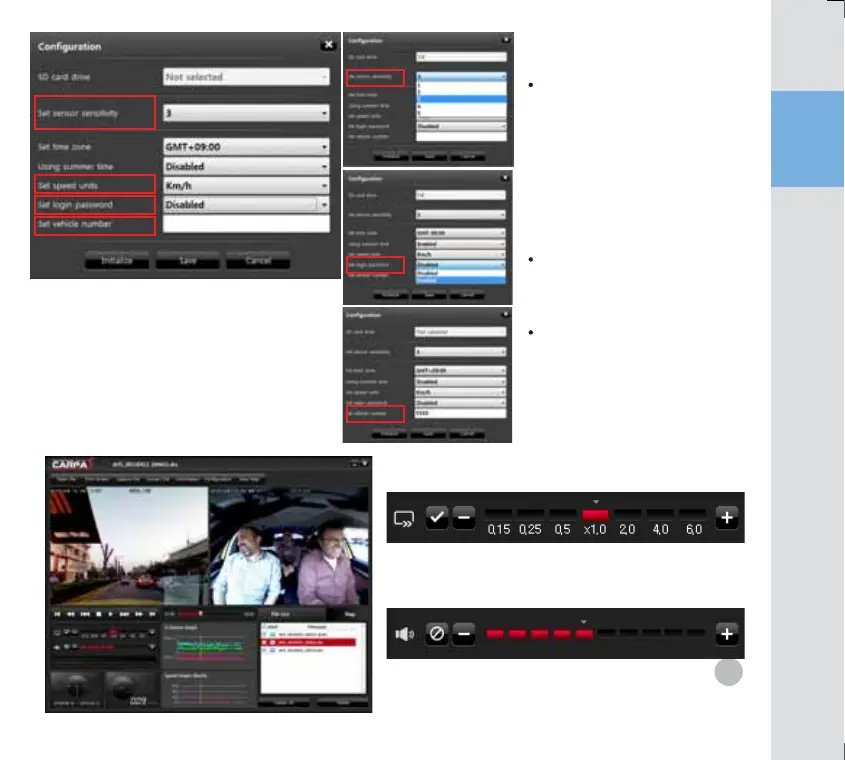
Sensitivity Control: To control sensitivity.
Password setup
Save the car registration number
The higher the number the higher
the sensitivity. 1 for the lowest
sensitivity, 5 for the highest
sensitivity. Depending on the
preset sensitivity, an event may
not be recorded while stationary.
Set the sensitivity suitable to your
car and the user.
A password can be entered for
playback. The password is
saved in SD card.
: The car registration number can
be saved in SD card.
Volume Control
in 5 levels (including ‘Mute’)
Select level 1 for mute and level 5 for the highest volume.
To set the shock sensitivity of G-sensor
which detects a shock to a vehicle



 To Next Page