24
Way to playback recorded image
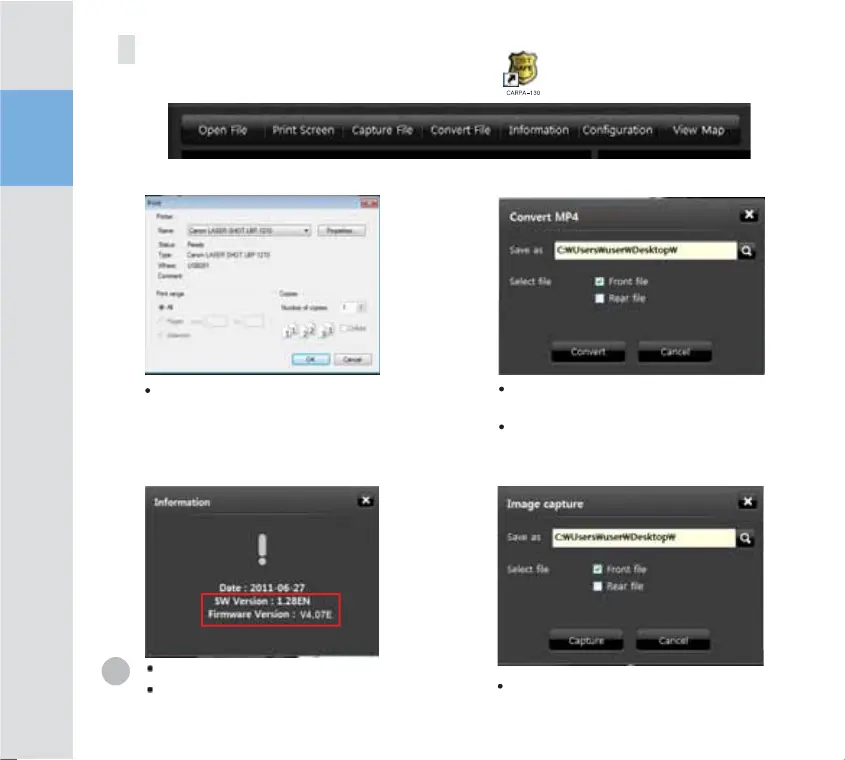
Print Screen
Version Infirmware
File Save
Screen Capture
To view the software version.
To view the Firmware version.
Select the CARPA-130 icon
to execute the program.
To capture the current screen. The saved file is
added to the hard disk.
To print the screen/ the
instant printing function
During playback, the file can be saved on a PC
as well.
The file is converted to an mp4 file and saved.



 To Next Page