EasyManua.ls Logo

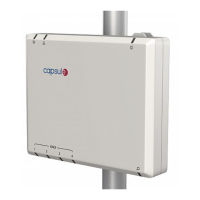
capsule SmartLinx Axon 110 - User Manual

Default Icon
78 pages
Go to English
Print Icon
To Next Page IconTo Next Page
Loading...
Data 8 de junho de 2015
Referência SL-AXON-IFU-ML
Revisão 2.2
SmartLinx Axon
Instruções de uso

Table of Contents

Questions and Answers

Summary

Setting Up the SmartLinx Axon

Deploying the SmartLinx Axon

Deployment Precautions

Outlines critical safety warnings and precautions to follow during the deployment of the SmartLinx Axon.

Installation and Power Connection

Powering via AC Cable

Instructs on how to connect the SmartLinx Axon using the provided AC power cable and electrical outlet.

Powering via Ethernet Cable

Operating the SmartLinx Axon

Device Components - Side Views

Identifies the physical components and ports on the SmartLinx Axon 110 and 410 models' sides.

Connectivity Ports

Describes the types of ports available on the SmartLinx Axon and their purpose for connecting devices.

Device Components - Front View

Device Components - Front Views

Device Components - Rear View

Connectivity Details

Powering and Resetting the Device

Powering On Procedure

Explains how to power on the SmartLinx Axon and the expected LED responses.

Powering Off Procedure

Describes how to power off the device and notes its standby mode behavior.

Resetting the Device to Factory Defaults

Provides instructions on how to reset the SmartLinx Axon to its factory default configuration.

Status Indicators and Network Connection

Understanding LED Indicators

Explains the meaning of different LED indicators on the SmartLinx Axon for status and troubleshooting.

Wired Network Connection

Guides users on how to establish a wired network connection using an Ethernet cable.

Connecting Medical Devices

Wireless Network Connection

Outlines the process for configuring the SmartLinx Axon for wireless network connectivity.

Connecting a Medical Device

Provides step-by-step instructions for physically connecting a medical device using a DIM and cable.

Troubleshooting Common Issues

Device Troubleshooting Guide

Offers solutions for common issues like no power, lost connection, or network problems.

Wireless Connection Troubleshooting

Explains how to diagnose wireless connection issues by interpreting the Wireless LED patterns.

Maintaining the SmartLinx Axon

Technical Characteristics

Configuring the SmartLinx Axon

Web-Based Configuration Interface

Explains how to access and use the web-based application for configuring the SmartLinx Axon.

Configuration Options

Covers Ethernet, Wireless, Serial Ports, Network Services, SNMP, Time, and Admin Password settings.

Administration and Management Options

Covers Certificate Management, Backup/Restore, Updates, Logs, Locating, and Rebooting.

capsule SmartLinx Axon 110 Specifications

General IconGeneral
Brandcapsule
ModelSmartLinx Axon 110
CategoryMedical Equipment
LanguageEnglish

Related product manuals