CUSTOMER SUPPORT
:
Email: support@captioncall.com
Phone: 1-877-557-2227
3
Captions help reinforce what you’re hearing on
the phone and keep you from missing details.
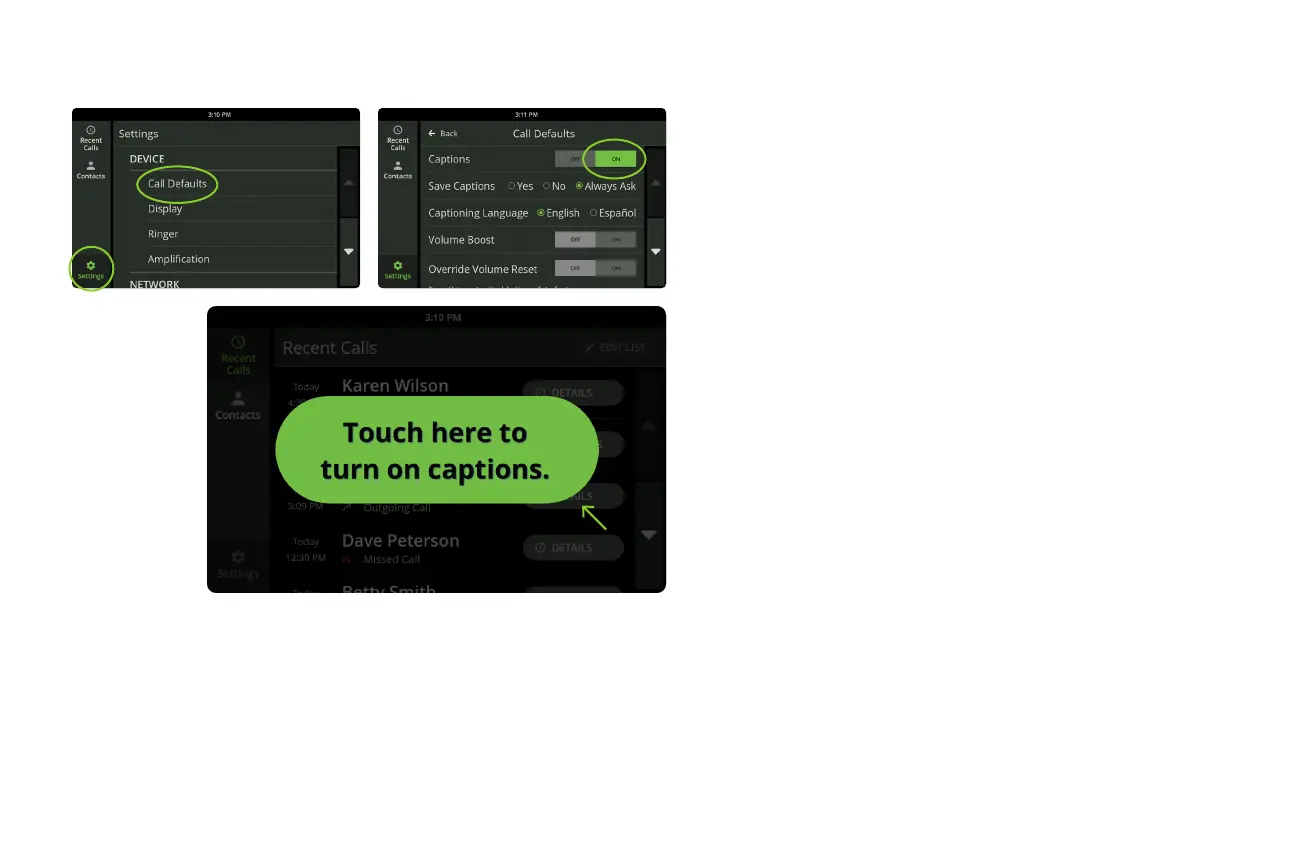
If you want captions to appear automatically
with each call:
1. Touch Settings. Under DEVICE, touch Call
Defaults.
2. Next to Captions, touch On. It will highlight in
green.
If you prefer to turn on captions manually
with each call:
1. Answer or dial the phone as usual.
2. Touch the green button on the screen to
turn on captions.
Turn on captions



 To Next Page