CUSTOMER SUPPORT
:
Email: support@captioncall.com
Phone: 1-877-557-2227
8
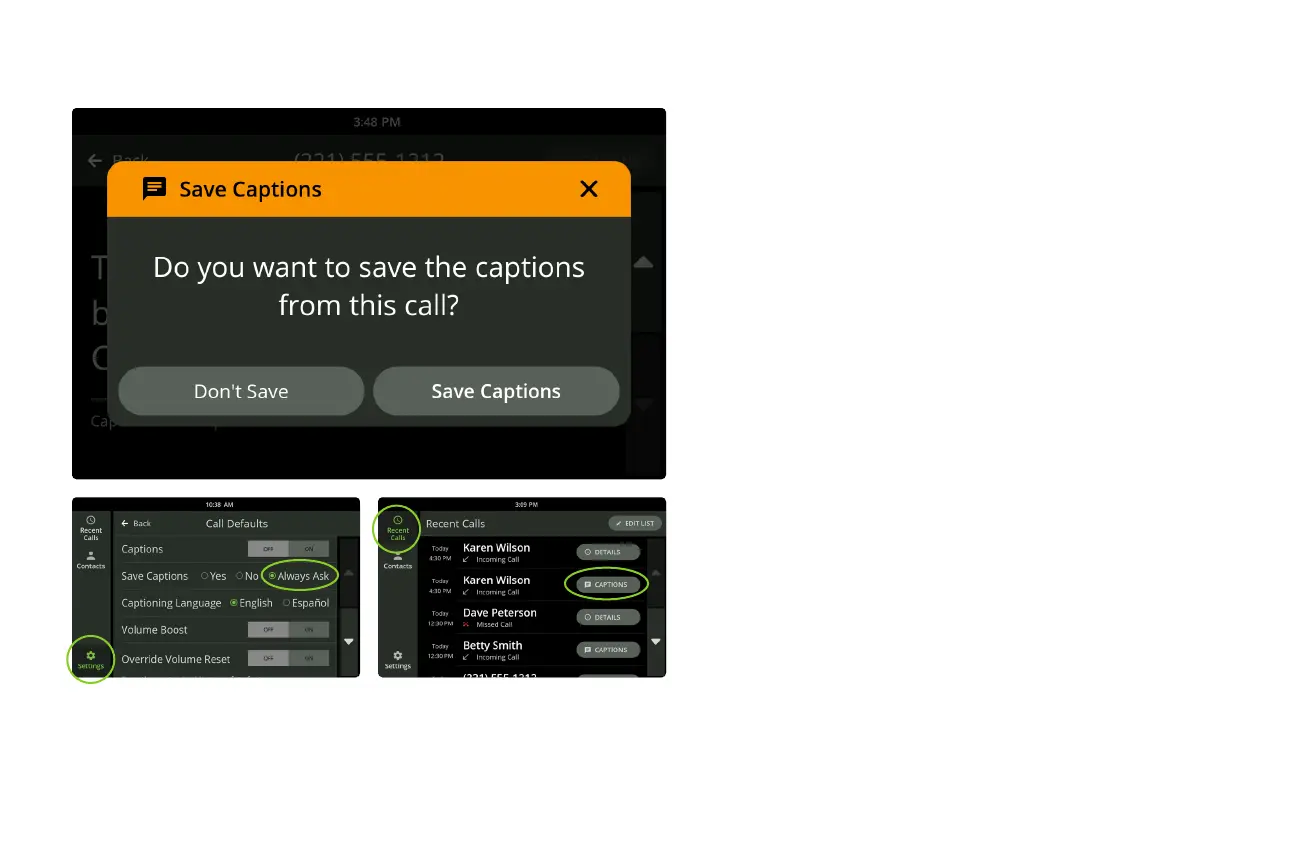
At the end of a captioned call, the phone will ask
if you want to save the conversation. Touch Save
Captions to save the captions to read again later.
Saved captions might be helpful to remember
appointment details, capture a price quote, or just
remember a conversation with a family member.
If you choose Save Captions, the captions will be
saved until you choose to delete them.
To save every conversation or to turn this
feature o, touch Settings. Under DEVICE, touch
Call Defaults. Next to Save Captions, touch Yes,
No, or Always Ask.
To review a saved conversation, touch Recent
Calls. Touch the Captions button to the right of
any call to see a saved conversation. Calls not
saved have a Details button instead.
Save a conversation



 To Next Page