○
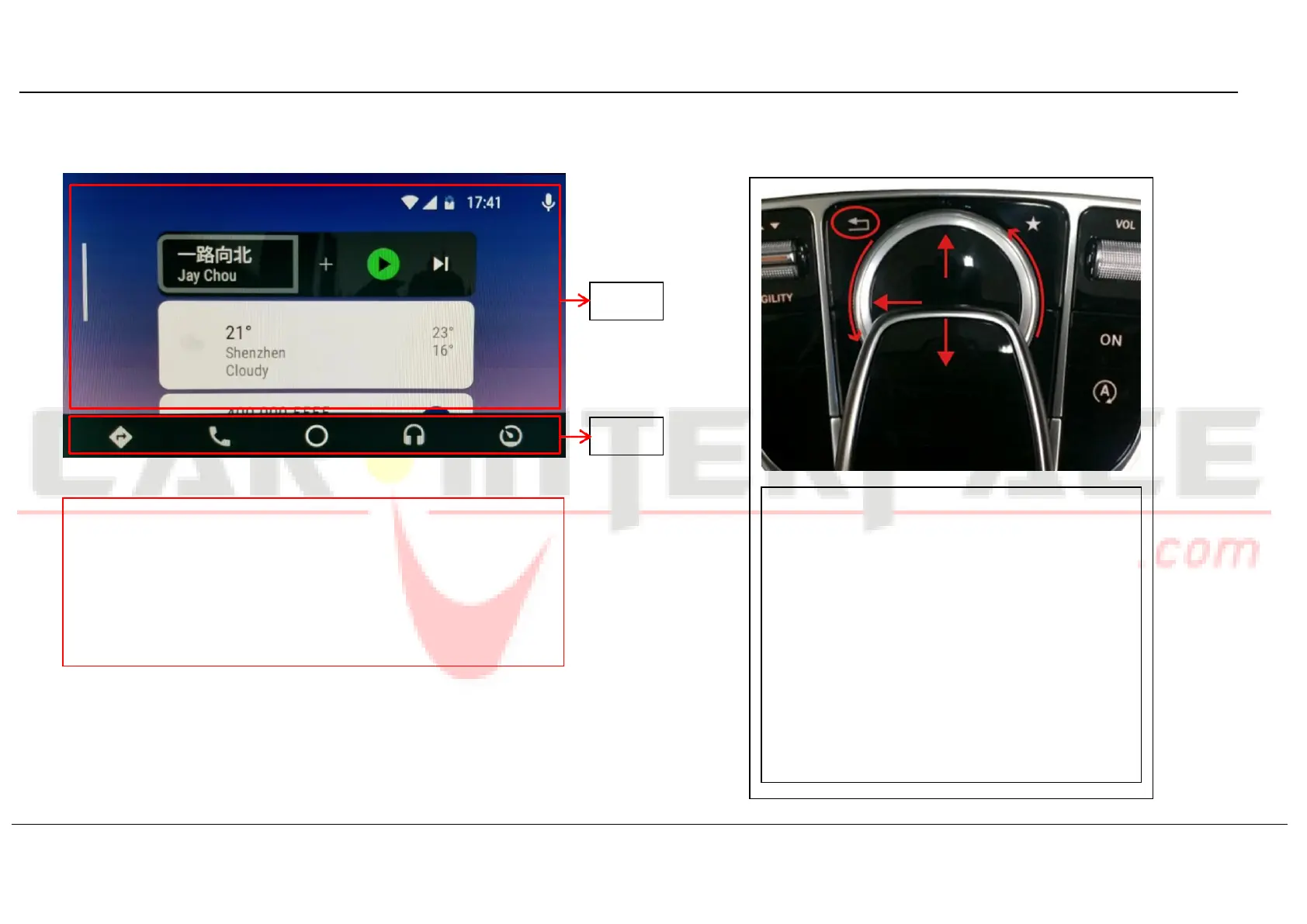
1 : Menu-pointer switch to A area
○
2 : Menu-pointer switch to B area
○
3 : Bring up the menu of upper left
○
4 : Turn the dial to move menu-pointer
○
5 : Click as return to the previous step; long press
for switch mode: OEM-Add on-DVR-OEM
NOTE!
Make sure smartphone connect to original car stereo Bluetooth for
phone call audio delivering when using Android Auto.
NOT available for activating Google Assistant with factory buttons,
please use voice command “OK Google” instead.


 To Next Page