- 10 -
8. COMPUTER OPERATION INSTRUCTIONS
一、
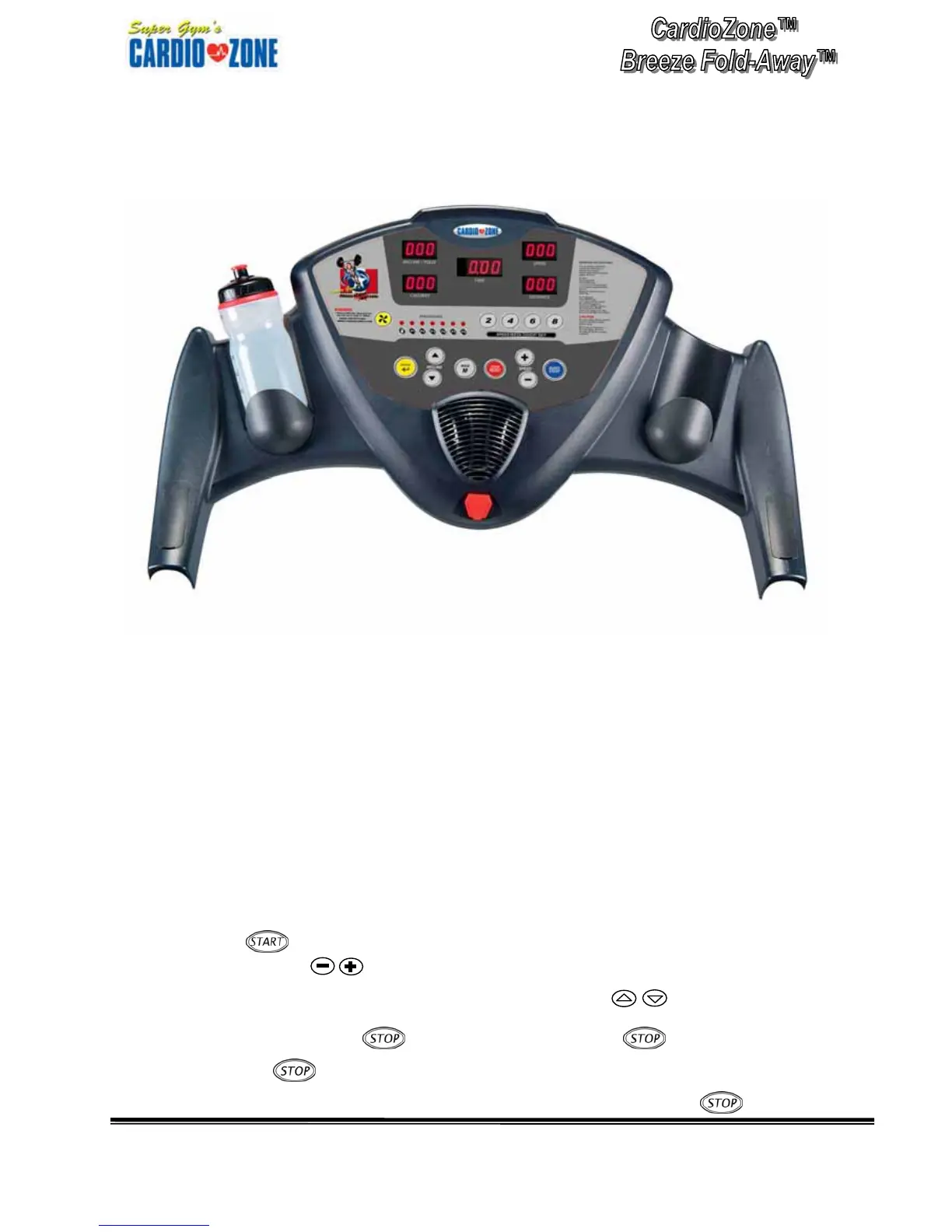
General Operation:
1. Turn on the treadmill.
2. Put the safety key in the recess of the console.
At this time the beeper will sound and the window will display
□
0
, which means that the
treadmill has been under START/READY status, under this status, you can hold the handgrip
pulse sensor to detect heart rate number directly
3. Press
to start the treadmill and MANUAL light is on. Its speed is 1.0 mph, at
this time press to increase/decrease the speed (also you can press 2, 4, 6, 8)
to select the speed you want quickly).Or you can press
to control the
incline angle.
Press
, the treadmill will stop (press once
,
it will display
image of
, all the numbers will stop changing, and the treadmill will pause for
60 seconds and then come back to the Start/Ready status. If press
once, then


 To Next Page