Page | 35
In the Internet Protocol Version 4 (TCP/IPv4) Properties window, select Obtain an IP address automatically
and Obtain DNS server address automatically.
Ensure the PC’s Wi-Fi adaptor is physically switched on, if required, and that it is not disabled in the Change
adaptor settings window.
7.4 Connection with PC
Switch on the VS+ so that Internal Power Source button is illuminated.
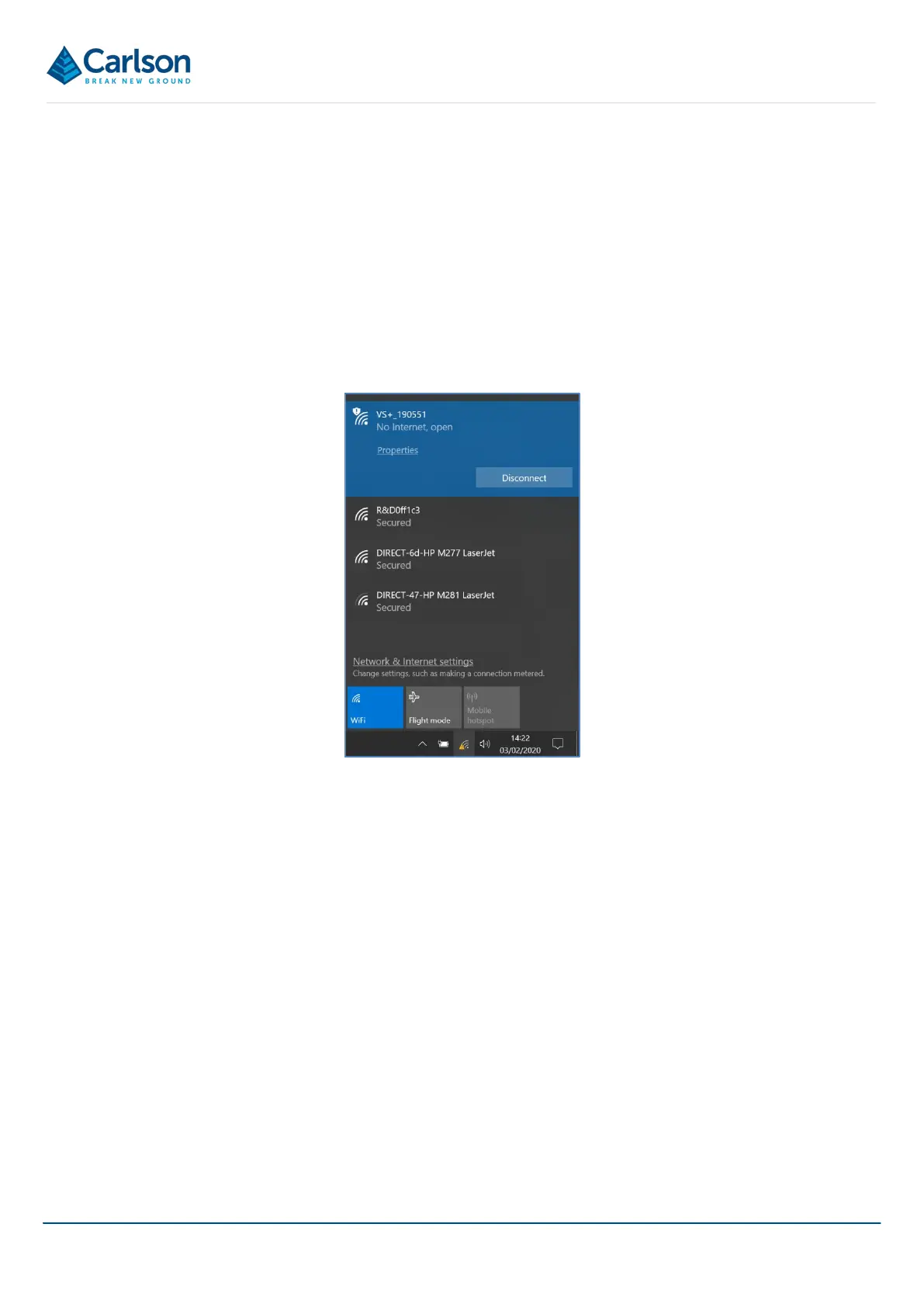
On the PC, in the task bar, click on the Wi-Fi icon to see the available Wi-Fi networks. The VS+ is identified by its
serial number. In the case below, the VS+ Wi-Fi network is named VS+_190551.
Click on the appropriate network and allow the PC to connect with the VS+.
You are now ready to run Carlson Scan.
7.5 Carlson Scan
A full description of Carlson Scan software is included in the Carlson Scan manual which accompanies the VS+
system. This section is concerned only with connecting Carlson Scan to the VS+.
Once the VS+ is connected to the PC (see section 7.4), start Carlson Scan software as normal.
Carlson Scan has an autodetect routine to establish if there are any scanners connected to the PC. Once the
routine is initiated, any scanner which is powered on and correctly interfaced with the PC is detected. Carlson Scan
first identifies that a VS+ is connected and then establishes the serial number, firmware and internal sensors within
the instrument.
The autodetect routine can be started automatically by tapping the Quickstart option from the Touch mode Home
screen. This is the quickest way to get started with scanner operations.
On detection of a VS+, Carlson Scan runs through checks to establish that comms with the scanner are sound and
to read information from the VS+.
Figure 37 Wi-Fi network connections


 To Next Page