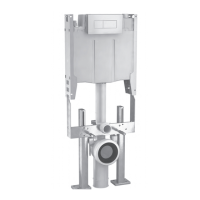
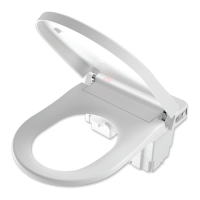
NOTE: Recommended for ADA
installationswherebuttonsarewanted
ontheaccessiblesideofthebowl.
Access Panel Variations
1 2 3
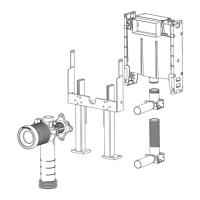
Remote Mounting Box Kit - 237 006
Kit Includes
• RemoteMountingBox
• 2x4mPneumaticTubes
• ElevatedFlushPipeParts
The Remote Mounting Box has
beenspecicallydesignedin
conjunction with and to facilitate
theinstallationofbuttonpanelsets
in remote Invisi II installations.
Remote Mounting Box
0.2"or5mmmin.
to1.8"or45mmmax.
Wall lining thickness
Remote Installation
For installation with
buttonpanelsets
SlidetheTopPanelbackandoffthelid.
(Thispanelwillnolongerberequired).
There are clips at each end so the Top
Panelshouldbecarefullyleveredor
exedtoclearbothclips.
Slide the Access Box up and off the lid.
There are clips at each end so the Top
Panelshouldbecarefullyleveredor
exedtoclearbothclips.
Find the Front Panel supplied loose in the
pack (This panel is slightly larger than the
TopPanel).SlidetheFrontPanelontothe
lid ensuring it locks into position.
Slide the Access Box onto the lid ensuring
theoverhangtabistotherearofthetank
and it locks into position.
The Panel and Access Box should lock
together neatly as shown.
Access Box with
Dust Cover
“click”
“click”
Front Cover
(suppliedloose)
Top Cover
The Tank is supplied standard with Front Access.
For conversion from Front to Top Access follow this procedure.
clips
Clips


 To Next Page
 Loading...