EasyManua.ls Logo

Carrier 40MBFQ - User Manual

Carrier 40MBFQ
16 pages
Print Icon
To Next Page IconTo Next Page
Loading...
Specifications subject to change without notice.
TABLE OF CONTENTS
PAGE
A NOTE ABOUT SAFETY ........................................................................................................................2
GENERAL...................................................................................................................................................2
PART NAMES ............................................................................................................................................3
INDOOR UNIT DISPLAY PANELS .........................................................................................................3
WIRELESS REMOTE CONTROL FUNCTION BUTTONS....................................................................4
REMOTE CONTROL .................................................................................................................................6
REMOTE CONTROL FUNCTIONS..........................................................................................................8
CLEANING, MAINTENANCE AND TROUBLESHOOTING ..............................................................13
TROUBLESHOOTING.............................................................................................................................15
NOTE TO EQUIPMENT OWNER:
Please read this Owner’s Information Manual carefully before installing and using this appliance and
keep this manual for future reference.
For your convenience, please record the model and serial numbers of your new equipment in the spaces
provided. This information, along with the installation data and dealer contact information, will be
helpful should your system require maintenance or service.
UNIT INFORMATION
Model # _______________________________
Serial # ________________________________
INSTALLATION INFORMATION
Date Installed ___________________________
DEALERSHIP CONTACT INFORMATION
Company Name: ______________________
Address:_____________________________
Phone Number:________________________
Technician Name:______________________
Owner’s Manual
40MBFQ
Floor Console Ductless System
Sizes 09 to 58
Question and Answer IconNeed help?

Do you have a question about the Carrier 40MBFQ and is the answer not in the manual?

Summary

Safety and General Information

Safety Precautions

Guidance on potential hazards and safety precautions indicated by symbols.

General Unit Description

Overview of the floor console fan coil unit's features and capabilities.

Unit Components and Identification

Part Names and Labels

Identification of external parts of the indoor unit for different sizes.

Indoor Unit Display Panel Indicators

Explanation of indicators like operation lamp, timer, and IR receiver.

Wireless Remote Control Operation

Function Buttons Overview

Detailed explanation of each button's function on the wireless remote.

LCD Screen Indicators

Explanation of the symbols and data displayed on the remote's LCD screen.

Basic Operation and Modes

Steps to turn on/off, select modes, set temperature, and fan speed.

Advanced Control Features

Instructions for TIMER, SLEEP, TURBO, and CLEAN functions.

Cleaning and Maintenance

Maintenance Procedures

Guidance on cleaning coils and air filters for optimal performance.

Periodic Maintenance Schedule

Recommended intervals for cleaning and checks of indoor and outdoor units.

Troubleshooting Common Problems

Problem Identification and Solutions

Table outlining common issues, their causes, and recommended solutions.

Summary

Safety and General Information

Safety Precautions

Guidance on potential hazards and safety precautions indicated by symbols.

General Unit Description

Overview of the floor console fan coil unit's features and capabilities.

Unit Components and Identification

Part Names and Labels

Identification of external parts of the indoor unit for different sizes.

Indoor Unit Display Panel Indicators

Explanation of indicators like operation lamp, timer, and IR receiver.

Wireless Remote Control Operation

Function Buttons Overview

Detailed explanation of each button's function on the wireless remote.

LCD Screen Indicators

Explanation of the symbols and data displayed on the remote's LCD screen.

Basic Operation and Modes

Steps to turn on/off, select modes, set temperature, and fan speed.

Advanced Control Features

Instructions for TIMER, SLEEP, TURBO, and CLEAN functions.

Cleaning and Maintenance

Maintenance Procedures

Guidance on cleaning coils and air filters for optimal performance.

Periodic Maintenance Schedule

Recommended intervals for cleaning and checks of indoor and outdoor units.

Troubleshooting Common Problems

Problem Identification and Solutions

Table outlining common issues, their causes, and recommended solutions.

Overview

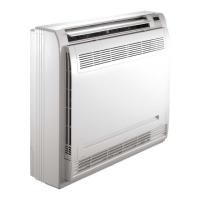
The 40MBFQ is a floor console ductless system designed for quiet, maximum comfort in various sizes (09 to 58). It functions as an air conditioner, providing cooling and/or heating, filtering, and dehumidifying the air.

Function Description:

The 40MBFQ operates in five primary modes:

  • FAN Only: Circulates and filters room air without changing its temperature.
  • AUTO: Automatically cools or heats the room based on the user-selected set point. This mode is recommended for single-zone applications. In multi-zone setups, AUTO CHANGEOVER might set an indoor unit to STANDBY if other units are in different modes (HEATING is prioritized, and simultaneous HEATING and COOLING is not allowed).
  • HEATING: Heats and filters the room air (available for heat pump models only).
  • COOLING: Cools, dries, and filters the room air.
  • DEHUMIDIFICATION (DRY): Dries, filters, and slightly cools the room air. This mode prioritizes dehumidification but is not a substitute for a dedicated dehumidifier.

Control Options:

The system can be controlled via:

  • Wireless Remote Control: The primary control method, featuring a window display panel showing current system status. It can be secured with a mounting bracket. Commands are confirmed by an audible beep from the unit.
  • Wired Remote Control (Optional): Refer to its dedicated manual for details.
  • 24V Interface (Optional): Allows control of the ductless system with a third-party thermostat.
  • Manual Operation: If the remote control is unavailable, a manual button on the unit allows basic operation. Pressing once activates AUTO mode (76°F/24°C, AUTO fan speed, pre-set discharge air direction). Pressing twice enters TEST mode (COOLING for 30 minutes, then AUTO). Pressing three times turns the unit OFF.

Important Technical Specifications & Usage Features:

  • Temperature Range: Set points can be adjusted between 62°F (17°C) and 86°F (30°C) in 1°F (1°C) increments.
  • Fan Speed: Selectable fan speeds include AUTO, LOW, MED, and HIGH. In DRY or AUTO mode, fan speed is set automatically.
  • Airflow Direction:
    • Up-Down Louver: Adjustable via the remote control's DIRECT button (30-degree increments) or SWING button for continuous movement. In COOLING, DEHUMIDIFICATION, and FAN ONLY modes, the louver swings in the cooling range; in HEATING mode, it swings in the heating range. Manual adjustment of louvers is not recommended.
    • Right-Left Louver: Manually adjustable using knobs on the right and left sides of the unit.
    • Dual Air Flow (Sizes 09-12): Air is blown from both upper and lower outlets for high-speed cooling or heating.
    • Single Air Flow: Air blows only from the upper air outlet, useful for avoiding direct airflow, especially during sleep.
  • Timer Functions:
    • TIMER ON: Programs the unit to turn on automatically at a set time (increments of 30 minutes up to 10 hours, then 60 minutes up to 24 hours).
    • TIMER OFF: Programs the unit to turn off automatically at a set time (increments of 30 minutes up to 10 hours, then 60 minutes up to 24 hours).
    • Both TIMER ON and TIMER OFF can be used together.
  • SLEEP Mode: Conserves energy by gradually adjusting the set point and fan speed over time. Available in COOL, HEAT, or AUTO modes.
  • TURBO Mode: Rapidly cools or heats the room by running the fan at super high speed for 20 minutes.
  • CLEAN Mode (Sizes 18-24 only): Activates a self-cleaning function that automatically cleans and dries the evaporator for 16 minutes, then turns off. Available in COOL or DRY modes.
  • LED Light: Button on the remote to turn the indoor unit's LED display and buzzer ON/OFF.
  • Auto Defrost Operation: In HEATING mode, if the outdoor coil frosts, the system automatically defrosts, turning off indoor/outdoor fans, then resumes normal operation.
  • Auto Start: If power is interrupted, the unit stores its operating conditions and automatically restarts with those settings when power is restored.
  • Safety Precautions: Always turn off power before maintenance. Avoid touching internal metal parts. Do not use abrasive cleaners on the front panel.

Maintenance Features:

  • Air Filters: Remove and clean monthly. Clogged filters reduce efficiency and can be unhealthy. Replace if worn or torn.
  • Carbon Filter: Remove and wash with water every 6 months. The manufacturer recommends replacing it annually.
  • Coil: Clean at the beginning of each cooling season or as needed, using a vacuum cleaner or a long-bristle brush.
  • Indoor Unit Front Panel: Wipe with a soft, dry cloth. Do not use water hotter than 105°F (40.6°C) or pour water onto the fan coil.
  • Extended Shutdown: Clean filters, operate in FAN ONLY mode for 12 hours to dry internal parts, turn off main power, and remove remote control batteries.
  • Periodic Maintenance: Refer to the provided table for recommended intervals (e.g., monthly air filter cleaning, annual carbon filter replacement, professional checks for electrical connections, fan wheel, and drain pans).

Troubleshooting:

The manual includes a troubleshooting table for common problems like the unit not working (power failure, tripped breaker, low voltage), poor cooling/heating performance (blocked filter, incorrect temperature setting, open window/door, obstructed outdoor unit, wrong mode), and unit stopping during operation (OFF timer, diagnostic lights). Solutions range from resetting breakers and cleaning filters to contacting a service representative.
Carrier 40MBFQ Specifications

General IconGeneral
BrandCarrier
Model40MBFQ
CategoryHeater
LanguageEnglish

Related product manuals