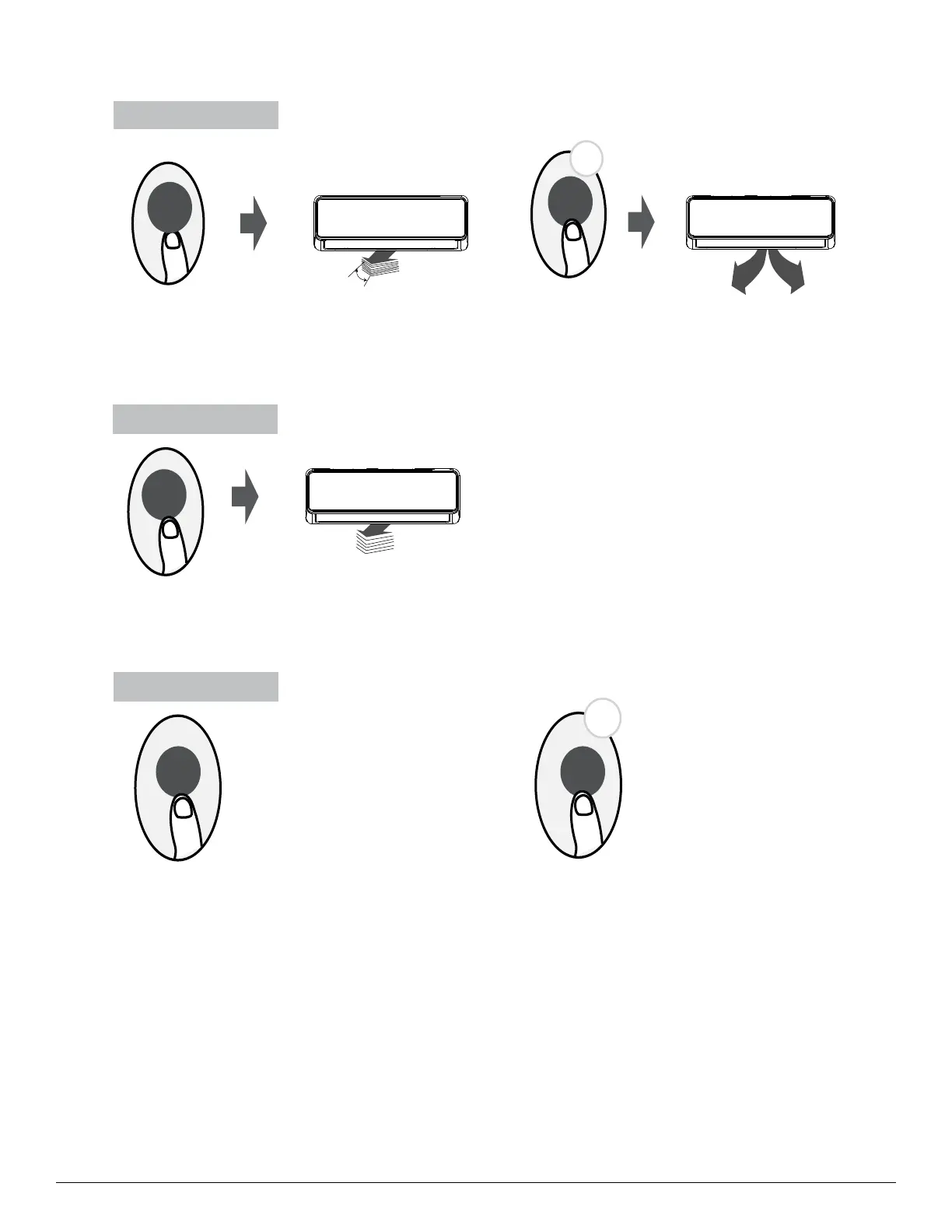
Swing function
Airflow direction
LED DISPLAY
Press Swing button
The horizontal louver will swing up and down
automatically when pressing Swing button.
Press again to make it stop.
If continue to press the SWING button, five
different airflow directions can be set. The
louver can be move at a certain range each
time you press the button.
Press the button
until the direction you prefer is reached.
Keep pressing this button more than 2 seconds,
the vertical louver swing function is activated.
(For the units with vertical louver swing feature)
2s
Keep pressing this button more than 5 seconds,
the indoor unit will display the actual room
temperature. Press more than 5 seconds again
will revert back to display the setting temperature.
Press this button to turn on and turn off
the display on the indoor unit.
5s
Press LED button Press this button more
than 5 seconds
Swing
LED LED
Swing
Swing




 To Next Page