0403
G B
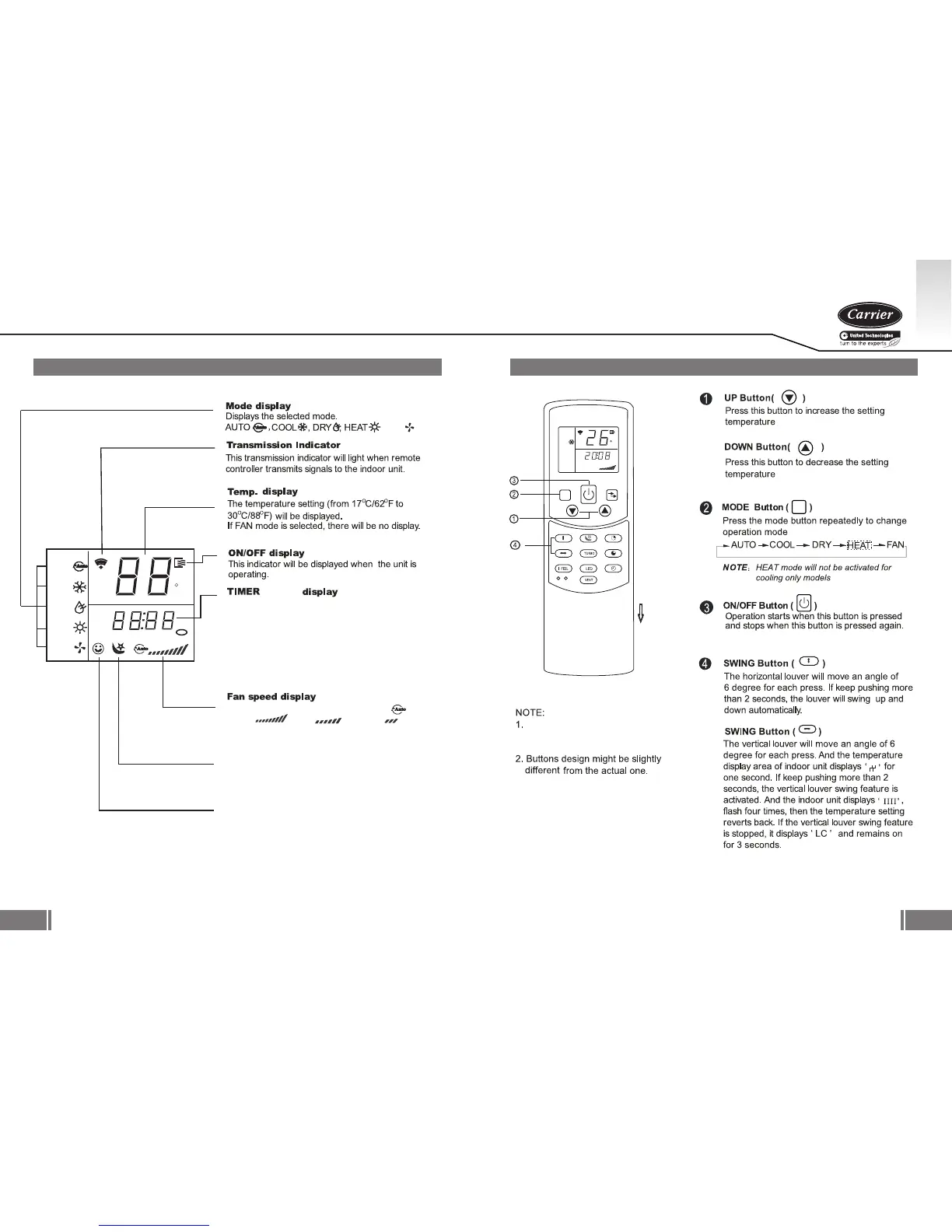
BUTTONS
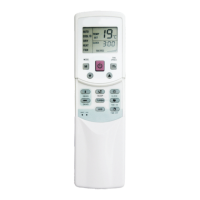
DISPLAY
2. DISPLAY
3. BUTTONS
AUTO
COOL
DRY
HEAT
FAN
E
TEMP.
SET
CLOCK
TIMER
HOUR
ON OFF
F
, FAN
This display area shows the Timer on/off time or
clock time. If Timer on/off is selected, it displays the
ON/OFF time only. To check the current the time,
press the CLOCK button and the time will display.
/ CLOCK
LOCK display
This indicator will be displayed when LOCK mode
is activated.
Displays the selected fan speed: AUTO ,
HIGH , MED and LOW .
The fan speed is auto controlled when AUTO
or DRY Mode is selected.
SLEEP display
This indicator will be displayed when SLEEP mode
is activated.
I FEEL display
When pressing I FEEL button in COOL or HEAT
mode, the remote sensing function is activated and
this indicator displays.
MODE
FAN SPEED
SWING V
SWING H
SLEEP
IONIZER
TIMER ON
TIMER OFF
CLOCK
SEL F CLEAN
AUT O CLEAN
RES ET LOCK
AUTO
COOL
DRY
HEAT
FAN
E
TEMP.
SET
CLO CK
TIM ER
HOUR
ON OFF
M
OPEN
M
SWING V
SWING H
Vertical swing, Ionizer, I feel/Self
clean, Vent/Auto clean are not
available for standard models.





 To Next Page