
 Need help?
Do you have a question about the Carrier RG10L1/BGEF and is the answer not in the manual?
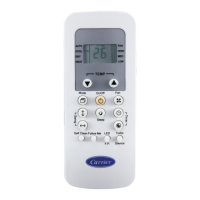
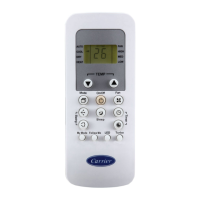
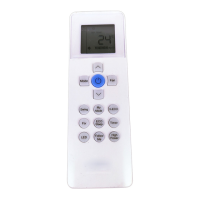
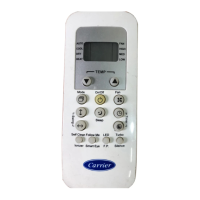
This document is an owner's manual for a Carrier remote controller, specifically models RG10L1(U2HS)/BGEF and RG10L1(U2HS)/BGCEF. It provides instructions for basic and advanced functions, display information, and important notes regarding the use and maintenance of the device.
The Carrier remote controller is designed to operate Carrier air conditioning units, allowing users to control various settings and modes. It facilitates functions such as turning the unit on/off, adjusting temperature, selecting operating modes (AUTO, COOL, DRY, HEAT, FAN), controlling fan speed, setting timers, and activating advanced features like Eco mode, Turbo, Silence, F.P. (Freeze Protection), Active Clean, Fresh/UV lamp, Sleep, Follow Me, and AP mode for network configuration.
1. Quick Start: * Fit Batteries: Insert two 1.5V alkaline batteries. * Select Mode: Choose desired operating mode (e.g., Cool, Heat, Dry, Fan, Auto). * Select Temperature: Adjust the target temperature. * Press Power Button: Turn the unit on/off. * Point Remote Toward Unit: Ensure the remote is directed at the indoor unit. * Select Fan Speed: Choose desired fan speed.
2. Basic Operations: * AUTO Mode: The air conditioner automatically selects cooling or heating based on the difference between room temperature and setting temperature. For cooling only systems, it selects cooling or fan mode. * COOL/HEAT Mode: Set the desired temperature and fan speed. * DRY Mode: The unit operates at a low fan speed to dehumidify. Fan speed cannot be set manually in this mode. * FAN Mode: The unit operates as a fan, circulating air without cooling or heating. Set the desired fan speed.
3. Timer Function: * TIMER ON/OFF: Set the amount of time after which the unit will automatically turn on/off. * Press the TIMER button to initiate the ON/OFF timer sequence. * Press Temp. up or down buttons multiple times to set the desired time. * Point the remote to the unit and wait 1 second for the timer to activate. * The timer can be set from 0.5 to 24 hours.
4. Advanced Functions: * Swing: Controls the horizontal louver movement. Press the Swing button to cycle through five different airflow directions or continuous swing. Holding the button for two seconds enables vertical louver swing. * Eco Gear: Reduces energy consumption by limiting the compressor's operating frequency. Press the ECO/GEAR button to cycle through 75%, 50%, or 25% energy consumption settings. This function is only available under COOL mode. * F.P. (Freeze Protection): Activates in HEAT mode when the setting temperature is 16°C/60°F. Press the F.P. button twice within one second. The unit operates at high fan speed with temperature automatically set to 8°C/46°F to prevent freezing in severe cold weather. * Silence: Reduces noise by operating the compressor at a low frequency. Press and hold the Fan button for more than 2 seconds to activate/disable. * Lock Mode: Locks all remote control buttons to prevent accidental changes. Press and hold the Turbo and Humidity buttons simultaneously for 5 seconds to activate/deactivate. * Turbo: Quickly reaches the set temperature by operating at maximum capacity output. * ECO Intelligent Eye: Uses a built-in infrared sensor to detect human activity. In Cooling/Heating mode, if no activity is detected for 30 minutes, the unit automatically lowers frequency (for inverter models) to save energy. Resumes normal operation upon sensing activity. * LED: Turns the display on/off on the indoor unit. Holding for more than 5 seconds displays the actual room temperature; holding again reverts to setting temperature. * SET Button Functions: * Breeze Away: Avoids direct airflow on the body (available in Cool, Fan, Dry modes). * Active Clean: Washes away dust, mold, and grease from the heat exchanger by freezing and thawing frost. Displays "CL" on the indoor unit. * Fresh/UV Lamp: Activates ionizer and UV lamp (if equipped) to remove pollen and impurities. * Sleep: Decreases energy use while sleeping by adjusting temperature settings (not available in Fan and Dry modes). * Follow Me: The remote control measures the temperature at its location and sends this signal to the air conditioner every 3 minutes, optimizing comfort. Press and hold Turbo for 7 seconds to start/stop memory feature. * AP Mode: For wireless network configuration. Press the LED button seven times in 10 seconds to enter AP mode (for some units).
 General
| Brand | Carrier |
|---|---|
| Model | RG10L1/BGEF |
| Category | Remote Control |
| Language | English |





 To Next Page