,.,--
Chapter 2 _
e
SpeakerConnections
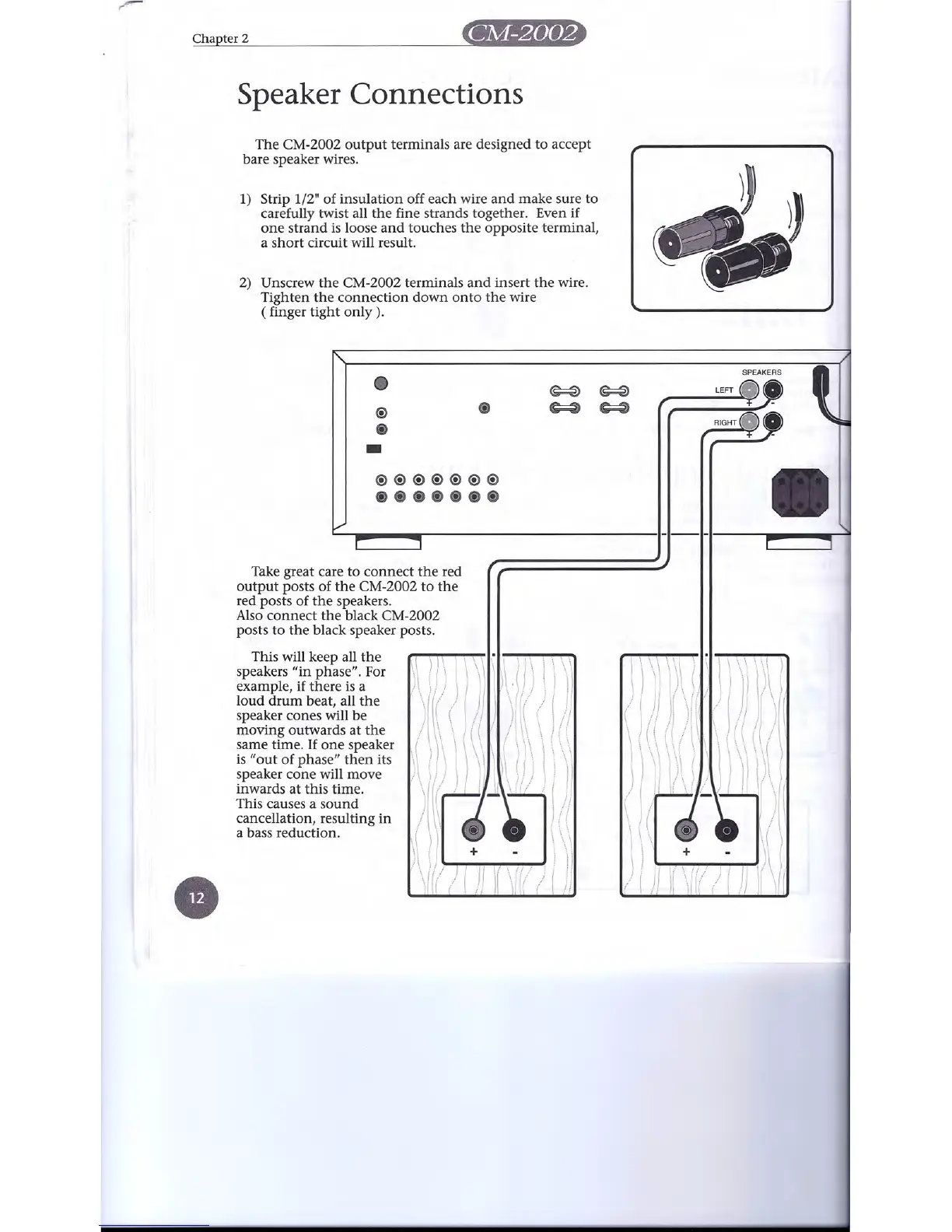
The CM-2002 output terminals are designed to accept
bare speaker wires.
1) Strip 1/2" of insulation off each wire and make sure to
carefully twist all the fine strands together. Even if
one strand is loose and touches the opposite terminal,
a short circuit will result.
2) Unscrew the CM-2002 terminals and insert the wire.
Tighten the connection down onto the wire
( finger tight only) .
@
@)
-
•
~
~
~
~
'>
<
1-1-1-1
D
<
1
@
(!)@@(!)(!)(!)(!)
@)@)@)@)@)@
Take great care to connect the red
output posts of the CM-2002 to the
red posts of the speakers.
Also connect the black CM-2002
posts to the black speaker posts.
\
\
\
1\
i
))
\
!
j
I
': I
\\ \
\\
\
1 \ \
J \
I
!
J
i
1(:)
'I
i
! ,
I i
\
~
;
\.\ !
This will keep all the
speakers "in phase". For
example, if there is a
loud drum beat, all the
speaker cones will be
moving outwards at the
same time. If one speaker
is "out of phase" then its
speaker cone will move
inwards at this time.
This causes a sound
cancellation, resulting in
a bass reduction.
\ \ \ \ I
\ II/it
x-"""'lt1ir\
\
\
\
\
\
'\
, : ,Ji,i)
! ;\
!
+


 To Next Page