or--
Handle Removal
Chapter 1
CllElli»
e
Unpacking
Carefully unpack your CM-2002 and keep
the original carton and packing materials for
future moving, shipment or long-term
storage. Make sure that you save the two end
caps which come in the box. These are used
if you do not want the handles fitted.
The CM-2002 and the accessories should
reach you in perfect condition. If you notice
any shipping damage, please contact your
Carver Dealer immediately.
Important Paperwork
You should save your sales receipt and
keep it in a safe place. This is required if you
ever need to obtain warranty service.
Write down the serial number which is
located on the back of the CM-2002 and
record it in the space provided below.
Please take a moment to fill out the
customer response card and return it to
Carver. This provides us with important
information from our valued customers.
There is also a section for you to note any
comments you may have about our products.
Model: CM-2002
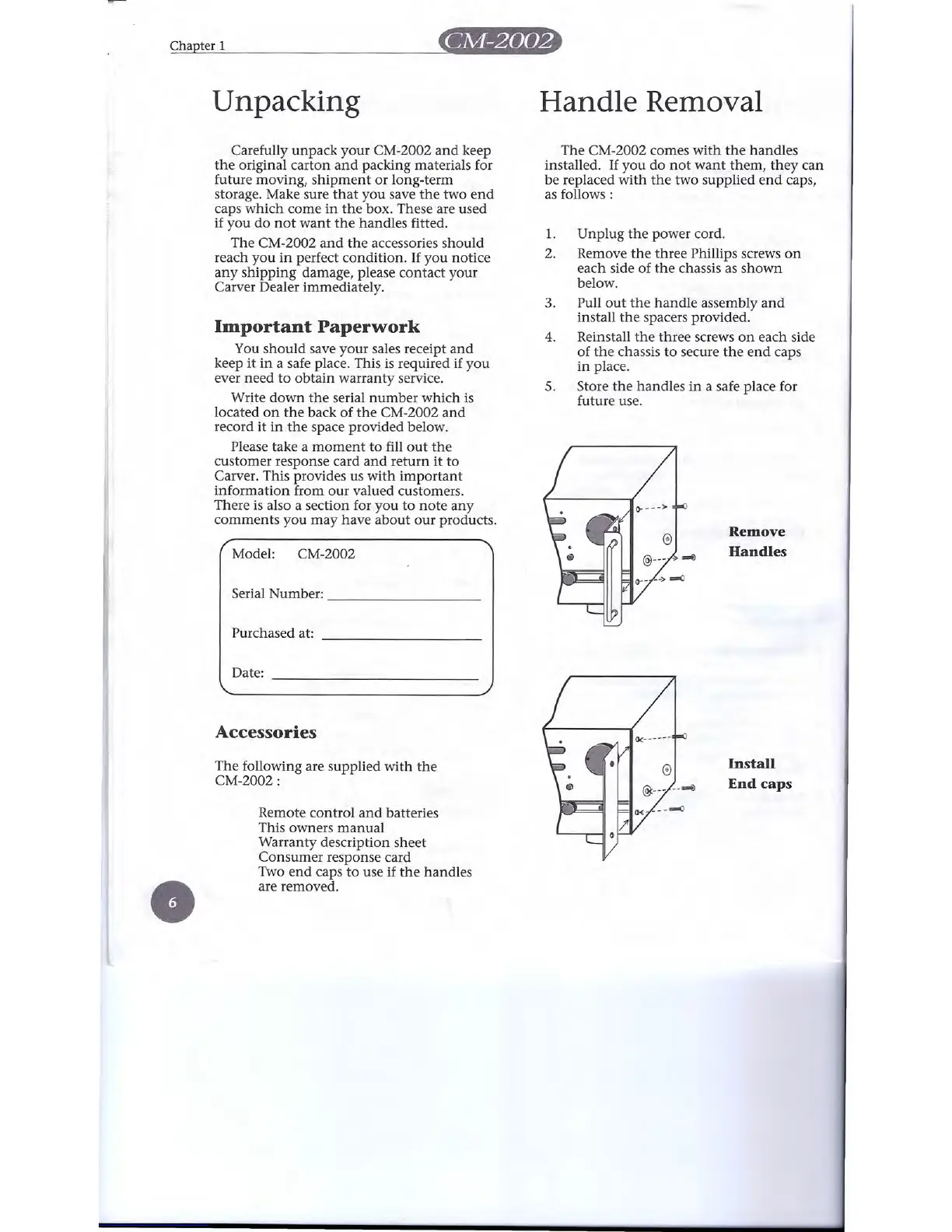
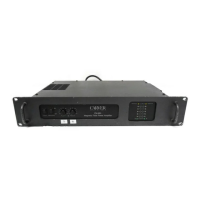
The CM-2002 comes with the handles
installed. If you do not want them, they can
be replaced with the two supplied end caps,
as follows:
1. Unplug the power cord.
2. Remove the three Phillips screws on
each side of the chassis as shown
below.
3. Pull out the handle assembly and
install the spacers provided.
4. Reinstall the three screws on each side
of the chassis to secure the end caps
in place.
s.
Store the handles in a safe place for
future use.
Remove
Handles
Serial Number: _
Purchased at:
Install
End caps
Date:
Accessories
The following are supplied with the
CM-2002 :
Remote control and batteries
This owners manual
Warranty description sheet
Consumer response card
Two end caps to use if the handles
are removed.


 To Next Page