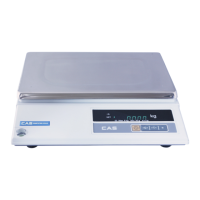
This is the owner's manual for the CAS AP Series Price Computing Scale, designed for reliable and accurate weighing in various specialty departments. The manual provides comprehensive instructions for proper operation, installation, and care of the AP series scales.
The AP Series scale is a robust and user-friendly device. It features a main body, a platter for placing items, a post pipe supporting the display unit, and a display bracket. The display unit itself shows the total price, weight, and unit price. The scale is equipped with a keyboard for data entry and function control, and adjusting bolts for leveling.
Installation and Setup:
Before operation, it is crucial to plug the scale into the proper power outlet and allow it to warm up for 10 minutes. The scale must be placed on a flat and stable surface to ensure accurate readings. It is also important to avoid sudden temperature changes and sudden shocks to the platter. The scale should be installed in a dry and liquid-free environment. For optimal accuracy, the scale needs to be leveled using the leveling gauge located on the device. The four legs at the bottom of the scale can be adjusted (clockwise or counterclockwise) until the bubble in the leveling gauge is centered within the indicated circle. To prevent incorrect weight readings, the scale should be kept away from strong EMI (Electromagnetic Interference) noises.
Basic Operations:
-
General Weighing:
- Enter the unit price using the numeric keys.
- Place the commodity on the platter. The scale will automatically calculate and display the total price and weight.
- Remove the commodity from the platter. The unit price is cleared automatically after each weighing.
-
Weighing with Tare:
- Tare is used to subtract the weight of a container.
- Place the empty container on the platter.
- Press the "TARE" key. The display will show zero weight, effectively taring out the container.
- Enter the unit price.
- Place the commodity inside the container on the platter. The scale will display the net weight of the commodity and the total price.
- Remove the commodity and container from the platter. The tare is cleared automatically after each weighing. Note that the tare clear function may not be applicable in all countries.
-
Add Up Prices (Accumulation Function):
- This function is useful when a customer purchases multiple commodities.
- Enter the unit price for the first item.
- Place the commodity on the platter.
- Press the "ADD" key.
- Remove the first commodity from the platter.
- Enter the unit price for the next item.
- Place the second commodity on the platter.
- Press the "ADD" key again.
- This process can be repeated for up to 99 accumulations or until the total price reaches 9999.99. An error beep sound will occur if these limits are exceeded.
- To check the added total price, press the "TTP CALL" key.
- To clear the added total price after the transaction, press the "C" key.
-
Add Up Fixed Price Commodities (AP-EX, MX only):
- This function is for adding up items that have a fixed price and do not require weighing. It is available only when the platter is empty.
- Enter the fixed price.
- Press the "FAD" key.
- Enter the next fixed price.
- Press the "FAD" key again.
- Similar to the "Add Up Prices" function, this can be continued for up to 99 accumulations or until the total price reaches 9999.99. An error beep will sound if these limits are exceeded.
- The added total price can be checked using "TTP CALL" and cleared with the "C" key.
-
Calling the Added Total Price:
- After performing any add-up function, the total accumulated price can be confirmed by pressing the "TTP CALL" key. Pressing it again will re-display the total.
- To delete the added price after confirmation, press the "C" key. An error beep will sound if this function is attempted without a prior add-up.
-
Change Calculation (AP-MX, EX only):
- This function calculates the change due to a customer when a total price is displayed.
- With the total price on display, press the "PAY" key.
- Enter the customer's payment amount.
- Press the "PAY" key again. The scale will display the change amount.
- To exit the change calculation, press the "PAY" key once more.
- Note that the customer's payment must be greater than the total price; otherwise, an error beep will sound.
-
Saving a PLU (Price Look Up) to Memory:
- The PLU function allows saving frequently used unit prices into internal memory for quick recall.
- For Direct PLUs (AP-EX: 28, AP-MX: 5, AP-M: 7):
- Enter the unit price.
- Press the "MW" (Memory Write) key.
- Press one of the direct PLU keys (M1-M7 or the dedicated direct PLU keys).
- For Indirect PLUs (AP-EX/MX: 200):
- Enter the unit price.
- Press the "MW" key.
- Enter a desired address for the PLU (0 to 199).
-
How to Call Up a PLU:
- Ensure the platter is empty before calling up a PLU.
- For Direct PLUs:
- Press one of the direct PLU keys. The saved unit price will appear.
- Place the commodity on the platter. The scale will calculate the total price.
- Remove the commodity.
- For Indirect PLUs:
- Enter the address of the indirect PLU.
- Press the "MR" (Memory Recall) key. The saved unit price will appear.
- Place the commodity on the platter.
- Remove the commodity.
- Note: The decimal point of the unit price display has no meaning when calling up an indirect PLU.
-
How to Cancel the Daily Accumulation (AP-EX only):
- This function is used to cancel a daily accumulation that was memorized by mistake or to clear the result from a prior transaction if a wrong total price is on display.
- When the wrong total price is on the display, press the "CAN" key.
-
The Daily Total Price (AP-EX only):
- This feature allows checking the daily total price for each direct PLU and the overall daily total price.
- Price accumulations are supported up to $99,999,999.99 and 9,999 transactions.
- For Direct PLUs:
- Press the "MODE" key.
- Press one of the direct PLU keys. The display will show the upper 5 digits of the daily total price, the lower 5 digits, and the total number of transactions.
- For Whole Daily Total Price:
- Press the "MODE" key.
- Press the "TTP CALL" key. The display will show the upper 5 digits of the whole daily total price, the lower 5 digits, and the total number of transactions.
- To escape from this mode, press the "MODE" key again.
- To clear the whole daily total price, press the "C" key.
Error Messages:
The scale is designed to display error messages to help users understand and troubleshoot issues.
- Err 1: An error of the initial zero range. Solution: Set the platter empty.
- Err 6: An overflow occurred from the ADD key. Solution: Press the "C" key.
- Err 7: An overflow occurred from the FIXADD key. Solution: Press the "C" key.
- Err 8: An overflow of the transaction count. Solution: Press the "C" key.
- Err 9: An overflow of the accumulations of the daily total functions. Solution: Press the "C" key.
- Err 10: A failure of the analog module. Solution: Call your CAS dealer.
- Err 11: A failure of the digital module. Solution: Call your CAS dealer.
- Err 12: Condition codes are broken. Solution: Call your CAS dealer for span calibration.
- Err 13: Key codes are broken. Solution: Call your CAS dealer for span calibration.
The CAS AP Series scales are designed for high quality and reliability, ensuring accurate and efficient operations in various commercial settings.

 Need help?

 To Next Page
 General