9
8
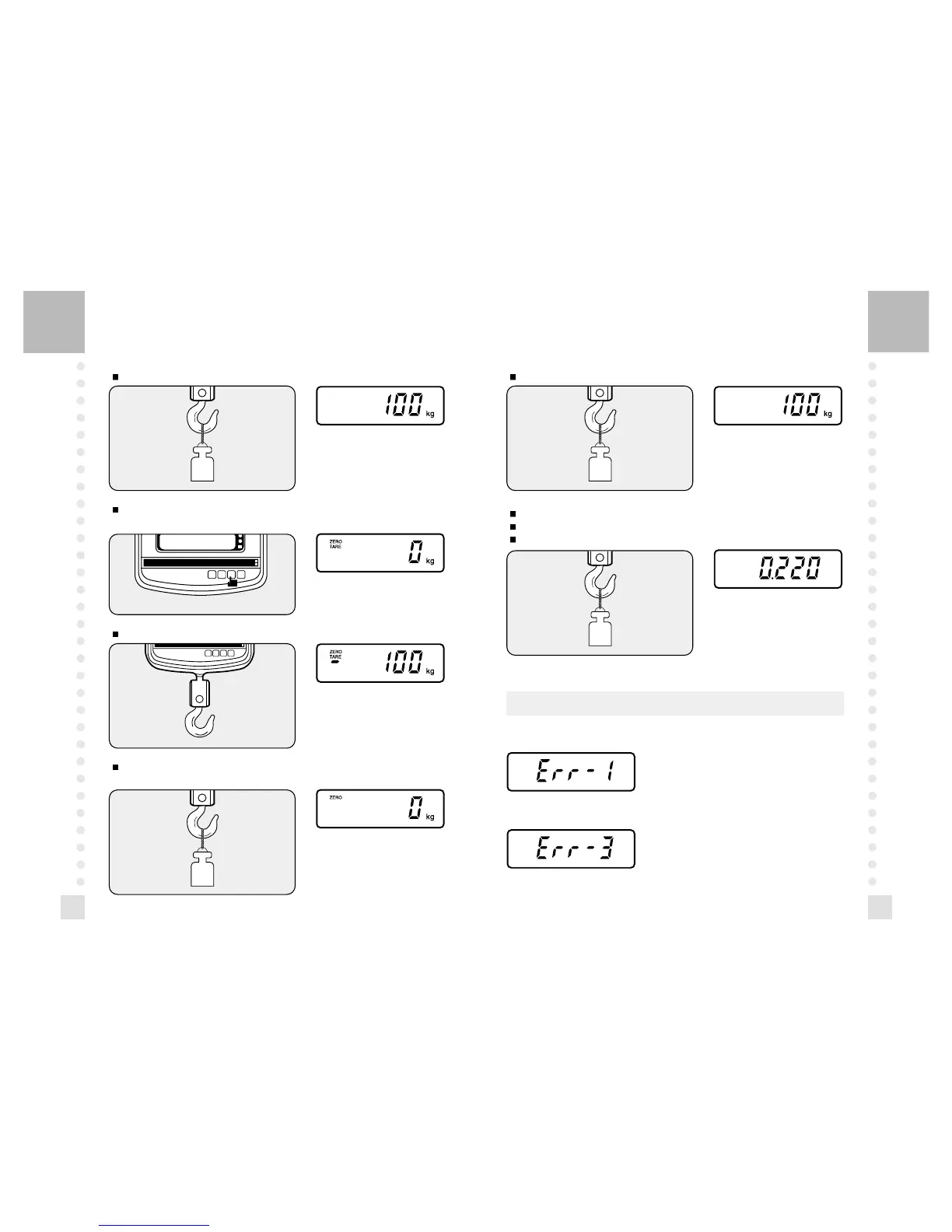
3. TARE OPERATION
Load tare on the hook.
Press "TARE" key.
"0" is displayed, and the tare is subtracted.
4. UNIT CONVERSIONS
Place an item to be weight on the hook.(GRAM MODE)
Remove tare on the hook.
Press "TARE" key.
The tare weight is cleared appers in the display window.
Remove weight on the hook.
Press "kg/lb" key.(POUND MODE)
Place an item to be weight on the hook.
ERROR MESSAGES
1. ERROR 1
Over-range error of an initial zero.
Make the hook empty.
2. ERROR 3
The scale needs calibration.



 To Next Page