KEY FUNCTION
PS. Because of different console designs not all consoles have the total reset function key.
Training Data
The computer calculates and displays all values automatically according to the user’s exercise
status.
(see table).
Take note:
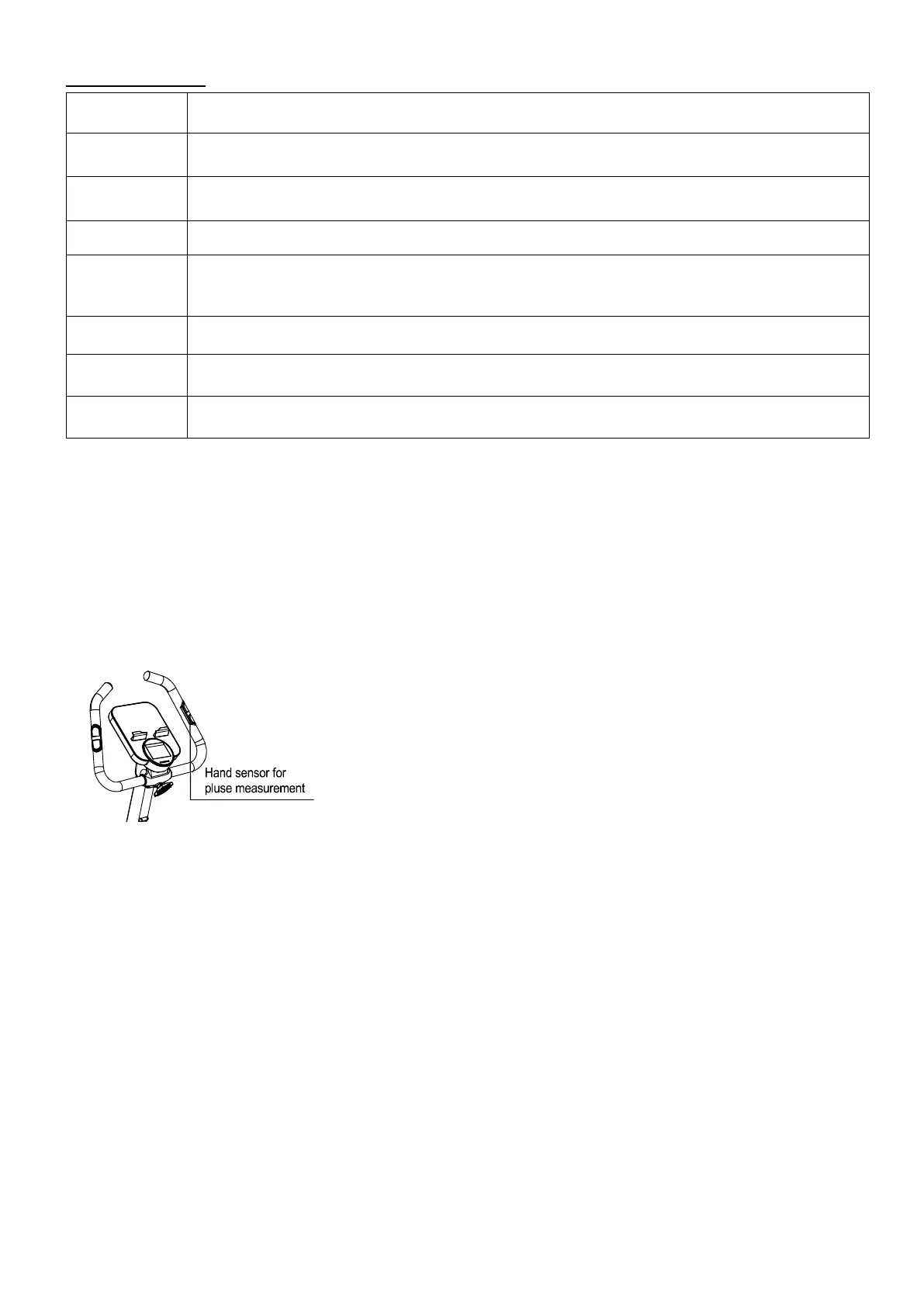
* If only a “P” is shown instead of pulse value, it is impossible to measure the HR. Keep both
hands holding on the handlebar properly so that computer can detect your heart rate
.
* The profile displayed in the center field depends on the type of exercise that has been set.
The computer provides a number of ways to vary the exercise session and make it more
motivating.
The following exercising are available:
-Manual Training (training without programs)
-Training with Programs (there are 12 programs preset, P01~P12)
-Training with the Heart Rate program (H.R.C)
-Training with USER program (set your own desired profile)
-Training with WATT program (Power consumption)
ITEM DESCRIPTION
Increase resistance level
Setting selection.
Decrease resistance level
Setting selection.
Mode / Enter
Confirm setting or selection.
Reset
Press and hold for 2 seconds, the computer will reboot and start from user setting.
Go back to the main menu during the presetting of your workout value or stop
Start/ Stop
Start or Stop workout.
Recovery
Test heart rate recovery status.
Total Reset
Power on again and resume all preset values.


 To Next Page