SECTION 2 - CONTROLS, INSTRUMENTS AND OPERATION
2ï60
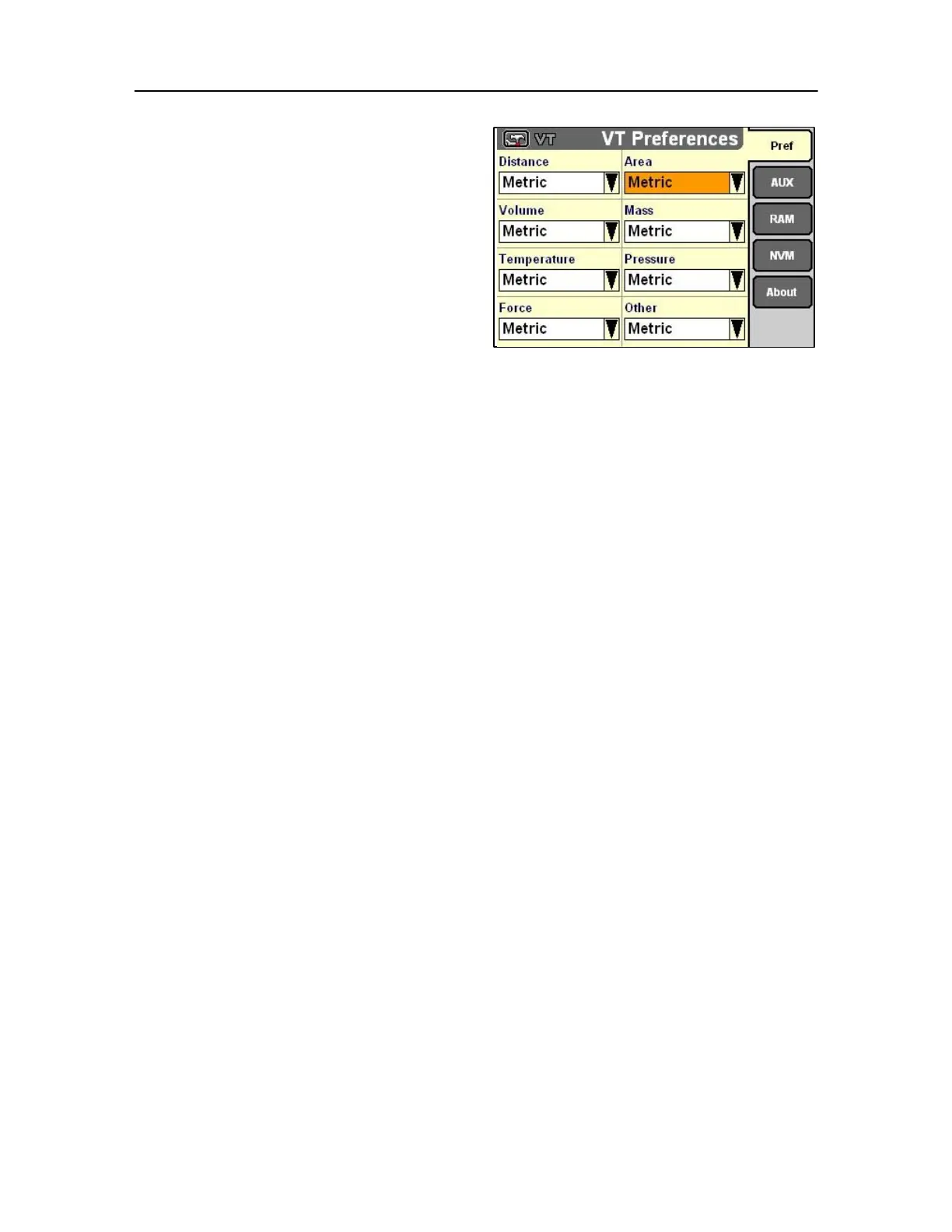
Then proceed through the remaining preferences
• Area
Imperial = square inch, square foot, square yard,
acre, square mile, etc.
Metric = square millimeter, square centimeter, square
meter, square kilometer, hectare, etc.
• Volume
Imperial = ounce-UK, cup-UK, pint-UK, quart-UK,
gallon-UK, inch
3
, foot
3
, yard
3
, etc.
Metric = milliliter, centiliter, liter, kiloliter, megaliter,
millimeter
3
, centimeter
3
, meter
3
, etc.
USA = ounce-US, cup-US, pint-US, quart-US, gallon- 125
US, inch
3
, foot
3
, yard
3
, etc.
" Mass
Imperial = ounce, pound, ton-UK, etc.
Metric = milligram, centigram, gram, kilogram, etc.
USA = ounce, pound, ton-US, etc.
• Temperature
Imperial = °F (Fahrenheit) Metric
= °C (Celsius)
• Pressure
Metric = kPa, cm. H
2
O, cm. Hg, etc. Imperial
= psi, in. H
2
O, in. Hg, etc.
• Force
Imperial = lb in, lb ft, etc. Metric
= N, Nm, etc.
• Other
NOTE: Important categories are included under Other:
speed (mph. kph), horsepower and
application rate. Do not neglect this setting.
Highlight Imperial, Metric or USA as desired.
MONITOR AUXILIARY CONTROLS SCREEN
IMPORTANT: This is a specific Monitor function for
multiple applications only
Use the Aux. Controls screen to map implement
functions to functions on an ISO switchbox. In this
manner, the functions of the implement are mapped
to the controls for the vehicle through the monitor.
The functions are mapped one by one during the
process and then saved for future use. There are
three components in the mapping process:
1. The implement function,



 To Next Page