SECTION 2 - CONTROLS, INSTRUMENTS AND OPERATION
2ï71
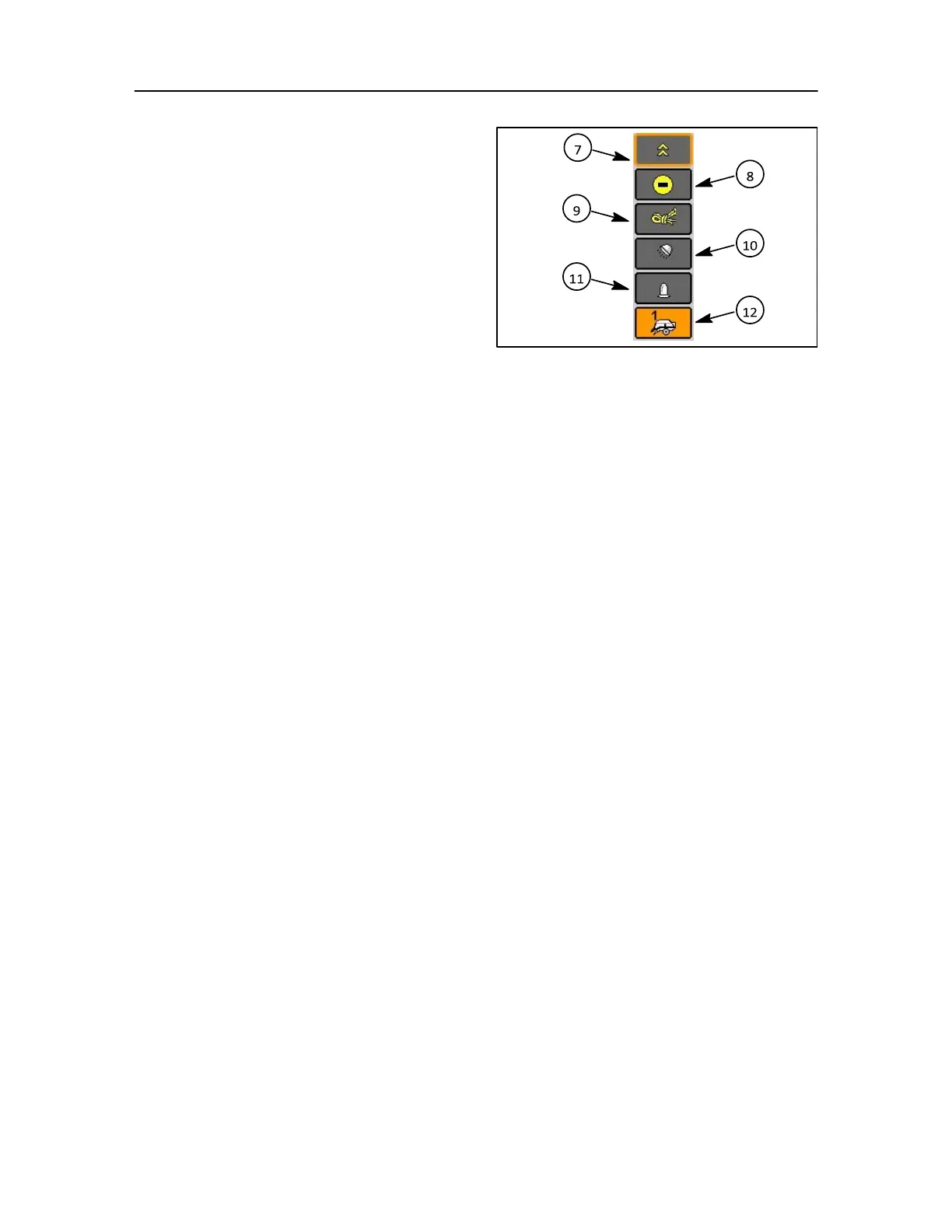
7. This icon appears when more than five buttons
are in this direct access key list, with more
options
above
8. Bale density decrease
9. Manual knotting symbol
NOTE: This will disappear when bale length option is
present
10. Working lights
11. Rotating beacon
12. Return to baler setting
155
SCREEN OPTIONS
As discussed a number of screens through the menu
bar selection can be accessed and these are:
• Main screen 1, Page 2-68
• Main screen 2 (Screen 2 is configured, when there is overflow of items in screen 1), Page 2-68
• Field settings screen (if bale length or moisture is installed), Page 2-71
• Memory screen, Page 2-73
• Service interval screen, Page 2-75
• User settings screen, Page 2-77
• Screen set-up 1, Page 2-78
• Screen set-up 2 (Screen 2 is configured, when there is overflow of items in screen 1), Page 2-78
• Active errors screen, Page 2-80
• Error history screen Page 2-80
• Lights setting screen, Page 2-81
• Machines setting screen, Page 2-82
• Information screen, Page 2-83
• Diagnosis inputs screen, Page 2-84
• Diagnosis outputs screen, Page 2-85
Screen functions



 To Next Page