SECTION 2 - CONTROLS, INSTRUMENTS AND OPERATION
2ï84
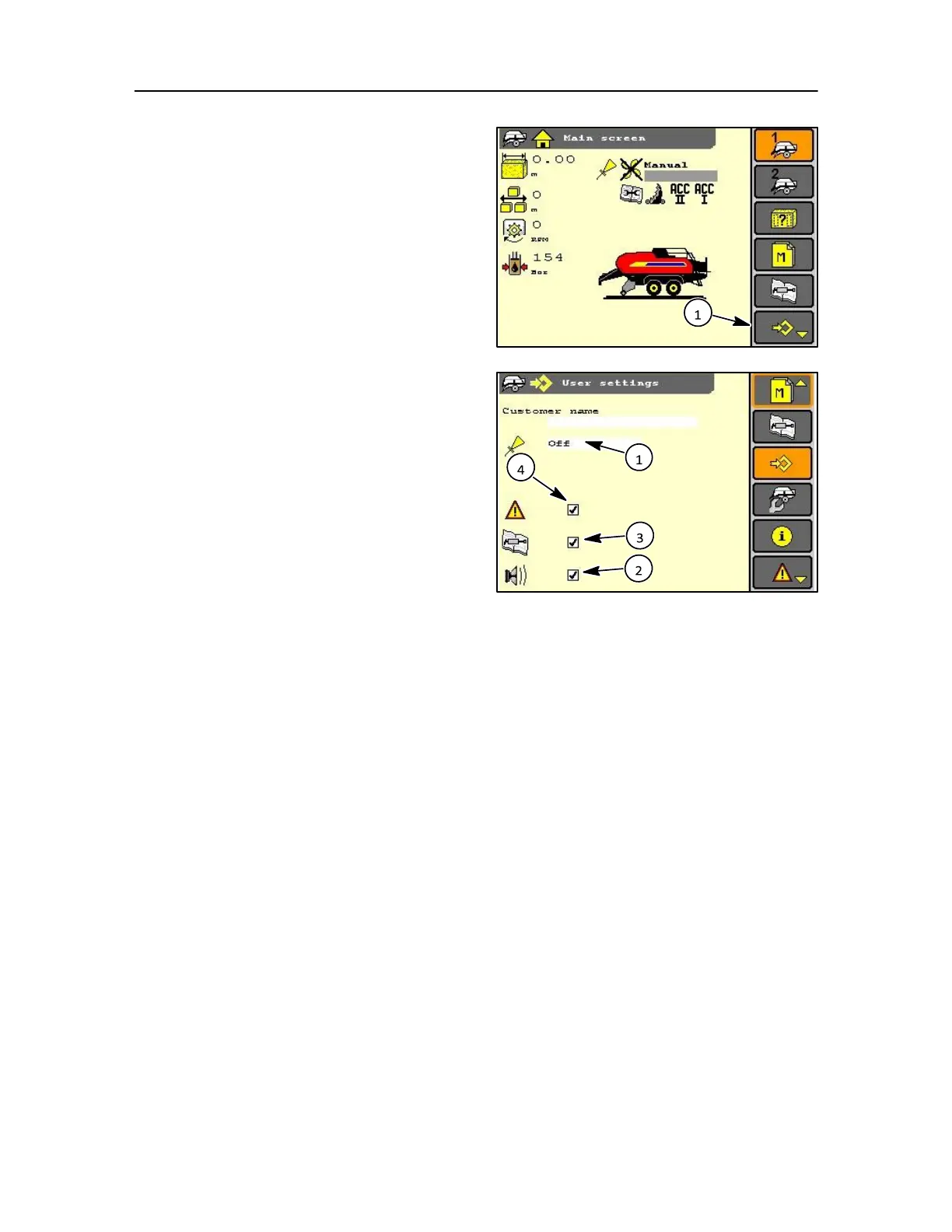
USER SETTINGS
Where the user set up icon is displayed it can be
selected by use of the soft key, rotary encoder, or
touch screen.
To set-up the display the choice is made by using the
navigation keys for item selection and when
highlighted the selection can be confirmed, by then
pressing enter. The options shown for example in this
screen are:
1. Automatic oiling system
This indicator shows that the automatic oiling system
select is off. If on but not activated the conditions for
activation are not fulfilled (i.e. PTO speed lower than
< 600 rpm) the oiler will be operational once > 600
rev/min is met.
The oiling can be set to OFF, LOW, NORMAL, HIGH 183 or TEST
ATTENTION: Pump test must not be continuously
activated during normal operation. If the pump is run dry
for more than 4 seconds it may be damaged.
2. Buzzer
A warning buzzer is installed in the monitor to warn
the operator of any concern and can be suppressed
for all functions except RED alarms. However a visual
pop-up will appear on the display for correction.
If you enable the buzzer in user settings you will have
the buzzer for all warnings: Yellow and Orange
alarms, Red and Knotter cycle (but excluding the Bale
Drop).
3. Service screen
The service screen messages can be suppressed by
deselection of the icon, but these messages will still
be held in the service screen log.
4. Error messages
The error screen messages can be suppressed by
deselection of the icon, but these messages will still
be held in the error log.



 To Next Page