CHAPTER 3 – INSTRUMENTS AND CONTROLS
3-19
Entering the Service Screens
After the machine has been started or the key switch has
been turned to “IGN”, the operator or service technician
may use this service menu to adjust machine congu-
rations to working conditions, to test components, view
faults that may have occurred, or to select preferences.
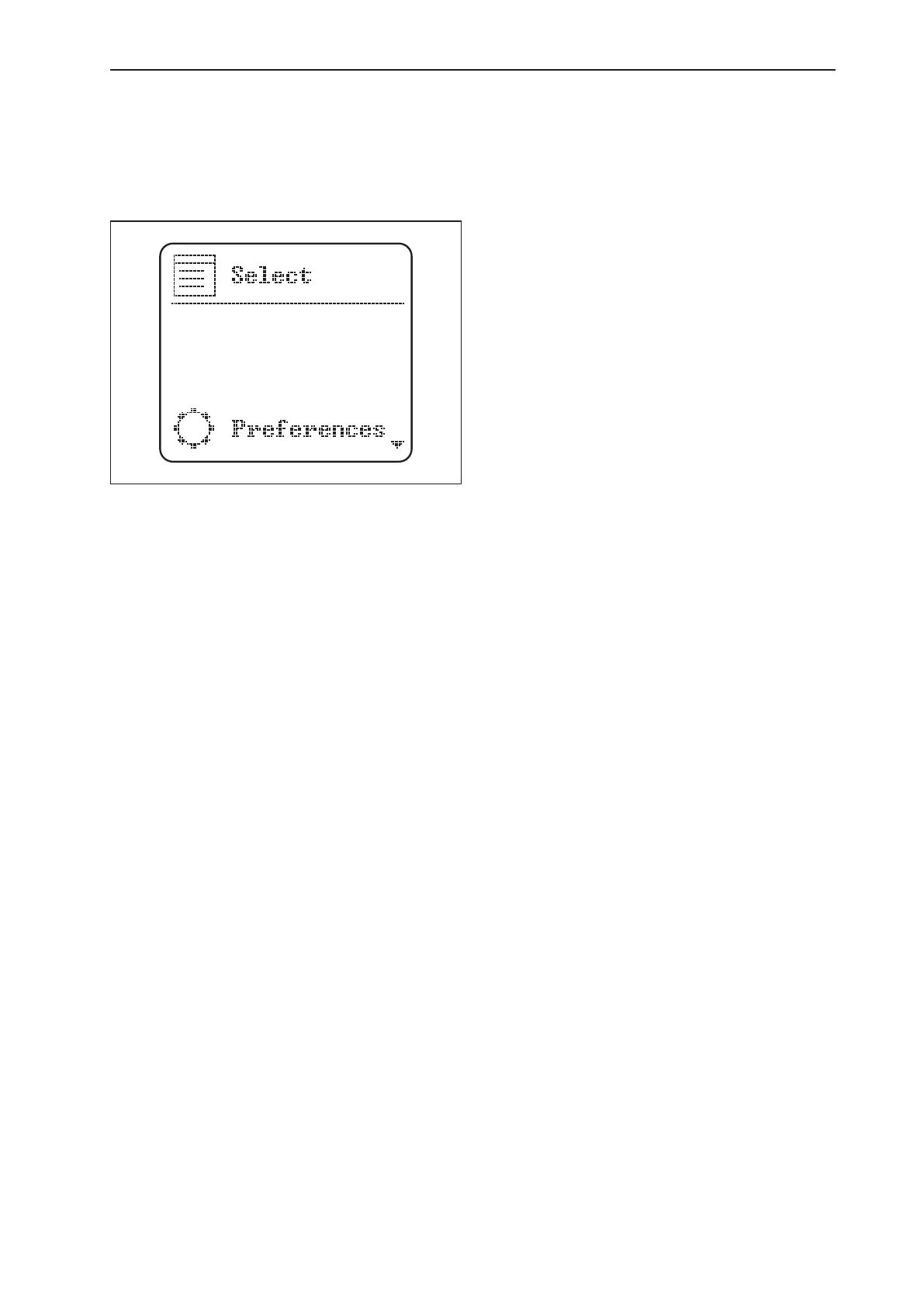
Press and hold the conrm key for two seconds to arrive
at the Select service screen. The arrow keys can be used
to scroll through menu selections.
Items and selections in this menu are:
Preferences Menu1.
Language: English, Italian, French, Spanish, Por-
•
tuguese, German
Units: Metric, English, Imperial
•
Clock: 24 or 12 hour increments
•
Customized Idle, Idle Speed: Allows choosing the
•
idle rotation between 800 and 1100 rpm, through
50 rpm increases.
Options Menu2.
Show RPM
•
Show MPH or KPH
•
Auto Idle: When driven, normal change betwe-
•
en NORMAL IDLE SPEED and ACCELERATOR
IDLE SPEED (very cold weathers).
Display Menu3.
Day Display
•
Day LED
•
Night Display
•
Night LED
•
Clock Menu4.
Hour
•
Minute
•
Day
•
Month
•
Year
•
Cluster Hardware Menu5.
Hardware Part Number
•
Hardware Serial Number
•
Hardware ID
•
Hardware Version
•
Cluster Software Menu6.
Software Part Number
•
Software Serial Number
•
Software ID
•
Software Version
•
Conguration Menu7.
Change Model Number
•
(indicates cluster serial number,
not machine serial number)*
Slct Tires
•
(Select tire size, etc.)
Special
•
(Reset error / Factory set)*
Access
•
Code
The tests in the conguration menu should be per-
*
formed only by a qualied operator or technician, as
some tests require the engine to be running at high
RPM’s.
NOTE: Pressing the escape key will return the LCD back
to the normal driving screen.



 To Next Page