EasyManua.ls Logo

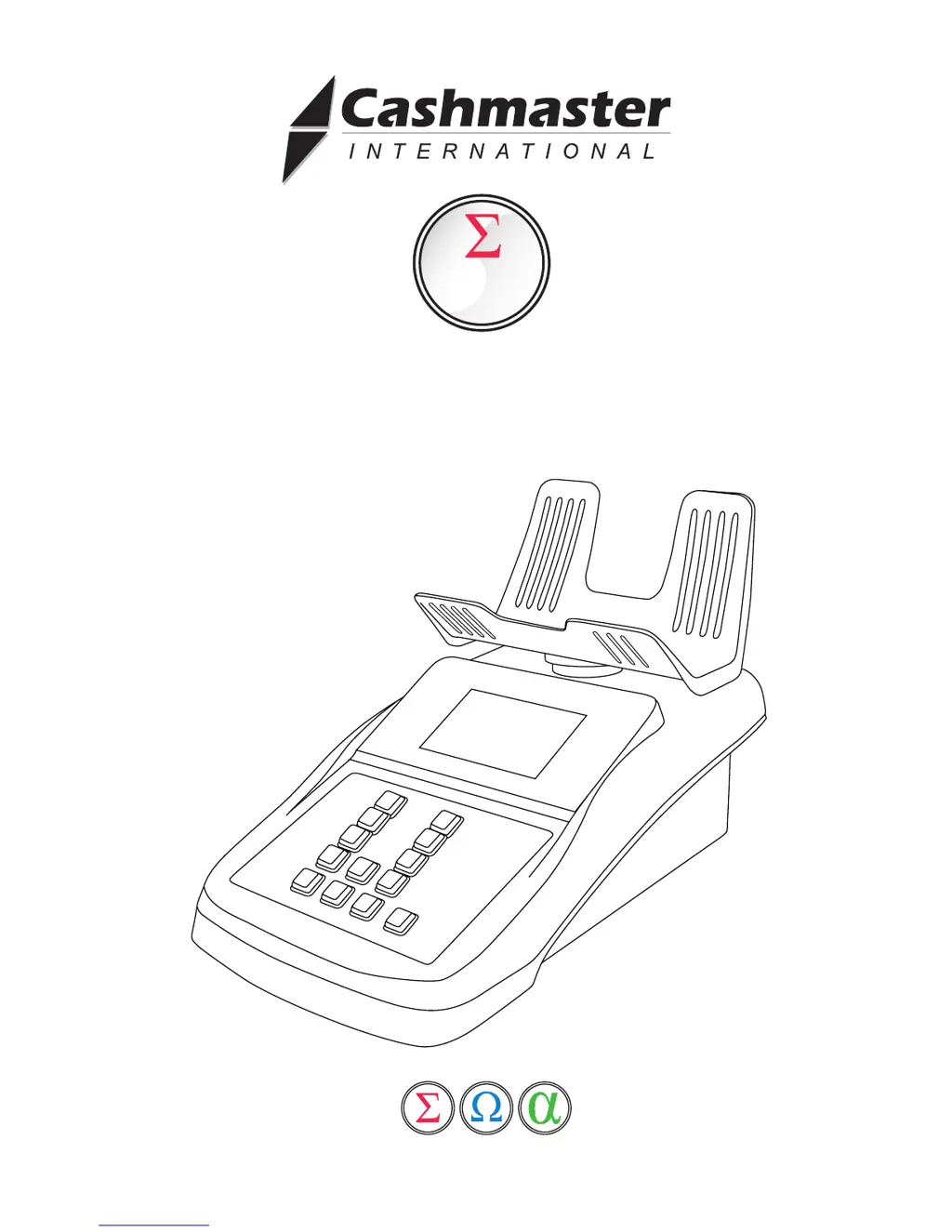
Cashmaster Sigma 170 - User Manual

Cashmaster Sigma 170
32 pages
Print Icon
To Next Page IconTo Next Page
Loading...
Cashmaster Sigma 170
User Manual
sigma
170
www.cashmaster.com

Other manuals for Cashmaster Sigma 170

Questions and Answers

  • W
    Wesley PaulAug 19, 2025
    What to do if Cashmaster Sigma 170 Cash Counter displays 'Loose/rolled'?
    • E
      eric42Aug 20, 2025
      The 'Loose/rolled' message on your Cashmaster Cash Counter means there is too much weight on the scale. Remove some of the weight. The Cashmaster can weigh up to a maximum of 1.5kg.
  • J
    Jennifer BishopAug 21, 2025
    What to do if Cashmaster Cash Counter displays 'Loose'?
    • J
      Jessica HunterAug 22, 2025
      If your Cashmaster Cash Counter displays 'Loose', it might be because you are applying too many bills at once. Bills should be applied in amounts of up to 30 at a time. Simply remove a few bills until the message disappears, then continue counting.
  • D
    David RodriguezAug 25, 2025
    What to do if Cashmaster Sigma 170 Cash Counter displays 'Roll'?
    • J
      Jacob PatelAug 25, 2025
      If your Cashmaster Cash Counter displays 'Roll', it means the roll applied is suspect. You may leave the roll on the tray and select the correct denomination for the actual roll amount.
  • M
    meganwolfAug 26, 2025
    What to do if Cashmaster Cash Counter has drifted from zero?
    • C
      Corey WrightAug 26, 2025
      If your Cashmaster Cash Counter has drifted from zero, which is usually due to draught or vibration, ensure the hod is empty, then press the on/off key.
  • F
    fisherjessicaAug 28, 2025
    What to do if Cashmaster Sigma 170 says 'Scale is below minimum weight!'?
    • Q
      qleeAug 28, 2025
      If your Cashmaster Cash Counter displays 'Scale is below minimum weight!', ensure the hod is pushed firmly into the Cashmaster.
  • A
    Amy BooneAug 29, 2025
    What to do if Cashmaster Sigma 170 Cash Counter says notes should be applied in amounts of up to 30 at a time?
    • B
      Brian AndersonAug 29, 2025
      If your Cashmaster Cash Counter indicates that notes should be applied in amounts of up to 30 at a time, simply remove a few notes until the message disappears, then continue counting.
  • P
    phaleAug 31, 2025
    What to do if Cashmaster Cash Counter shows 'Battery low'?
    • H
      Heather RoySep 1, 2025
      If your Cashmaster Cash Counter displays 'Battery low', plug the device into a power supply to recharge the battery.
  • C
    Christopher BerrySep 3, 2025
    What to do if Cashmaster Sigma 170 shows 'Print timeout'?
    • T
      Thomas MyersSep 3, 2025
      If your Cashmaster Cash Counter displays 'Print timeout', make sure that the printer is switched on and properly connected to the scale before retrying.
  • K
    Kathleen MartinezSep 4, 2025
    What to do if Cashmaster Sigma 170 Cash Counter displays 'High vibration lockout'?
    • C
      Cynthia OsborneSep 5, 2025
      If your Cashmaster Cash Counter shows 'High vibration lockout', check that it is placed on a level surface and away from draughts, such as air conditioning or a fan.
  • T
    Tyler AndersonSep 6, 2025
    Why does my Cashmaster Sigma 170 say 'Scale is below minimum weight!'?
    • J
      John SullivanSep 6, 2025
      The 'Scale is below minimum weight!' message on your Cashmaster Cash Counter indicates that the tray has not been placed correctly. Ensure the tray is pushed firmly into the device.

Summary

Box Items & Guidelines

Charging

Details on how to charge the device battery.

Warning

Important safety warnings and precautions for operating the device.

Cashmaster Key Identification

Fast Keys

Overview of shortcut key combinations for quick access to settings.

Powering On the Device

Switching On

Instructions on how to power on the Cashmaster device.

Bank Mode Operations

Auto-Add Functionality

Auto Scroll Feature

Counting Loose Coins

Coin Counting Methods

Rolled Coins

Instructions for counting and verifying rolls of coins.

Bill Counting Calibration

Counting Loose Bills

Counting Loose Bills

Guide on how to count loose bills accurately.

Counting Strapped and Bundled Bills

Counting Strapped Bills

Instructions for counting strapped bills, bundles, and clips.

Totalling, Clearing & Printing

Troubleshooting

Coin Counting Issues

Addresses problems with loose/rolled coins and suspect rolls.

Bill Counting Issues

Covers problems with loose bills, strapping, and potential errors.

General Operational Issues

Addresses vibration, battery, printing, and scale errors.

Technical Specification

Cashmaster Sigma 170 Specifications

General IconGeneral
CategoryCash Counter
Power SupplyAC 100-240V, 50/60Hz
DisplayLCD
Hopper Capacity200 notes
Stacker Capacity200 notes
Power Consumption60W
Noise Level60 dB
Counting Speed1000 notes/min
ConnectivityUSB

Related product manuals