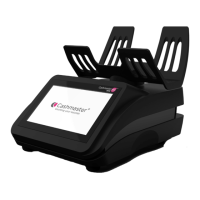
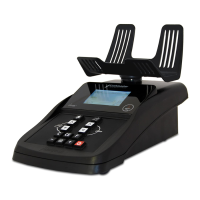
Need help?
Do you have a question about the Cashmaster Omega 230 and is the answer not in the manual?
Instructions for cleaning and care of the Cashmaster device.
Details on how to charge the Cashmaster device and LED indicators.
Important safety precautions and warnings for using the device.
Instructions for powering on the Cashmaster for the first time.
Setting up the device for counting with cups or scoops and float.
Option to enable or disable the float feature for counting.
How to set the initial float value for counting operations.
How to enable or disable the automatic addition of counted values.
How to enable or disable automatic advancement to the next denomination.
Detailed steps for counting individual loose coins.
Procedure for calibrating the device for note counting accuracy.
Steps for counting individual loose banknotes.
 General
| Category | Cash Counter |
|---|---|
| Power Supply | AC 100-240V, 50/60Hz |
| Display | LCD |
| Batch Function | Yes |
| Add Function | Yes |
| Hopper Capacity | 200 notes |
| Stacker Capacity | 200 notes |
| Operating Humidity | 20% to 80% |
| Power Source | AC |
| Counting Speed | 1000 notes/min |
| Currency Detection | Yes |
| Operating Temperature | 0°C to 40°C |


 To Next Page