Need help?
Do you have a question about the Cashmaster Sigma 105 and is the answer not in the manual?
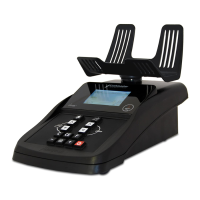
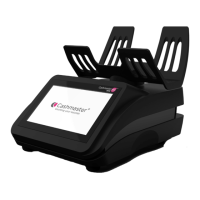
Explains the Cashmaster Sigma 105 as an electronic weighing device for bills and coins.
Lists 10 points for proper placement, setup, and handling of the Cashmaster unit.
Instructions for cleaning the machine using only a dry cloth and avoiding liquids.
Details charging time, LED indicators for charging status, and fault diagnosis.
Lists critical warnings like using damaged adapters, wet hands, weight limits, and disassembly.
Guides on unpacking the Cashmaster, checking contents, and fitting the tray.
Explains battery life, charging indicators, and potential battery faults.
Lists the keypad as a main component of the Cashmaster Sigma 105.
Lists the screen as a main component of the Cashmaster Sigma 105.
Lists the tray as a main component of the Cashmaster Sigma 105.
Details the layout, functions, and durability of the keypad.
Explains the information shown on the device's screen, such as counts and messages.
Describes the tray's design for holding various cash items and how to insert it.
Explains the function of each key on the Cashmaster.
Introduces quick access controls for settings and lists examples.
Details the types of cash items that can be counted (bills, loose coins, rolled coins).
Illustrates the methods for counting bills, coins, and rolls.
Guides the user on how to power on the Cashmaster and prepare it for use.
Explains how to set and activate the bank amount feature for counting.
Describes how to toggle the bank mode on or off after setting it.
Details the Auto Add feature for automatic addition of counted values to the total.
Explains the Auto Scroll feature for automatic advancement to the next denomination.
Instructions for counting loose coins, including using denominations and Auto Add.
How to count rolls of coins, select denominations, and handle suspect weights.
Process for 'learning' bill denominations to improve accuracy based on weight.
Steps for counting loose bills, including selecting denominations and handling 'Too many' messages.
How to add a displayed value to the running total.
How to clear sub-totals for specific denominations.
How to clear the grand total and confirm the action.
How to print totals when a printer is connected.
Explains the purpose of Grams Mode for weighing bills and checking scale accuracy.
Key combination to activate Grams Mode.
Key combination to return to normal operation from Grams Mode.
Troubleshooting messages related to loose/rolled coins and suspect rolls.
Troubleshooting messages for loose bill counting issues like re-tarring, scoop removal, and too many bills.
Troubleshooting for general issues like vibration, low battery, print timeout, and scale minimum weight.
Steps to clear sub-totals for a selected denomination.
Steps to clear the grand total with confirmation.
Key combination to enter and exit Grams Mode.
Step-by-step guide for updating the device firmware using an SD card.
Explanation of the 'Suspect Roll' message and how to resolve it.
States the maximum weight capacity of the machine.
Troubleshooting steps for printer connectivity and operation issues.
Lists key technical details like weight, dimensions, load capacity, power, and battery type.
States conformity with European Directives for EMC and Low Voltage.
Details compliance with FCC rules for Class B digital devices and interference measures.
Lists certifications like ISO9001, CE, FC, RoHS, and EU directives.
 General
| Display | LCD |
|---|---|
| Power Supply | 100-240V, 50/60Hz |
| Stacker Capacity | 200 notes |
| Connectivity | USB, RS232 |
| Power Source | AC |
| Hopper Capacity | 500 bills |


 To Next Page